


If you’ve ever felt overwhelmed trying to connect all the tools your team relies on, you’ll appreciate what Pipedream does. It’s a powerful platform that links APIs and AI tools effortlessly, allowing you to build a fully automated lead generation system with ease.
Enter Pipedream MCP (this abbreviation = Model Context Protocol). MCP streamlines building AI-driven apps by managing context and workflows smartly. For outbound teams, that means less wrangling tools, and more closing deals.
Launched just recently, the Pipedream MCP server is already gaining traction among startups and big enterprises alike. Teams embracing it find workflows simpler and results faster.
Here’s why Pipedream MCP shines as your AI developer toolkit and integration hub:
- Access thousands of APIs and AI tools in one place
- Simplify authentication and automate repetitive tasks
- Build sophisticated workflows without code headaches
And with Generect’s API (+MCP) alongside, your team can automate lead searches and contact validation like pros. You’ll see boosted efficiency and better closing rates, all while saving hours on manual work.
Let’s talk about the engine that makes it all happen.
What is Pipedream MCP and why does it matter?
In the simplest terms, Pipedream MCP is a server protocol and platform designed to connect thousands of APIs and developer tools through one unified interface. Imagine having a single easy-to-use hub that handles all your external app connections – sounds like a dream, right?
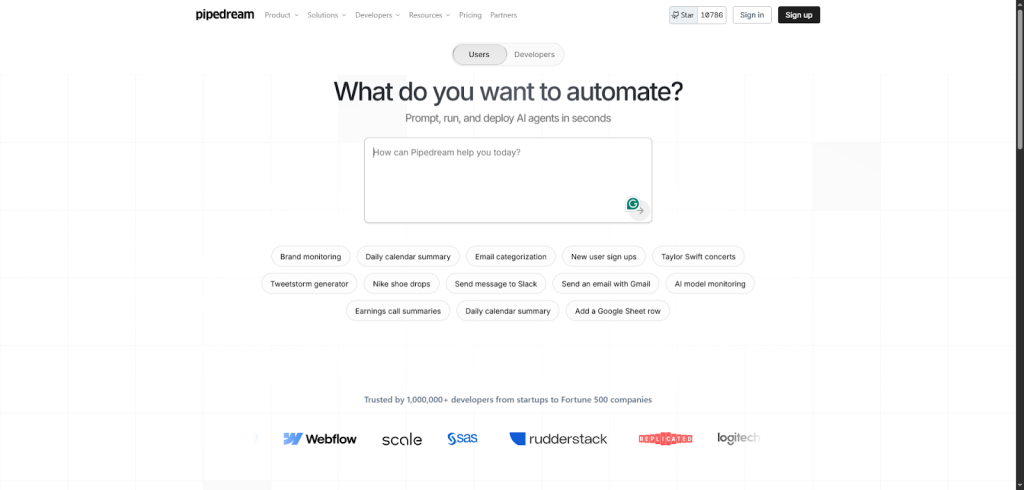
That’s exactly what MCP delivers.
At its core, the MCP server acts as a translator. It standardizes communication between AI assistants (like ChatGPT or Claude) and various APIs you want to work with. Instead of wrestling with different token formats, authentication quirks, or inconsistent data formats, you plug everything into the MCP server URL.
In practice, this means you can:
- Connect multiple APIs through a single, unified endpoint.
- Handle authentication once instead of managing keys across services.
- Standardize data responses for easier parsing and automation.
- Simplify maintenance = update integrations in one place, not everywhere.
It’s like having a universal language for all your API interactions, making your life easier when building or managing tools that rely on external data or services.
One of the standout features, especially for outbound teams, is managed authentication. You no longer need to manually renew tokens, manage API keys separately, or worry about security loopholes related to credentials.
MCP handles all that behind the scenes, so your outbound team can focus on what they do best (reaching out and closing deals) without worrying about expired tokens breaking their workflows.
Before I dive into examples, it’s worth mentioning you have options: you can use a hosted MCP server for quick setup or self-host your own MCP server if you want full control over your environment.
Both choices offer the same core benefits but cater to different company needs and preferences.
Now, let me share a super practical example that gets the power of Pipedream MCP really clear = the Generect API. This specialized integration API connects easily through Pipedream MCP, giving outbound teams instant access to verified b2b business leads on-demand.
No more spending hours digging through databases or juggling multiple lead sources. Instead, with a simple Pipedream MCP integration, your sales workflows smoothly pull in updated lead information automatically. This isn’t just convenient. It’s a massive productivity boost.
So now you know what Pipedream MCP is and why it matters. But what exactly makes it powerful for outbound teams? Let’s break down the features that turn everyday workflows into smart, automated systems.
Real leads. Real time. Zero effort.
Combine Pipedream MCP with Generect’s API to fetch verified, enriched leads instantly — and watch your CRM fill itself.
What features and capabilities power outbound success?
If you’re part of an outbound team, you know how crucial it is to have the right tools working seamlessly together. That’s exactly where Pipedream MCP shines. It’s not just a platform. It’s your secret weapon for smashing targets and keeping your workflows smooth.
I want to share some hands-on insights into why it truly powers outbound success.
First off, imagine having access to over 2,800 APIs and 10,000+ tools right at your fingertips, all with built-in authentication management. No more jumping between services or wrestling with complex logins.
Pipedream MCP keeps everything connected and secure. This alone saves a ton of headache and lets you focus on what matters – closing deals. What’s more, it supports multiple tool modes:
- Run lightweight “tools-only” setups for quick automations.
- Use sub-agent mode to delegate specific tasks to specialized models.
- Deploy full-config mode for complete, customized control.
- Mix and match modes across different workflows or teams.
This flexibility means you can tailor the setup precisely to your team’s needs without extra fuss.
Now, security is not an afterthought here. It’s enterprise-grade. Think encryption at rest protecting your sensitive data, credential isolation ensuring no accidental leaks, and OAuth client management handling your authentication flows neatly.
You don’t have to question “Is this safe?” because it truly is, letting you confidently integrate with various tools worry-free.
Speaking of tools, Pipedream MCP plays well with the apps your team is already using daily:
| Category | Tool / App | What Yyu can do with Pipedream MCP |
| Messaging & collaboration | Slack | Automate reminders, send updates, trigger workflows right from chats. |
| Development & code | GitHub | Manage issues, pull requests, and CI/CD actions directly via AI commands. |
| Data & operations | Google Sheets | Read, update, and analyze data instantly without switching tabs. |
| Knowledge & organization | Notion | Create pages, update docs, and sync project notes automatically. |
| Communication | Gmail | Draft, send, and organize emails through AI-driven workflows. |
| AI clients & assistants | Claude Code, Cursor, Claude Desktop | Seamlessly integrate your favorite development or writing environments. |
A standout for outbound teams is the integration of the Generect API. Why? Because real-time, verified leads and clean email addresses are the lifeblood of any outreach strategy.
This API plugs directly into your MCP-powered workflows, washing away the nightmare of stale data and manual prospecting. Instead of chasing dead-end contacts, your team gets fresh, accurate information straight from the source.
Here’s where Generect really delivers value:
- It provides managed validation and enrichment, which means the leads you get aren’t just fresh. They’re high quality and primed for success.
- Email deliverability goes up when you use a professional email finder tool that provides verified addresses, reducing bounce rates and spam flags.
- You save tons of time by cutting out tedious manual checks and data scrubbing.
What makes this pairing even sweeter is how Pipedream MCP’s managed authentication flow means you never have to store messy tokens. The platform uses an API-first approach combined with a developer portal that’s a breeze to navigate.
Plus, supported transport protocols like SSE and streamable HTTP keep data flowing fast and reliable. If your team has ever wanted to add custom tools, the developer toolkit makes it straightforward instead of intimidating.
Behind the scenes, Pipedream Connect powers the MCP servers, keeping everything humming in sync. This robust infrastructure means you get top performance and reliability without juggling complex setups.
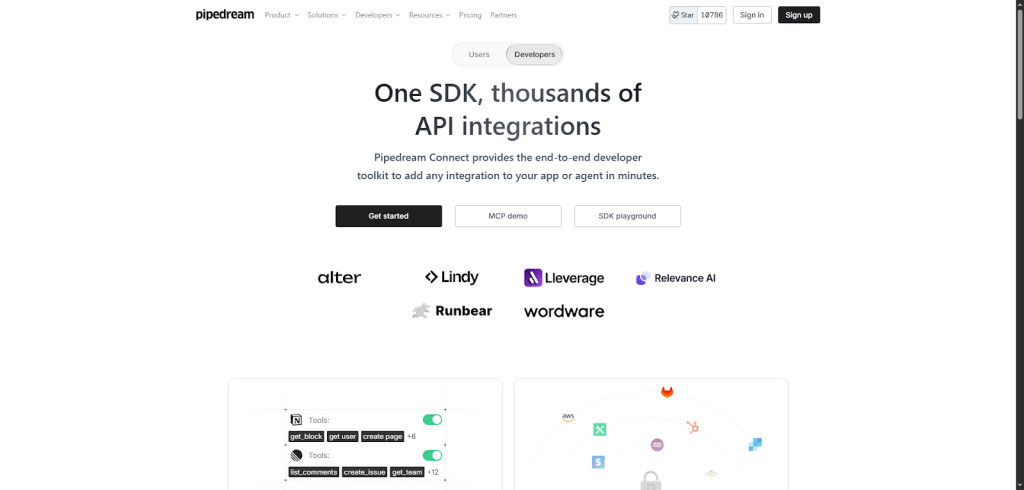
If you want a practical snapshot, here’s a quick rundown of what you get when using Pipedream MCP with Generect for your outbound operations:
- Instant access to thousands of APIs and tools with secure, managed authentication.
- Real-time, validated leads and emails that ensure your outreach hits the mark.
- Smooth integrations with your favorite apps: Slack, GitHub, Google Sheets, Notion, Gmail.
- Enterprise-level security protecting your data and credentials.
- An easy developer experience with a toolkit for custom additions.
- Reliable data delivery powered by SSE and streamable HTTP protocols.
- No token storage worries thanks to managed auth flows.
- Scalable architecture supported by Pipedream Connect MCP.
- A pay-as-you-go pricing model from Generect that fits any team size and budget.
In the end, Pipedream MCP isn’t just a toolset; it’s a strategic advantage. It brings everything you need under one roof (speed, security, flexibility, and quality leads), giving your outbound team a huge edge. Whether you’re a lean startup or a growing enterprise, the platform scales with you, and the pricing stays transparent, so you’re never caught off guard.
These features are great, but the real magic happens when you start using them. Setting up Pipedream MCP is easier than you’d think, and I’ll show you exactly how to get started step by step.
Turn data chaos into deal flow
Pipedream MCP + Generect API keeps your outbound engine running — fresh leads, verified emails, zero busywork.
How do I get started with Pipedream MCP?
Getting started with Pipedream MCP is surprisingly simple, even if you’re not a coding whiz. You’ll learn how to set up your account, create projects, connect tools, and integrate APIs like Generect’s to automate your outbound lead fetching.
Let me walk you through the process step by step.
1. Create your Pipedream account
First, you need a Pipedream account.
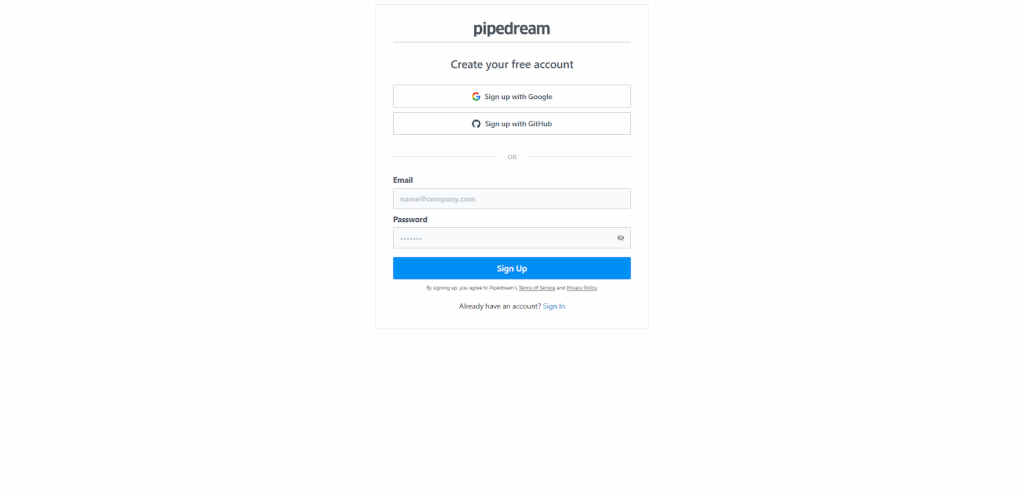
Just head over to the sign-up page and register. Creating a new project is just as easy: after logging in, click on “Create Project,” give it a meaningful name, and you’re ready to start building your workflows.
It’s that smooth.
2. Set your environment variables
Next, setting environment variables might sound tricky, but Pipedream makes it straightforward.

To keep your credentials safe and your workflows flexible, you’ll set variables like:
- PIPEDREAM_CLIENT_ID and PIPEDREAM_CLIENT_SECRET (for authentication)
- PROJECT_ID (to target outbound operations)
- ENVIRONMENT (so workflows know if they’re running live or in testing mode)
Manage these under your project’s Environment Variables settings.
3. Choose your hosting option
One of the biggest perks is using the hosted Pipedream MCP servers.
This means no setup headaches for you. You don’t need to worry about servers crashing, scaling up, or applying security patches = Pipedream MCP server handles all that behind the scenes.
Your workflows stay updated and secure without lifting a finger.
If you prefer more control, self-hosting is an option. Running the MCP server locally is as easy as executing a single command: just type `npx @pipedream/mcp` in your terminal.
For something more robust, running Pipedream MCP in a Docker container works great too. You can build the image with `docker build -t pipedream-mcp .` and then run it exposing port 3010 using:
docker run -p 3010:3010 pipedream-mcp
This option is perfect if you want to integrate MCP deeply with your infrastructure.
4. Link user accounts the easy way
Connecting user accounts? No need to wrestle with custom authorization flows.
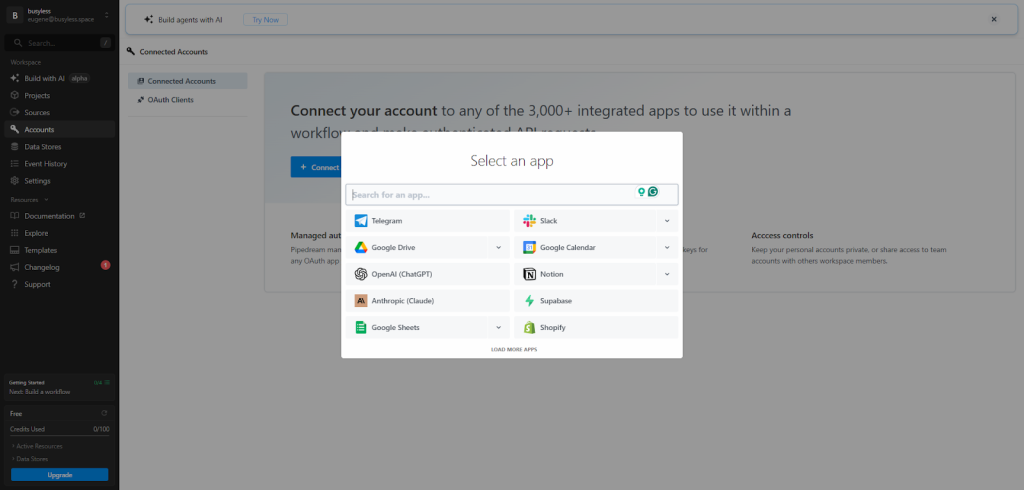
Pipedream MCP lets you use a Connect Link or the frontend SDK button that you can quickly add to your app or site. Your users just click, and boom – they gain access to a secure b2b contact database without extra hassle.
5. Integrate the Generect API
Now, here’s where things get exciting: integrating Generect’s API within your Pipedream MCP workflows.
Start by grabbing your API credentials from Generect’s developer portal. Store the API key securely in your environment variables inside Pipedream, just like you did with your client ID and secret.
This setup allows your workflows to fetch leads automatically, streamlining your outbound game. It’s like having a lead gen assistant working 24/7 in the background.
6. Follow Generect’s clear docs
Generect’s developer documentation is super clear and helpful.
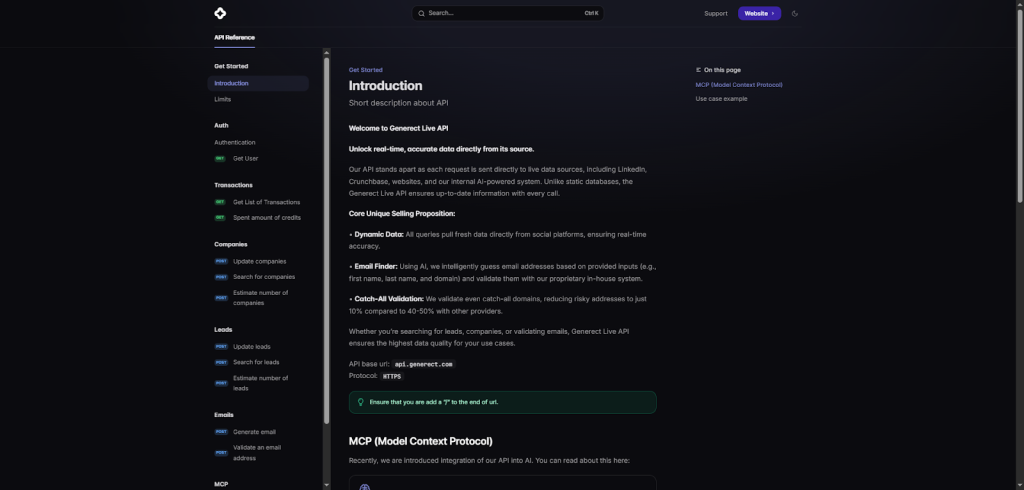
They guide you through onboarding, showing you how to create OAuth clients, manage external_user_id and app slug usage, and switch between development and production environments easily.
Plus, token refresh happens automatically, so you’re never cut off mid-workflow. For your reference, you can explore their OAuth client setup steps and onboarding docs embedded within Pipedream MCP’s tool connection UI. No need to jump across multiple platforms.
6. Explore practical use cases for Generect’s API
Once your Generect API credentials are set up in Pipedream MCP, it’s time to put them to work. The Generect API is designed for real-time, precision targeting, fetching live data from LinkedIn, Crunchbase, and other verified sources.
This means your outbound and research workflows stay accurate, fast, and always fresh.
Here are the top use cases:
- Use the /companies/by_icp/ endpoint to build a filtered list of potential clients or partners. You can specify company size, industry, location, revenue, keywords, and even follower count. For example, filter for U.S.-based “Software Development” firms with 200–500 employees and over 5,000 LinkedIn followers to get a precise, high-value segment.
- Combine company search with /leads/by_icp/ to pull professional profiles that match your ICP. Think CTOs in mid-size SaaS firms or marketing heads in high-growth startups.
- With /email_validator/, validate leads in bulk to reduce bounce rates and protect your sender reputation. Catch-all detection and AI-powered validation ensure accuracy even for tricky corporate domains.
And a few pro tips for best results:
- Implement pagination using limit_by and offset_by for large datasets.
- Use keywords with logic operators like AND, OR, or NOT to sharpen your targeting.
- Exclude irrelevant companies with exclude_domains or exclude_ids.
- Cache results for recurring workflows = responses remain valid for 30 days.
By integrating these endpoints through Pipedream MCP, you can automate everything from lead discovery to email validation, turning Generect into a 24/7 data engine inside your sales stack.
Once you’ve got it running, the next question is: how does this actually fit into your daily outbound routine? Let’s walk through how Pipedream MCP connects your tools and keeps your workflows humming.
Your first workflow is minutes away
Connect Generect’s API inside Pipedream MCP and watch your CRM populate with verified, high-intent leads automatically.
How does Pipedream MCP fit into outbound workflows?
If you’re part of an outbound team, you know how chaotic things can get. You’re juggling multiple communication channels, generating leads, syncing data across tools, and trying to keep meetings on track. It feels like a full-time job just managing the workflow without any actual outreach happening.
That’s exactly where Pipedream MCP shines – bringing order to the chaos.
Outbound teams typically need to handle multi-channel communication (email, Slack, social media) and constantly feed their CRM with fresh leads while scheduling follow-ups. Doing this manually is a time-suck.
You end up repeating the same tasks over and over:
- Sending cold and follow-up emails.
- Posting alerts in Slack when new leads or replies come in.
- Updating Google Sheets or internal trackers with fresh data.
- Syncing contacts and activities with HubSpot, Salesforce, or your CRM.
- Nudging reps about overdue follow-ups or high-intent signals.
Pipedream MCP steps in to automate all of that seamlessly, so your team can focus on actual conversations instead of clicking around tools.
Think of Pipedream MCP as your central control hub that connects every piece of your outbound puzzle. It doesn’t just push your data from place to place; it orchestrates these workflows in real-time across all the tools you rely on, all within one neat interface. This means fewer tabs open, less context switching, and way less room for error.
What makes this even cooler is its integration with AI agents like the Gemini Agent and the MCP Chat app. These aren’t just smart assistants; they dynamically discover and execute the right tools at the right moment. For example:
| Use case | What the AI Agent does |
| Lead discovery | Searches LinkedIn or Generect API for new companies matching your ICP. |
| Contact enrichment | Pulls job titles, emails, and domains, then validates them automatically. |
| Email drafting | Generates personalized outreach emails based on lead data and context. |
| Follow-up automation | Detects non-responses and schedules tailored follow-ups via Gmail or Slack. |
| CRM sync | Logs new leads, notes, and activities directly into HubSpot or Salesforce. |
| Slack alerts | Sends instant notifications when high-quality leads are found or replies arrive. |
| Competitor tracking | Monitors LinkedIn or web updates from target companies for trigger events. |
| Meeting prep | Summarizes lead backgrounds and previous interactions before calls. |
| Pipeline prioritization | Scores leads automatically based on engagement and company signals. |
| Cross-channel orchestration | Coordinates tasks across Slack, Sheets, and Gmail, all through MCP commands. |
Speaking of prospecting automation, here’s where Pipedream MCP really changes the game. It leverages the Generect API as its core outbound lead generation and enrichment engine.
This means you get real-time prospect discovery, accurate email verification, and deep contact enrichment, all injected directly into your CRM and collaboration platforms like Slack.
By connecting Generect through the Pipedream MCP server URL, your pipelines become smart lead flows that free your reps from manual searching and let AI take over outreach tasks.
Now, imagine all this happening without you having to build complex integrations yourself. Pipedream MCP supports a bunch of AI frameworks like Vercel AI SDK, OpenAI API, and Anthropic Claude Messages API.
This low-code, no-code approach means even if you’re not a developer, you can put together powerful workflows. You get efficiency gains and cut down the endless manual tasks that usually bog outbound teams down.
One of the best parts? Using Generect via Pipedream MCP doesn’t just save time; it improves results. The leads you get are fresh, verified, and enriched with valuable data points. This fresh lead data translates to better quality outreach and noticeably higher response rates. When your reps know they’re reaching out to contacts who are real and engaged, your entire pipeline becomes healthier.
Now that your workflows are flowing, it’s time to take things up a notch. You’ll learn how to customize, debug, and refine your setup so it runs smoother every day, without extra stress.
Outbound, upgraded.
Turn every lead into a data-driven opportunity. Integrate Generect inside MCP and let AI run your outreach engine.
How can I develop, debug, and customize efficiently?
When I first started working with Pipedream MCP, I quickly realized that efficient development and debugging were game changers.
The MCP Inspector tool, launched via `npx @modelcontextprotocol/inspector`, became my go-to for testing routes and inspecting every tool call in real-time.
It’s straightforward to use and gives you immediate insight into what’s happening behind the scenes in your workflows. You’ll find it invaluable for catching errors early and making quick adjustments.
One neat trick I discovered is using the `external_user_id` and `app` parameters to scope your debugging. By passing these in your requests, you basically isolate your testing environment within the Pipedream MCP servers.
Here’s how to do it in practice:
- Add both parameters to your API calls. Include external_user_id (e.g., your test user ID or email) and app (e.g., “generect_dev”) in the request body or headers.
- Use consistent IDs. Stick with one external_user_id per session to make it easier to trace logs and results.
- Segment by app name. Assign unique app names for each integration or environment, for example, crm_test, outreach_prod, or internal_debug.
- Monitor logs in Pipedream. Filter execution logs by external_user_id to see only your own requests and responses.
- Clean up when done. Once your tests pass, clear or archive your scoped sessions to keep your workspace tidy.
This simple setup keeps your debugging organized, repeatable, and safe, especially when multiple teammates are testing workflows on the same MCP server.
If you want to push beyond what the public MCP tool registries offer, publishing your own custom tools is the way to go. It’s easier than you’d think. Here’s how to do it step by step:
- Build your tool locally. Write your tool in JavaScript, Python, or any language that supports HTTP endpoints. Make sure it exposes clear input/output formats.
- Define the tool schema. Add a simple JSON schema describing your tool’s parameters and expected responses so AI agents can call it dynamically.
- Register it with MCP. Use the MCP CLI or Pipedream’s dashboard to register your tool endpoint under a unique name.
- Test it in a sandbox. Run your tool with test data to confirm authentication, responses, and error handling all work smoothly.
- Deploy and share. Host it on Pipedream, Vercel, or your own server, then share the MCP endpoint with your team.
- Iterate fast. Update your tool anytime (new fields, extra logic, or improved performance) and MCP automatically picks up the latest version.
With this workflow, you can create tools that perfectly match your team’s daily processes (no matter if that’s enriching leads, analyzing deal data, or syncing across multiple systems), all inside your own MCP ecosystem.
The Pipedream developer portal is another gem. It’s where you manage integrations and tweak app configurations with ease. What I love about it is the API-first approach that lets you build custom solutions programmatically. This portal becomes a single dashboard to keep all your MCP components organized and under control.
Let’s talk about Generect, which I found particularly powerful when integrating lead enrichment into outbound workflows. The inspector plays a crucial role here, letting you verify lead data responses and keep an eye on token management without hassle.
Debugging Generect API tool calls feels smooth because you can watch each request and response flow closely and adjust parameters on the fly.
Customizing Generect lead enrichment parameters dynamically within MCP tool definitions was a breakthrough for me. It means you don’t have to rely on static settings; instead, you tailor lead data fetching exactly to your use case.
No matter if you need to tweak filters or enrich different data points, it’s all doable inside the tool configs.
After you’ve seen how flexible and developer-friendly Pipedream MCP can be, you might wonder how it stacks up against the competition. Let’s compare it to other popular tools so you can see where it truly shines.
How does Pipedream compare to other solutions?
If you’re on an outbound team, you already know how important it is to have the right tech stack to move fast and close deals. I’ve spent a fair bit of time testing tools like Tray.ai, Workato, AWS Lambda, Zapier, and Make.
Each of these solutions brings something valuable to the table, but when I tried Pipedream MCP, it quickly stood out as a real game-changer.
Here’s why (and I’ll break it down in a way that feels practical and easy to absorb).
Comparing the top automation players
First off, let’s talk about those other players:
| Platform | Best for | Key strengths | Main limitations | Ease of use | Developer flexibility | Scalability | Pricing |
| Pipedream MCP | Teams needing both low-code and developer power | AI agent builder, managed auth, SDK + CLI, Generect integration | Slightly technical setup for beginners | ⭐⭐⭐⭐☆ | ⭐⭐⭐⭐⭐ | ⭐⭐⭐⭐⭐ | 💰 Flexible, team-friendly |
| Tray.ai | Mid-sized teams focused on AI-driven workflows | Strong automation logic, visual builder | Limited deep customization for devs | ⭐⭐⭐⭐☆ | ⭐⭐☆☆☆ | ⭐⭐⭐⭐☆ | 💰💰💰 Higher-tier pricing |
| Workato | Large enterprises | Enterprise-grade integrations, governance, and compliance | Complex setup, expensive for smaller orgs | ⭐⭐⭐☆☆ | ⭐⭐⭐☆☆ | ⭐⭐⭐⭐⭐ | 💰💰💰💰 Premium |
| AWS Lambda | Developers needing serverless execution | Highly scalable, robust runtime options | Requires coding knowledge, no UI | ⭐⭐☆☆☆ | ⭐⭐⭐⭐⭐ | ⭐⭐⭐⭐⭐ | 💰 Pay-as-you-go |
| Zapier | Solo users and SMBs | Massive app ecosystem, easy no-code setup | Limited logic and dev features | ⭐⭐⭐⭐⭐ | ⭐☆☆☆☆ | ⭐⭐☆☆☆ | 💰 Free + tiered plans |
| Make (Integromat) | Visual builders and marketers | Intuitive drag-and-drop interface, affordable | Slower for complex automations | ⭐⭐⭐⭐⭐ | ⭐⭐☆☆☆ | ⭐⭐⭐☆☆ | 💰💰 Budget-friendly |
Now, here’s where Pipedream MCP integration comes into the picture with a fresh perspective. What really impressed me was its blend of developer-centric tooling and a low-code/no-code approach.
This means whether you’re a software engineer or a marketing strategist on the outbound team, you can build complex workflows without getting lost in a sea of code.
The interface makes automation accessible without cutting out power users.
Let me break down Pipedream MCP’s unique strengths for you:
- AI Agent Builder → this feature allows you to create AI-powered workflows that can handle complex outbound tasks (like dynamically sourcing leads or crafting personalized emails) without starting from scratch.
- Massive integrations with managed Auth → you don’t have to wrestle with API keys or OAuth problems. Pipedream takes care of authentication securely, so you can connect to hundreds of apps quickly.
- Developer-centric tooling → if you do like getting your hands dirty, Pipedream offers a robust SDK and command-line tools for ultimate flexibility.
- Scalable and secure architecture → built to handle enterprise demands, you get reliability and compliance baked in. No need to worry if your workflow grows in scale or sensitivity.
Here’s where I found a sweet spot for outbound teams: the low-code/no-code approach empowers non-engineers to build and tweak workflows on the fly. Imagine your sales reps or marketers setting up lead routing or follow-up triggers without waiting on busy developers.
That alone speeds up campaigns and increases agility.
Speaking of speed, Pipedream MCP doesn’t disappoint. With out-of-the-box SDKs and well-crafted templates, you can spin up workflows in minutes, not days. For instance, I used a pre-built template to automate lead enrichment and follow-up sequences. It saved hours every week. And the best part?
The entire setup was tweakable with simple clicks or minor code edits if needed, striking a perfect balance between ease and control.
Why the Pipedream + Generect combo wins
In the middle of all this, one absolutely standout feature deserves a spotlight: the Generect API integration.
This isn’t just another lead database hookup. Unlike generic integrations you find in Zapier or Make, Generect provides fresh, verified leads in real-time. Instead of relying on outdated lists, your outbound team gets access to quality prospects instantly.
This means your workflows can instantly prioritize valid leads, reducing wasted outreach and improving response rates.
Let me give you a practical example: Imagine a workflow where a new verified lead from Generect automatically triggers a personalized email drip, tailored by AI agents built in Pipedream. You’re not only speeding up prospecting but also raising the quality bar – something other tools with stale or generic lead data simply can’t match.
This is outbound precision and scale in action.
How Generect complements Pipedream MCP’s automation capabilities is what truly sets this combo apart. With Generect validating lead data live, you’ll never have to second-guess the quality of your pipeline.
Here’s how this combo makes your outbound machine leaner, faster, and more effective:
- Automatically verifies contact and company data before it ever hits your CRM.
- Flags high-intent or verified leads so your reps know who to contact first.
- Triggers personalized outreach workflows based on live lead status.
- Keeps your CRM and outreach tools synced with the freshest data. No duplicates or stale info.
- Removes invalid or outdated entries to keep your pipeline clean and accurate.
- Speeds up lead handoff from discovery to outreach in minutes, not hours.
- Tracks which verified leads perform best, improving targeting over time.
Together, Pipedream MCP and Generect create a continuous loop of data accuracy, automation, and agility – a true advantage when every second counts in outbound sales.
Once you’ve chosen Pipedream MCP, the next step is keeping it efficient as your team grows. Here are some best practices to scale smoothly while staying secure and organized.
Enterprise-ready, outbound-proven
From load balancing to lead quality, Generect MCP is built to scale with your team and your targets.
Best practices for scaling and maintaining Pipedream MCP at enterprise level
When it comes to scaling Pipedream MCP servers for large outbound teams, the key is to keep things reliable, fast, and easy to manage. I’ve seen firsthand how teams get stuck if they don’t plan their MCP server architecture properly. So let’s dive into what works, step-by-step.
First off, don’t rely on a single MCP server URL to handle heavy outbound traffic. You want to distribute the load horizontally. That means spinning up multiple Pipedream MCP servers across different instances.
Load balancing these servers ensures no one server becomes a bottleneck, and geographic distribution adds a layer of resilience and speed, especially if your leads span time zones.
Now, keep an eye on everything. Integrate your MCP server monitoring into tools like Datadog, New Relic, or Prometheus. These platforms give you real-time metrics and alerting so you can spot issues before they become problems.
Here’s how to set up smart, hands-off monitoring in practice:
- Connect your MCP server logs to Datadog, New Relic, or Prometheus for unified visibility.
- Track key metrics like request latency, workflow execution time, and API error rates.
- Set threshold-based alerts to detect unusual activity, like a sudden spike in Generect API calls or failed authentications.
- Monitor credential health by tracking token expiry dates and refresh cycles automatically.
- Automate response actions such as restarting workflows or notifying the team on Slack when something breaks.
- Use dashboards for quick overviews of system uptime, throughput, and API usage trends.
- Log everything centrally to streamline debugging and compliance reporting later.
By combining MCP with professional monitoring tools, you’ll catch potential issues early, maintain consistent uptime, and keep your outbound automations running smoothly around the clock.
On the development side, automated testing and CI/CD pipelines are lifesavers. Every update or deployment to your MCP tools should go through a seamless pipeline that tests functionality and performance. This approach means you’re rolling out improvements confidently, without breaking your workflows.
Managing configurations and tool versions is crucial in enterprise environments too. Use version control to track changes and enable easy rollbacks if a problem arises. It’s like having a safety net. You try new ideas but can always revert to the last stable setup.
Here’s how to do it right:
| Task | What to do | Why it matters |
| Track config changes | Store every change in Git or a similar version control system. | Ensures full visibility and accountability. |
| Tag stable releases | Tag working versions (e.g., v1.2.0-stable). | Makes rollbacks quick and predictable. |
| Use branching for testing | Create feature or test branches for new experiments. | Keeps production safe while you iterate. |
| Automate backups | Schedule automated config backups before major updates. | Provides an easy restore point if issues arise. |
| Document updates | Maintain a simple changelog in Markdown or Notion. | Helps teams understand what changed and why. |
| Monitor version drift | Compare production and staging environments regularly. | Prevents “it works on my machine” problems. |
| Automate deployments | Use CI/CD pipelines to roll out verified versions. | Reduces human error and keeps environments consistent. |
As your team grows, multi-tenant environments become a must. Implement role-based access control (RBAC) to ensure people see only what they need. This keeps sensitive call data and credentials secure while empowering reps to do their job efficiently.
Don’t forget backups and disaster recovery. Regularly encrypt and back up your credentials and tool configs. Losing access here can be catastrophic during an outage. And speaking of monitoring, your Generect API key usage should be part of your observability strategy.
Tracking API calls helps you manage lead generation quotas and keeps your pay-as-you-go billing in check, which is important to align with your outbound volume and budgeting needs.
By now, you’ve seen how Pipedream MCP can automate, scale, and streamline every part of outbound. Let me wrap it up with why it became my personal go-to — and how it can do the same for you.
Why Pipedream MCP became my go-to for outbound teams
When I first tried Pipedream MCP, I wasn’t sure what to expect.
But soon, it became my secret weapon for outbound success. What I love most? It makes complex workflows simple and saves tons of time.
Here’s why you’ll find it handy:
- Automate repetitive tasks like prospecting and follow-ups.
- Easily integrate with your favorite tools without coding.
For example, setting up automation to send personalized emails or track responses used to take hours. With Pipedream MCP, it’s just a few clicks. Plus, you’ll find helpful step-by-step tutorials that show exactly how to connect your CRM and messaging apps effortlessly.
You’ll learn how to keep your outreach consistent and data-driven without any tech headaches. If you want to give your outbound team a real boost in 2026, Pipedream MCP is worth trying.
It’s practical, friendly, and designed to make your life easier.
And if this all sounds like the kind of smooth automation your team’s been missing, try connecting the Generect API to your Pipedream setup.
It’s quick to integrate, instantly enriches your leads, and feels like adding an extra team member who never sleeps.
Once you see it running, you’ll wonder how you ever managed without it.

