


Last updated: June 2026. We use several tools on this list to test Generect’s own API.
Here’s the honest state of the market in mid-2026: Postman is fine but expensive, and in March 2026 it got more expensive. The free plan now supports exactly one user, which means any team of two or more has to pay $19/user/month. For a 5-person team, that’s $95/month or $1,140/year, just to share collections and run tests together.
At Generect, we spent two months migrating our internal API test suite off Postman to Bruno. The migration took one afternoon. The savings were immediate. We lost nothing we needed, and gained git-native version control and Cursor AI integration we’d wanted for a while. That migration is part of what prompted this guide: the cost math has tipped, and the alternatives are genuinely good now.
This is not a list of “Postman alternatives you should consider.” It’s the tools we’d actually recommend, with specific reasoning, including one that shut down entirely (Apiary, September 2025) and one new entrant that earned its spot (Thunder Client).
What makes a great Postman alternative?
Matter-of-factly, the best tools don’t just copy Postman.
They make everyday API work faster and simpler.
So, start with the basics. Any good alternative should let you send requests, group them into collections, and manage environments easily.
You’ll spend most of your time doing those three things, so speed and clarity matter.
Then look at advanced features. Tools that support mock servers, automated testing, schema import/export, and scripting can save you hours when debugging or integrating APIs. Think of these as power tools; optional at first, but essential as your projects grow.
Collaboration is another must-have. If your team shares requests, tracks changes or works offline, choose a tool with version control, sync options, and an offline mode that actually works.
Don’t ignore experience. A clean UI/UX, fast performance, and broad platform support (desktop, web, and mobile) can make or break your workflow. You want something that feels smooth and stays stable when you’re testing under pressure.
Finally, consider your long-term setup. Open-source tools often mean freedom and flexibility, while proprietary ones may offer polish and support. Balance that with your budget. Pricing and community activity can reveal how sustainable a tool really is.
In short, a great Postman alternative feels light, works everywhere, and helps you focus on building (not just testing) better APIs.
Now that you know what to look for, here’s how we picked the top contenders. We tested dozens of tools and focused on what truly matters for everyday API work.
How we chose the top 10 Postman API alternatives
Selection criteria for 2026: active development (last commit within 6 months), realistic pricing vs. Postman’s new $19/user/month Team plan, and meaningful differentiation, not just “another GUI REST client.” Three tools didn’t make this year’s cut: Apiary (Oracle shut it down September 2025), Paw (Mac-only and development stalled), and SoapUI (too niche for most teams). Thunder Client earns a spot for the first time. The rest survived scrutiny because they each solve something Postman either prices out of reach or architecturally can’t do.
Before diving into the alternatives, it’s worth calling out a different kind of API entirely. Generect’s lead generation API solves a totally different problem: prospecting. We’re the authors of this guide and we run Generect, a real-time B2B lead engine. Internally, our API returns 98% valid emails across all enrichment calls (measured across our customer base, not a marketing estimate). We were selected for Google for Startups (1 of 35 companies globally in our cohort), which gave us the infrastructure credits to keep our data fetched live rather than from static databases. We mention this because several of the tools on this list are ones we actually use to test our own API, and that gives us a specific lens on what matters in a Postman alternative beyond the spec sheet.
On to the tools.
Developers automate code. Sales teams automate leads.
See why teams use Generect API to connect data, enrich contacts, and fill their pipelines without manual uploads.
And, here are the top Postman API alternatives that stood out in 2026 and why each one deserves your attention.
What are the top 10 Postman API alternatives for 2026?
You’ve seen what makes a great tool and how we picked the best. Now it’s time to meet them. Each of these Postman API alternatives brings something unique to the table: speed, simplicity, collaboration or advanced automation.
2026 note: Several tools have had significant updates this year. Bruno added AI coding assistant integration. Hoppscotch launched paid plans. And Apiary was permanently shut down by Oracle in September 2025; we’ve replaced it with Thunder Client, the VS Code-native client that’s been rapidly gaining traction. Read on for the full breakdown.
We tested all of these against real workflows, including Generect’s own internal API testing setup, where we use Bruno to version-control our contact enrichment endpoint tests alongside the integration code. Here’s what actually mattered.
2026 pricing reality check: Postman’s March 2026 changes made the cost math concrete for teams:
| Tool | Free tier | Team plan | 5-dev team/month |
| Postman | 1 user only (changed March 2026) | $19/user | $95/month |
| Bruno | Unlimited users, fully free | Free (open source) | $0 |
| Apidog | Full features, team limits | ~$10-14/user | $50-70/month |
| Insomnia | Unlimited private projects | ~$8/user | $40/month |
| Hoppscotch | Individual, unlimited requests | Team plan (2026) | ~$20-40/month |
| Thunder Client | Full REST testing | Pro (team sync) | <$30/month |
| SwaggerHub | Free trial only | ~$30/user | $150/month |
| HTTPie | CLI free forever | Enterprise | $0 (CLI) |
A 5-person dev team switching from Postman to Bruno saves $1,140/year. For SwaggerHub users, switching to Apidog saves $80/month at team size. These aren’t hypothetical; they’re real migration economics teams are running through in 2026 after Postman’s pricing restructure.
Apidog
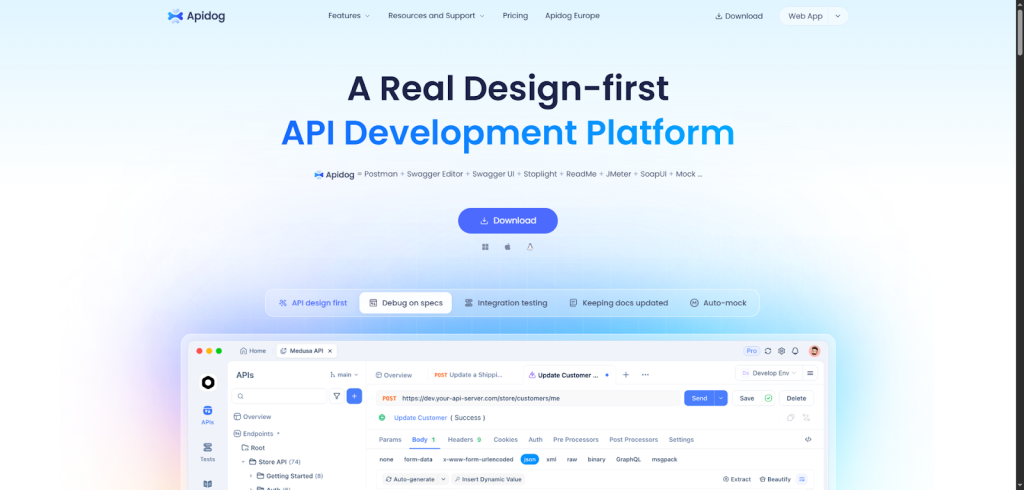
Apidog is the tool teams reach for when they’ve outgrown “I’ll just test with Postman.” It combines API design (OpenAPI-native), live testing, auto-generated mocks, and documentation that updates automatically from your spec, all in one product. The closest Postman equivalent would require juggling Postman + Swagger Editor + ReadMe or Stoplight, and paying for each.
The design-first workflow is genuinely different from Postman’s. You define the schema visually, Apidog generates a mock server from it instantly, and your test suite validates against the spec, not a hand-rolled collection. When the spec changes, the mocks update. With Postman, that sync is manual and usually stale within a sprint.
Design your API with OpenAPI support, generate a live mock server in one click, run tests against that mock and your live endpoints, and publish docs from the same spec. CI/CD integration runs the test suite on each PR. Team workspaces handle sharing and permissions.
Unlike Postman, Apidog really lives up to the “design-first” approach, making it super easy to stay synced with your API specs throughout the whole process, from design to testing and documentation.
- Best for: Solo devs / Teams / SMBs
- Use cases: API testing, mocking, monitoring, documentation, CI/CD testing
- Integrations: GitHub, Slack, CI/CD tools
- Automation level: Semi-automated with low-code test flows
- Deployment time: Minutes
- Free trial: Yes
- Lets you design your API visually before writing code, saving time and confusion
- Auto-updates docs and mock servers so your team’s always on the same page
- Easy to create automated test scenarios that fit right into your build pipelines
- Some advanced features might have a learning curve if you’re new to design-first workflows
- Smaller community than Postman, so fewer plugins and user-generated content
- Desktop app could feel a bit clunky compared to lightweight web tools
Apidog offers a free tier to get you started. Paid plans begin around $10/month, scaling with features and usage. Custom pricing is available for large teams or enterprises.
Insomnia
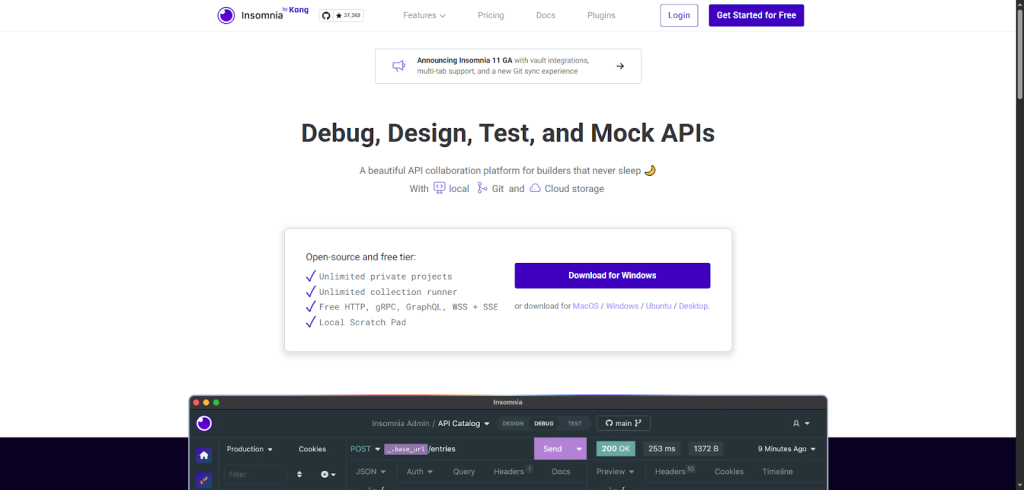
Insomnia is the Postman alternative for teams that need the full feature set but find Postman’s UI too heavy. It handles REST, GraphQL, and gRPC cleanly, and it’s the best option for GraphQL specifically: the built-in schema explorer and query autocomplete beat Postman’s GraphQL experience noticeably.
The 2024-2025 Kong acquisition raised concerns in the community about the open-source direction, but development has remained active and the core product is solid. The Git sync feature (store your collections in any Git repo) is the most practical collaboration model: no shared cloud workspace required, works with your existing PR workflow.
You create requests and organize them into projects, sync with Git or the cloud, and use its built-in tools to mock APIs or automate testing.
Integration with CI/CD pipelines and team roles help keep everything smooth.
Insomnia’s seamless mix of local, Git, and cloud storage for collaboration sets it apart. It feels simple and clean compared to Postman and offers powerful debugging plus easy API mocking, all wrapped in a beautiful, fast interface.
- Best for: Solo developers and teams of all sizes
- Use cases: API testing, mocking, monitoring, documentation, CI/CD integration
- Integrations: GitHub, Git, Slack, CI/CD tools
- Automation level: Manual to semi-automated workflows
- Deployment time: Minutes
- Free trial: Yes, with a free tier that never expires
- Intuitive UI that’s super easy to pick up if you’re new to API tools
- Strong collaboration features with Git sync and cloud options
- Supports a wide range of protocols (REST, GraphQL, gRPC) in one app
- Some advanced features require paid plans
- Automated testing and monitoring are not as extensive as niche tools
- CLI and integrations might take some time to set up for full automation
Pricing
Insomnia offers a free tier with unlimited private projects and core features. Paid plans start at around $8/month and add advanced collaboration and security options. Enterprise plans are available with custom pricing for larger teams or businesses.
On a related note, Generect acts as a powerful b2b data api doing something clever with data automation. It identifies and verifies leads based on your ideal customer profile and syncs them right into your sales tools, a time-saver that feels tailor-made for busy sales and marketing teams.
You’ve tried API tools. Now try a lead API.
Meet Generect API = the automation engine that finds your ideal customers while you focus on building, selling or scaling.
Bruno
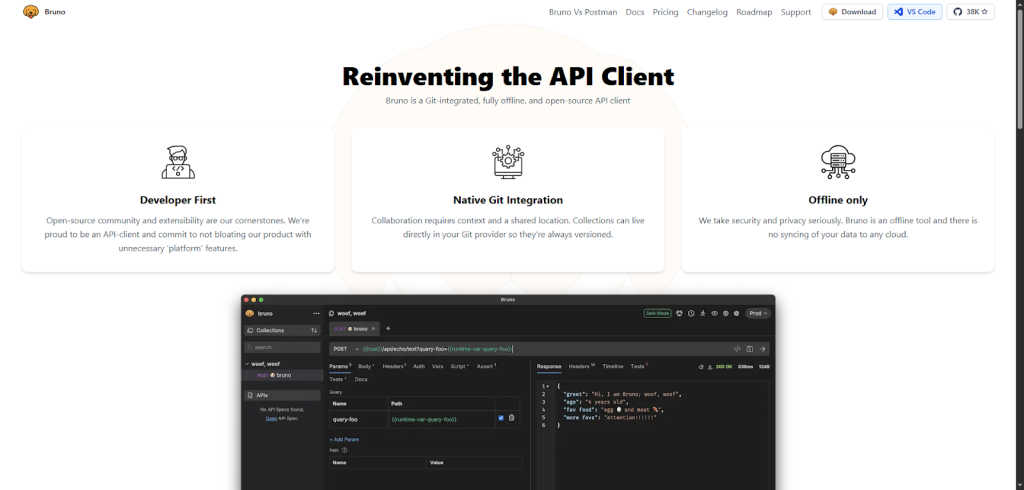
Bruno is the fastest-growing Postman alternative in 2026, for a specific reason: it stores API collections as plain-text .bru files on disk. No cloud account, no sync subscription, no proprietary format. The collection lives in your repo, gets reviewed in PRs, deploys with your code.
You work on your API requests directly in Bruno, save them as files in your Git repo, and collaborate by pushing and pulling changes.
It fits perfectly into any CI/CD pipeline and integrates well with popular Git providers for smooth teamwork.
Bruno’s core selling point: collections are stored as plain-text .bru files on your filesystem. No cloud account, no sync subscription: your API specs live in the repo, get reviewed in PRs, and travel with the codebase. In 2026, that model has proven especially valuable for teams using AI coding assistants: Cursor and GitHub Copilot can read and write Bruno collections like any other source file, enabling genuinely code-native API workflows. Copilot can generate full request suites from a natural-language description; Cursor agents can wire up tests against an API spec without a human clicking through a GUI.
If you want easy collaboration with version control, zero cloud lock-in, and growing AI tooling support, Bruno is the fastest-rising alternative to Postman in 2026.
- Best for: Solo devs, Teams, SMBs
- Use cases: API testing, mocking, monitoring, documentation, CI/CD
- Integrations: GitHub, GitLab, Bitbucket, VS Code
- Automation level: Semi-automated workflows
- Deployment time: Minutes
- Free trial: Yes, fully free and open-source
- Uses Git for version control and collaboration, so you don’t lose any context.
- Fully offline and privacy-focused: your data never leaves your machine unless you push it.
- Lightweight and super fast, without bloated features you don’t need.
- Lacks some advanced automation features Postman offers out of the box.
- Smaller community, so fewer ready-made integrations and plugins.
- Requires a bit of Git knowledge to get the most out of collaboration.
Bruno is open-source and free to use. There’s no hidden cost or forced upgrade. For teams and enterprises needing custom support or features, they offer tailored plans with dedicated pricing.
Hoppscotch
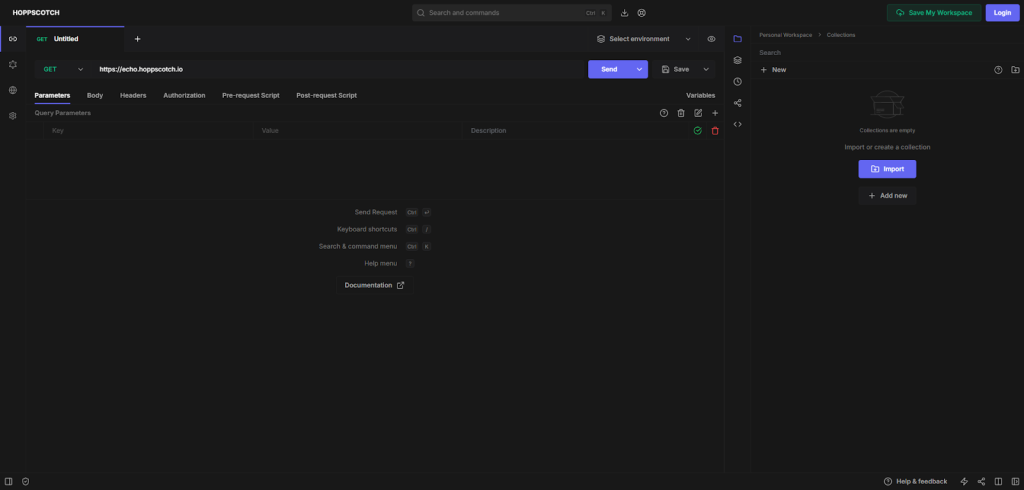
Hoppscotch is the browser-native API client that opens faster than Postman loads. No install, no account: open the URL and start testing. It supports REST, GraphQL, WebSocket, and SSE from a single interface that’s cleaner than anything in Postman’s UI.
The community-built version is free and open-source. In 2026, paid team plans have arrived, adding shared workspaces and admin controls for orgs that want Hoppscotch as a hosted product rather than a quick-test URL.
You set up your requests with a simple interface, run tests, and see instant results. It supports sharing with your team and integrates easily with CI/CD pipelines and popular tools like GitHub and Slack for smooth workflows.
Hoppscotch stands out with its speed and lightweight design. It boots up faster than Postman and lets you jump right into testing without fuss, plus, it’s totally open source.
The collaboration features work: shared workspaces, team collections, invite links. No special setup needed.
- Best for: Solo devs, small teams, SMBs
- Use cases: API testing, mocking, monitoring, documentation, CI/CD testing
- Integrations: GitHub, VS Code, Jenkins, Slack
- Automation level: Semi-automated workflows
- Deployment time: Minutes
- Free trial: Yes, free to use
- Super fast and easy to get started with, no heavy installs required
- Clean and intuitive UI that doesn’t overwhelm you with options
- Great collaboration tools to share requests and environments with your team
- Lacks some advanced automation features found in bigger tools
- Limited offline capabilities compared to desktop apps like Postman
- Smaller ecosystem and fewer integrations than some enterprise tools
Hoppscotch is free to use for individuals. As of 2026, team plans are available for those needing shared workspaces and team collaboration features. Enterprise plans are also available for self-hosted deployments with SSO and advanced admin controls. The free tier remains generous for solo developers and quick API testing.
HTTPie
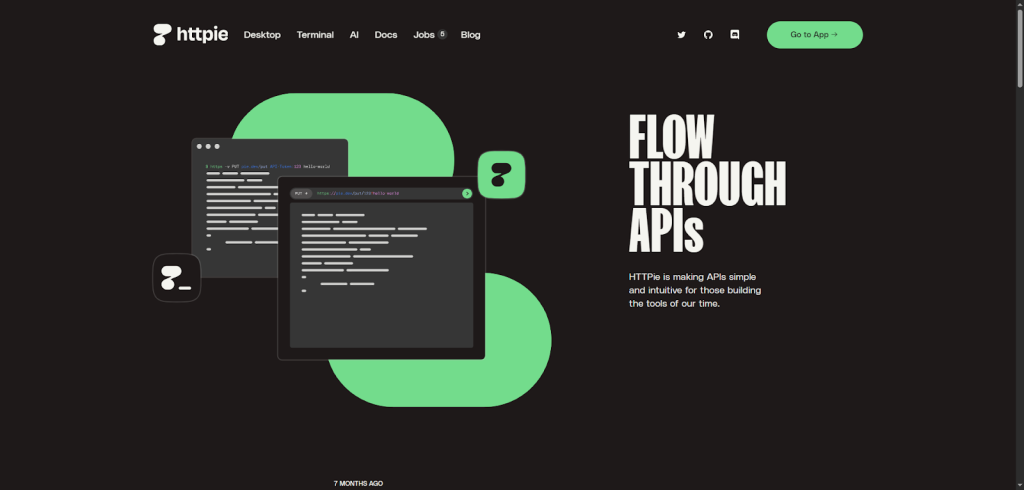
HTTPie is the API tool that makes terminal-first developers feel at home. One command, colored JSON output, human-readable syntax. It’s the curl replacement people actually want to use. The desktop app (HTTPie for Desktop) brings the same clarity to a GUI without the overhead of Postman.
Building or debugging, HTTPie gets out of the way. The output is colored and structured by default, which sounds minor but saves real time when you’re scanning a 200-field JSON response looking for the one wrong value.
You just type commands in your terminal or use the desktop app to send requests and get responses immediately. It works well with CI/CD pipelines and team workflows, letting you share and automate API testing smoothly.
HTTPie stands out with its super clean, readable output and an intuitive command setup that feels more human than complex.
Unlike Postman, it’s lightweight and perfect for quick tests in the terminal or simple collaboration through its desktop app.
- Best for: Solo devs and small teams
- Use cases: API testing, debugging, automation basics
- Integrations: Works well with GitHub, CI/CD tools like Jenkins
- Automation level: Mostly manual with some automation support
- Deployment time: Minutes to get started
- Free trial: Free, open-source version available
- Very easy to install and start using right away
- Clean, readable output that’s friendly to the eyes
- Works smoothly both in terminal and with a desktop app
- Limited deep collaboration features compared to Postman
- Not focused on heavy automation or performance testing
- Lacks built-in API design or documentation generation tools
HTTPie offers a free, open-source version that’s perfect for most users. Paid plans with extra features are available, and enterprise options come with custom pricing based on your needs.
RapidAPI
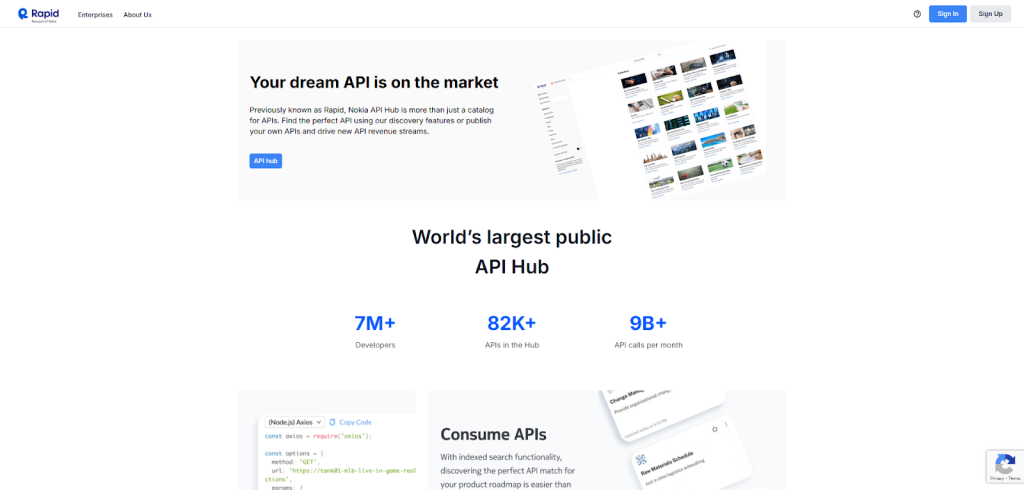
RapidAPI is like a giant marketplace for APIs that makes it super easy to find, connect, and manage all kinds of APIs in one place.
RapidAPI’s real differentiator is the marketplace layer: you can discover, subscribe to, and test third-party APIs in the same interface where you manage your own. If your project depends on stitching together multiple external APIs, that saves real context-switching time.
You sign up and instantly get access to thousands of APIs. You test and integrate them directly on the platform, connect your favorite tools like GitHub or Slack, and set up automated workflows that fit into your CI/CD pipeline.
Unlike other tools like Postman, RapidAPI combines a huge API marketplace with seamless testing and collaboration features, all in one interface.
It’s perfect if you want both discovery and management without switching platforms.
- Best for: Solo devs / Teams / SMB / Enterprise
- Use cases: API testing, mocking, monitoring, documentation generation, CI/CD testing
- Integrations: GitHub, VS Code, Jenkins, Slack
- Automation level: Semi-automated workflows with options to build fully automated pipelines
- Deployment time: Minutes
- Free trial: Limited version available
- You get quick access to thousands of APIs in one spot, no need to hunt around
- Easy collaboration tools help teams share API tests and data effortlessly
- Streamlines automation by fitting neatly into CI/CD pipelines with good integrations
- The marketplace focus means some advanced testing features aren’t as deep as dedicated tools
- Pricing can get tricky if you’re using many paid APIs through the platform
- Occasional learning curve on managing API keys and subscriptions in one place
RapidAPI offers a free tier with limited access to APIs and features. Paid plans start at about $10/month and go up based on your API usage and additional features. Enterprise options are available if you need a custom setup for bigger teams or high-volume access.”
If integrations matter, look at how Generect API approaches it: seamless, real-time syncing of verified B2B contacts straight into CRMs and outreach tools. No scraping, no uploads. Just continuously refreshed prospect data that keeps your funnel moving.
Turn “testing” into “closing”
APIs shouldn’t just test. They should deliver. Generect API brings verified leads straight to your system so your next call is a real one.
SwaggerHub
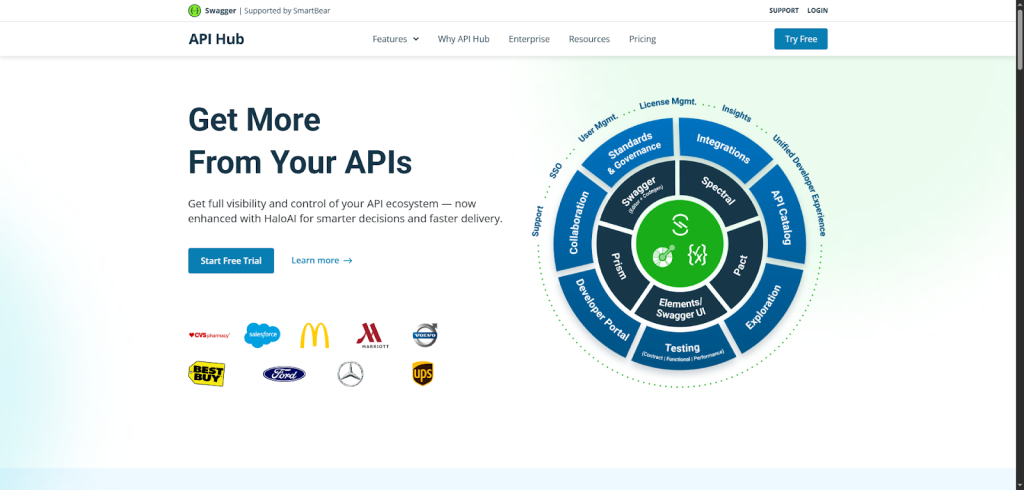
SwaggerHub helps you design, test, and manage your APIs all in one place. It’s perfect if you want to work faster and smarter with your team on building consistent APIs.
SwaggerHub’s core value is standardization: it enforces OpenAPI consistency across teams at a level no other tool on this list attempts. The price reflects that: at $30/user/month, it’s 58% more expensive than Postman’s Team plan. You pay for enterprise API governance, not just testing.
You design your API visually or with code, share it with your team, and test it right inside the platform. It connects smoothly with tools like GitHub and CI/CD pipelines to keep your workflows efficient.
Unlike Postman, SwaggerHub focuses on making API design and collaboration super simple for everyone, even non-coders. Its built-in contracts and live testing mean fewer surprises later on, speeding up delivery and teamwork.
- Best for: Teams and Enterprises
- Use cases: API design, testing, documentation, mock servers, CI/CD automation
- Integrations: GitHub, VS Code, Jenkins, Slack, Azure DevOps, more
- Automation level: Semi-automated to fully automated workflows
- Deployment time: Minutes
- Free trial: Yes
- Easy API design with visual editors so everyone can pitch in, no heavy coding needed
- Centralized place for your API specs and docs, cutting down confusion and duplication
- Built-in contract testing catches issues early, saving you from headaches in production
- Might feel overwhelming if you only need simple API tests without design features
- Some advanced automation requires setup and learning curve
- Pricing can be high for small teams or solo developers
There’s a free trial to try out all features. Paid plans start at around $30 per user per month, with custom pricing available for big teams and enterprises needing high-scale API management.
Firecamp
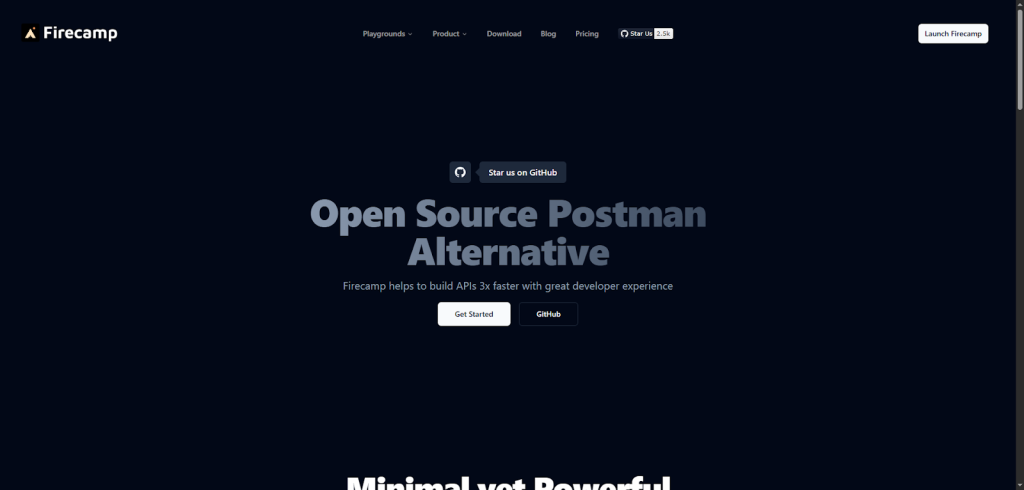
Firecamp is a multi-protocol API platform that lets you quickly test and play around with different types of APIs: REST, GraphQL, WebSocket, and SocketIO, all in one place.
2026 update: The Firecamp Chrome extension was delisted from the Chrome Web Store in September 2025. The primary platform is now the web app at firecamp.dev and the desktop client, both of which remain actively developed. If you were using the extension, migrate to the web app. It’s more capable anyway.
You jump into ready-made playgrounds for your APIs, organize collections, and invite your team to collaborate in real time. It also plugs into your CI/CD pipelines with a built-in test runner and offers handy command-line tools.
Unlike Postman, Firecamp supports multiple protocols beyond REST, including real-time WebSocket and SocketIO, all wrapped in a clean, minimal interface that makes teamwork feel effortless and smooth.
- Best for: Solo devs, small and mid-sized teams
- Use cases: API testing, mocking, monitoring, documentation, CI/CD tests
- Integrations: GitHub, VS Code, Jenkins, Slack
- Automation level: Semi-automated with visual test runs and CLI support
- Deployment time: Minutes
- Free trial: Yes, with a limited version
- Instant playgrounds for multiple API types save you switching between tools
- Real-time team collaboration feels like Google Docs for API work
- Clean, simple interface helps you focus on what matters: building and testing
- Lacks some advanced automation features Postman offers
- Smaller user community means fewer third-party tutorials and plugins
- Enterprise features and large-scale custom setups are still evolving
Firecamp offers a free tier with essential features to get started. Paid plans begin at a reasonable monthly rate and scale with your team size and needs. Enterprise pricing is customized for big teams with heavy usage.
Firecamp supports multiple protocols, which is great for devs and it’s interesting how Generect API mirrors that flexibility for data. It works across CRMs, marketing tools, and outreach platforms, syncing verified leads wherever you need them.
What if your API could bring you leads?
Testing endpoints is cool. Getting new customers through one is cooler. Generect API turns data automation into lead generation.
Thunder Client (replaces Apiary, shut down Sept 2025)
Note on Apiary: Oracle shut down Apiary permanently on September 9, 2025. Paid plans had been deprecated since 2018, and the platform finally went dark. If you were using Apiary for API design and documentation, the cleanest alternatives are SwaggerHub (already on this list) or Bump.sh for hosted docs. We’ve replaced the Apiary slot with Thunder Client, a tool that’s earned its place among the most-used Postman alternatives for developer teams in 2026.
Thunder Client is a lightweight REST API client built directly into VS Code. If you spend your day in VS Code, this is the tool that eliminates context-switching entirely: test your API right beside the code that calls it, without opening a separate app.
Install the VS Code extension, and you get a full API client inside your editor: collections, environments, auth, scripting, and a test runner. It imports Postman collections and supports variables, pre-request scripts, and response assertions with a simple JSON-based test format.
Zero context switching. Your requests live in a sidebar panel next to your code. When Copilot suggests an endpoint change, you test it three seconds later without leaving the editor. For teams that’ve standardized on VS Code, Thunder Client is the obvious daily driver, and it stores collections as JSON files you can commit to Git.
- Best for: Solo devs and teams working primarily in VS Code
- Use cases: REST API testing, scripting, collection management, CI/CD via CLI
- Integrations: VS Code, GitHub, Git, CI/CD via CLI export
- Automation level: Manual to scripted; CLI export for pipeline use
- Deployment time: Under 2 minutes (VS Code extension install)
- Free trial: Free tier covers most use cases; Pro plan for teams
- Zero context-switch: test your API right next to the code that uses it
- Collections stored as Git-friendly JSON, no cloud account required
- Imports Postman collections directly, making migration fast
- VS Code only: not an option if your team uses other editors
- No built-in mock server or API design features
- Advanced team collaboration requires the paid Pro plan
Thunder Client’s core features are free. The Pro plan unlocks team sync, Git sync for shared collections, and advanced scripting, priced per user per month, competitive with Postman’s Team tier but without the sticker shock.
Requestly
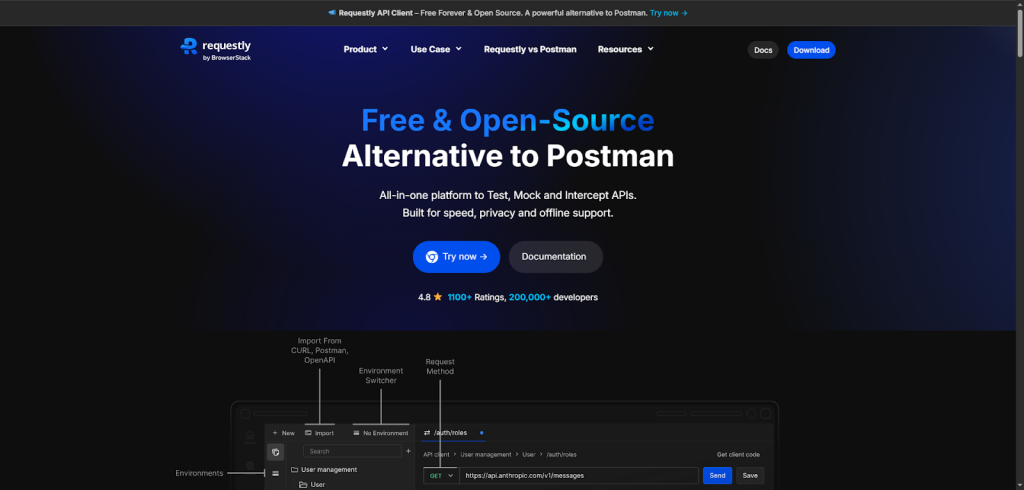
Requestly is a lightweight, open-source API client that helps you design, test, and mock APIs faster and easier. It’s great for developers who want a quick, no-fuss tool for API testing and collaboration without the extra bulk.
Works solo or with a team. The standout feature is no login required for local workspaces. You can share a collection via a file, not a cloud invite link.
You can quickly send API requests using its simple interface, import collections from Postman, and create preand post-request scripts. It supports local and team workspaces, integrates with Git for sync, and fits smoothly into your workflow with no login required.
Unlike Postman’s heavier setup, Requestly is super lightweight and fast, working right inside your browser or desktop app.
It’s open-source and privacy-first, with flexible offline support and easy collaboration options, making it perfect if you want power without complexity.
- Best for: Solo devs, teams, SMBs, and enterprises
- Use cases: API testing, mocking, monitoring, documentation, CI/CD testing
- Integrations: GitHub, Slack, VS Code, Jenkins
- Automation level: Semi-automated workflows
- Deployment time: Minutes
- Free trial: Yes, with a free tier available
- Simple and quick setup with no login required
- Supports importing Postman collections easily
- Offers local workspaces ensuring privacy and offline use
- Desktop and browser-based only, no mobile app yet
- Some advanced automation features are limited
- Slight learning curve for users switching from more complex tools
Requestly has a free tier that covers most basic needs comfortably. Paid plans start at affordable monthly rates, with custom enterprise pricing for larger teams or advanced security requirements.
That’s a lot of great options, but how do they actually compare? Let’s look at their strengths, weaknesses, and best use cases side by side.
The 2026 angle: AI features in API tools
One shift that separates 2026 from prior years: AI assistants have become a legitimate part of the API development workflow. Not chatbot gimmicks, actual productivity gains. Here’s how the landscape breaks down:
- Bruno + Cursor / GitHub Copilot: Because Bruno stores everything as plain text files, AI coding assistants can read and write collections natively. Cursor can generate a full test suite for a new endpoint from a natural-language prompt. Copilot can suggest pre-request scripts. This is the most genuinely useful AI integration in any API tool right now; it’s not a bolt-on feature, it emerges from Bruno’s file-based architecture.
- Apidog AI Assistant: Apidog added an AI assistant that generates mock data from your schema, auto-fills request parameters, and suggests test assertions, reducing the time to set up a new test collection for a complex API.
- Postman AI (Postbot): Postman’s Postbot can write tests, generate documentation, and suggest fixes for failing requests. It’s available on the Team plan ($19/user/month as of March 2026), which means smaller teams now pay substantially more just to access AI features that come free through Bruno + Copilot.
- Thunder Client + VS Code AI: Since Thunder Client lives inside VS Code, it inherits all AI tooling in the editor: Copilot, Cursor, Continue or whatever AI extension your team uses. No special integration needed.
The pattern: AI value comes from tools that are open and file-based, not from cloud-first platforms that add AI as a paid upgrade. Teams who care about this should weight Bruno and Thunder Client higher in their evaluation.
A real-world note: We use Generect’s own email enrichment API internally for testing and sales tooling. When we evaluated these API clients against our own endpoints (specifically the contact search and email validation endpoints), Bruno stood out for one practical reason: the .bru collection files live in the same repo as the integration code. Any time the API schema changes, the collection updates alongside it in the same commit. With Postman, that sync was always manual and always slipped. Insomnia was close, but Bruno’s zero-cloud-account requirement meant no friction when onboarding new engineers. With Generect’s API returning 98% valid emails on first call, the response assertion tests are simple, but having them version-controlled with the code is what made them actually stick.
How do these alternatives to Postman for API testing compare side by side?
Here’s the pricing reality check first, because with Postman’s March 2026 changes, the cost math has shifted significantly for most teams:
| Tool | Free tier (2026) | Team/Paid | 5-person team/month |
| Postman | 1 user only (March 2026 change) | $19/user/month | $95/month |
| Bruno | Fully free, unlimited users | Free (open-source) | $0 |
| Hoppscotch | Individual use, unlimited requests | Team plan available | ~$20-40/month |
| Apidog | Full features, limited team members | ~$10-14/user/month | $50-70/month |
| Insomnia | Unlimited private projects | ~$8/user/month | $40/month |
| Thunder Client | Full REST testing, Git sync | Pro plan for team sync | <$30/month |
| SwaggerHub | Free trial | ~$30/user/month | $150/month |
| HTTPie | Open-source CLI, free forever | Enterprise pricing | $0 (CLI) / varies (desktop) |
For a 5-person team, switching from Postman to Bruno saves $1,140/year, and Bruno does the core job (collection management, Git sync, environment variables, test assertions) without compromise. The cases where you’d still choose Postman: heavy Postbot AI use, deep Postman Monitor integrations or an enterprise contract already locked in.
Feature comparison across the full set:
| Tool | Key strength | GUI / CLI | Mocking | Scripting | Plugin support | Platform | Ideal for |
| Apidog | Design-first, all-in-one | GUI | ✅ | ✅ | ✅ | Web / Desktop | Full-cycle API teams |
| Insomnia | Beautiful UI + Git sync | GUI | ✅ | ✅ | ✅ | Web / Desktop | Teams needing collaboration |
| Bruno | Offline + Git-native | GUI / CLI | ✅ | ✅ | ❌ | Desktop / Offline | Devs who love Git |
| Hoppscotch | Lightweight + fast | GUI | ✅ | ❌ | ✅ | Web | Quick API testing |
| HTTPie | Simplicity + CLI power | CLI / GUI | ❌ | ✅ | ❌ | Terminal / Desktop | Devs who prefer command line |
| RapidAPI | API marketplace + testing | GUI | ✅ | ✅ | ✅ | Web | Teams using multiple APIs |
| SwaggerHub | Enterprise design-first | GUI | ✅ | ✅ | ✅ | Web | Large orgs, API governance |
| Firecamp | Multi-protocol support | GUI / CLI | ✅ | ✅ | ✅ | Web / Desktop | Real-time API work |
| Thunder Client | VS Code-native, zero context-switch | GUI (VS Code) | ❌ | ✅ | ✅ | VS Code | Devs living in VS Code |
| Requestly | Lightweight + privacy-first | GUI | ✅ | ✅ | ✅ | Browser / Desktop | Small teams, local testing |
Each tool shines in its own way.
- Apidog and Insomnia are strong all-rounders.
- Bruno is perfect for Git-driven, offline workflows.
- HTTPie suits developers who love command-line speed.
- Hoppscotch is lightweight and ideal for quick web-based testing.
- SwaggerHub leads in design-first, enterprise API governance.
- Thunder Client is the go-to for VS Code-native teams who want zero context-switching.
And, just a few thoughts about pros vs. cons:
- GUI tools are easier to start with, but can feel heavy.
- CLI-first tools are faster and script-friendly, but need setup.
- Open-source options give flexibility, while paid tools bring polish and support.
Pricing context for 2026: Postman’s Team plan is now $19/user/month (as of March 2026), with the Free tier limited to a single user. That makes the math easy: a 5-person team pays $95/month just to share collections. Most alternatives on this list cost nothing or a fraction of that for the same use case. Generect API users take a similar approach to their sales stack: instead of overpaying for stale b2b leads data, they use a real-time pull model that delivers verified contacts on demand. The principle is the same: don’t pay for overhead that doesn’t translate to results.
Your API stack is powerful. But is it profitable?
Turn your workflows into revenue drivers. Generect API connects real-time leads straight to your stack, no spreadsheets required.
But, when comparing alternatives to Postman API testing, remember: there’s no single winner. The best tool is the one that feels natural, keeps you productive, and fits how you already work.
Seeing features is one thing, finding your perfect match is another. Here’s how to choose the tool that fits your workflow like a glove.
Which tool fits your workflow best?
The right pick depends on two things: how your team already works, and what Postman specifically failed at for you. Here’s the decision tree.
For solo devs or lightweight use
If you want something quick and simple, go for Hoppscotch or Requestly.
They’re fast, browser-based, and don’t require setup. You can open them, test an API, and move on, perfect for debugging or side projects.They feel lighter than Postman and skip the unnecessary clutter.
Tip: Keep one of these tools bookmarked. You’ll save time when testing APIs on the fly.
For teams needing collaboration & versioning
Working with teammates? Insomnia and Apidog are your best friends. Both offer smooth team syncing, shared collections, and Git-based version control.
You can test, document, and review APIs together without tripping over versions.
Pro move: Set up shared environments so everyone tests under the same conditions. It kills those “works on my machine” bugs.
For automation or scripting-first workflows
If you love scripting, Bruno and HTTPie shine. Bruno lets you store requests in Git, making it easy to automate and review API tests. HTTPie, on the other hand, gives you the speed of the command line.
They’re ideal if you prefer writing tests as code instead of clicking buttons.
Tip: Add them to your CI/CD pipeline.You’ll catch issues early without manual testing.
For hybrid (REST + SOAP) environments
If your stack mixes REST and SOAP, Firecamp handles both with ease.
It’s designed for flexibility, supporting multiple protocols without extra setup. You can test WebSocket, GraphQL, and REST all in one workspace.
For API design-first or spec-driven workflows
Building APIs from the ground up? SwaggerHub is the clear choice. It focuses on design-first development, perfect for planning, documenting, and testing before you write a line of code. (Apiary was the other option here, but it shut down in September 2025.)
For teams standardized on VS Code
If your whole team lives in VS Code, Thunder Client is the natural fit. Install the extension, import your Postman collection, and you’re testing APIs in the same panel as your code. Works with GitHub Copilot out of the box, no extra setup to get AI assistance on your API tests.
When choosing among alternatives to Postman API client, don’t chase features. Pick the one that fits your workflow naturally and makes you faster. The best tool is the one you’ll actually enjoy using every day.
Really important = think about what data work they remove. Generect API is a solid example: it automates everything from lead search to enrichment to validation, giving teams verified prospects without any manual hunting.
Stop testing APIs, start using one that works for you
Tired of manual testing and endless setup? Let Generect API do the heavy lifting. It fills your CRM with verified leads while you focus on results.
And once you’ve found a favorite, you’ll want to switch smoothly. Don’t worry! It’s easier than it sounds. Here’s exactly how to migrate without breaking your flow.
How to switch from Postman (migration tips)
So, you’ve decided to explore some alternatives to Postman for API testing. Great move.
The good news? You don’t have to start from scratch. With a few smart steps, you can migrate smoothly and keep your workflow intact.
Let’s walk through it.
1. Export your collections and environments
Start by exporting what matters most: your API collections and environments.
In Postman, open your workspace, click the three dots next to a collection, and choose Export. Do the same for your environments. This saves your requests, variables, and settings as JSON files.
Most Postman API alternatives like Insomnia, Apidog or Requestly can import these files directly. Just drag and drop, and you’re ready to test.
Tip: Keep a backup of your exports. It’s your safety net if something breaks during setup.
2. Recreate environments and variables
Not all tools handle variables the same way. Once you import your collections, double-check that environment variables (like base URLs or tokens) are mapped correctly.
If something doesn’t match up, recreate them manually in your new tool. Most tools have environment editors where you can define global, local or workspace variables.
Pro move: Use consistent naming. It’ll save you a ton of confusion when running multi-environment tests.
3. Transition your scripts and tests
This is where you’ll spend a bit more time. Postman’s test scripts use JavaScript, but other tools may interpret logic differently.
Start by reviewing your most important tests: authentication, response validation or performance checks. Then rebuild them using your new tool’s scripting or automation system.
For example, Insomnia and Bruno both support JavaScript-based test logic, while tools like SwaggerHub focus on schema validation instead.
Don’t rush this part. It’s worth testing as you go to make sure your automation still behaves the way you expect.
4. Run both tools side-by-side
Before fully switching, run both Postman and your new tool in parallel for a week or two. Test the same APIs in both, compare results, and adjust any differences.
This trial period helps you spot gaps early, like missing variables, misconfigured mocks or slower response times. Once you’re confident everything works, you can retire Postman without stress.
Every switch comes with trade-offs, and API tools are no exception. Let’s look at what you might lose (and what you’ll gain!) in the process.
What are key trade-offs to watch for?
Switching tools always comes with trade-offs.
While Postman alternatives for API testing can be faster, simpler or cheaper, you might lose a few familiar comforts along the way. Knowing these up front helps you make smarter choices.
First, expect some feature differences. Postman’s polished UI, large plugin ecosystem, and deep integrations with tools like Slack or Jenkins set a high bar. Some alternatives may skip the fancy visuals or limit built-in integrations to stay lightweight.
Then there’s maturity. Newer tools, especially open-source ones, can have small quirks or edge-case bugs. Don’t worry! Most are quick to patch issues, but it’s worth testing your workflows early.
Community support also matters. A big, active community means more tutorials, plugins, and quick help when you’re stuck. Smaller tools might take more digging to troubleshoot.
Lastly, think long-term. Check how often your chosen tool gets updates and whether it offers responsive support. An active release cycle usually means a healthy, reliable project.
The takeaway? Every alternative has pros and cons. The goal isn’t to find a perfect replacement. It’s to find a tool that fits how you work best, without slowing you down.
You’ve seen the best tools, the trade-offs, and how to switch. Now, let’s wrap it up with a few quick takeaways and practical recommendations for making the smartest choice in 2026.
Final thoughts & recommendations for 2026
The landscape shifted meaningfully in the past year. Apiary is gone. Postman killed free team collaboration. And a new generation of file-based, AI-friendly tools (Bruno, Thunder Client) has moved from “interesting experiment” to “serious daily driver” for a growing slice of developer teams.
Here’s the opinionated summary:
- Best free alternative for teams: Bruno. Git-native, AI-compatible, zero subscription cost. The only real limitation is no built-in mock server.
- Best for VS Code shops: Thunder Client. Installed in two minutes, imports Postman collections, inherits all your AI coding tooling.
- Best all-in-one platform: Apidog. If you want design + testing + mocking + docs in one UI, Apidog beats Postman on UX and matches it on features at a lower price.
- Best lightweight/browser option: Hoppscotch. No install, fast, supports REST/GraphQL/WebSocket. Team plans now available if you need shared workspaces.
- Best for enterprise API governance: SwaggerHub. If your org needs OpenAPI standardization, design-first workflows, and contract testing at scale, SwaggerHub is the grown-up choice.
Don’t rush the switch. Export your Postman collections (they’re JSON), spin up Bruno or Apidog for a week alongside Postman, and see what sticks. The migration cost is low; the upside (especially on pricing) can be significant.
P.S. The real win with APIs isn’t just faster testing; it’s automation that removes entire categories of manual work. That’s exactly what Generect API does for B2B prospecting: verified contacts delivered in real time, 98% email validity, synced straight into your CRM. No spreadsheet exports, no stale database. Just continuously fresh lead data, the same “set it and let it run” logic that makes the best API tools worth switching to.

