

Last updated: July 2026. We rechecked Seamless.AI and ZoomInfo against their current official pricing and product pages, then rebuilt this comparison around one practical question: which platform produces the lowest cost per usable contact for your team?
Seamless.AI vs ZoomInfo: the 30-second answer
Choose Seamless.AI when your main job is fast contact discovery and you can validate records before scaling. Choose ZoomInfo when a larger revenue team needs contact and company data plus intent, org charts, governance, integrations, and workflow automation. Both now have a limited free entry point, so test the same ICP sample before discussing a paid contract.
| Decision factor | Seamless.AI | ZoomInfo | Generect |
|---|---|---|---|
| Core approach | Real-time AI contact search and verification | Broader GTM intelligence platform | Real-time lead search, email finding, and verification |
| Best fit | Individuals and teams prioritizing prospecting speed | Mid-market and enterprise teams operationalizing deeper intelligence | Founders and lean GTM teams that need verified contacts without a broad GTM suite |
| Free entry | Free account; official resources advertise 50 free credits | ZoomInfo Lite: 10 monthly credits, or 25 with Community Edition | Free searches plus a $5 onboarding grant |
| Paid pricing | Pro starts at 10,000 annual credits; universal dollar price not published | Custom quote based on users, credits, capabilities, integrations, and term | See live pricing |
| Main buying risk | Paying for records or add-ons your workflow cannot use | Buying a broad platform without the RevOps capacity to operationalize it | Requires a separate sequencing tool; validate fit with a sample |
What 365,000 email checks teach us about accuracy claims
In Generect’s July 2026 email-quality audit, a verification log of approximately 365,000 checks classified 65.7% as valid and 26.9% as invalid; the remaining 7.4% were catch-all or unknown. This was not a head-to-head Seamless.AI vs ZoomInfo benchmark. It demonstrates why a vendor-wide “accuracy” percentage is a weak buying shortcut: the result depends on the list, geography, role mix, domain behavior, and the vendor’s definition of a successful match.
| Observed status | Share | Operational implication |
|---|---|---|
| Valid | 65.7% | Still monitor delivery, role accuracy, and freshness after export |
| Invalid | 26.9% | Bad records waste credits and can damage sender reputation |
| Catch-all or unknown | 7.4% | Route to a cautious workflow instead of treating as guaranteed deliverable |
Our buying framework: export the same 100–500 ICP-matched records from each shortlisted platform. Re-verify emails close to send time, manually inspect titles and companies, test phone reachability where lawful, and log duplicates. Calculate (subscription allocation + credits + cleanup time) ÷ usable contacts. That number is more decision-ready than database size.
Worked example: what a usable verification result contains
A record should be auditable, not merely labeled “verified.” Generect’s current Email Finder and Email Validator contracts expose separate fields for the overall result, mailbox existence, catch-all status, mail provider, discovery source, and validation logs. That separation matters because a risky catch-all result should not enter the same outreach path as a confirmed mailbox.
| API field | Documented values | Workflow decision |
|---|---|---|
result | valid, risky, or invalid | High-level routing status; do not use alone |
exist | yes, no, or unknown | yes confirms the mailbox; no should be suppressed |
catch_all | Boolean or provider response | Apply a cautious sending policy when the domain accepts any address |
mx_domain | Mail provider such as Google, Microsoft, or Proofpoint | Useful for diagnosing provider-specific behavior |
source and logs | Discovery method and validation steps | Preserve provenance for QA and incident review |
The same principle applies when comparing Seamless.AI and ZoomInfo: ask to export status, source, and timestamp—not only an email string. A worked pilot row should record the vendor, input identifiers, returned fields, verification time, final disposition, credit cost, and rep cleanup time.
Concrete Generect limits to design around
- Lead search supports up to 2,500 results, a documented parallel-request limit of 50, and a recommended timeout of 100 seconds.
- Company search supports up to 1,600 results, a parallel-request limit of 20, and a recommended timeout of 300 seconds.
- Company-search results are cached for 30 days for the same core filter combination, while lead search is described as live and can take 15–60+ seconds.
These numbers are not a claim that Generect is universally faster or more accurate. They are implementation constraints a buyer can test. Ask Seamless.AI and ZoomInfo for the equivalent limits, then model retries, bulk jobs, credit consumption, and failure handling before production.
What are Seamless.AI and ZoomInfo?
Seamless.AI: contact discovery at search time
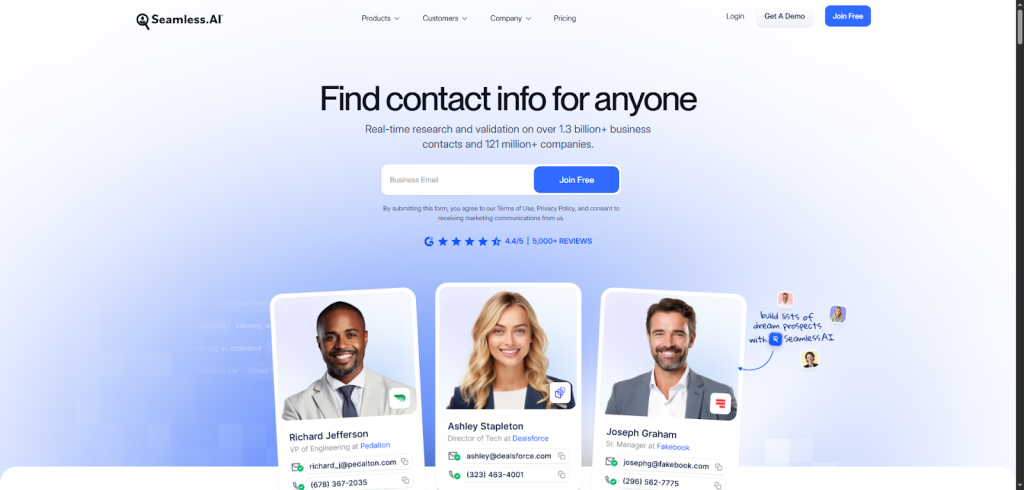
Seamless.AI positions itself as a real-time AI search engine for B2B contacts. A rep searches by person, company, role, or market, then uses credits to research contact details. The practical appeal is speed: it is designed to move from prospect search to a working list without a long implementation.
ZoomInfo: data plus GTM intelligence and workflows
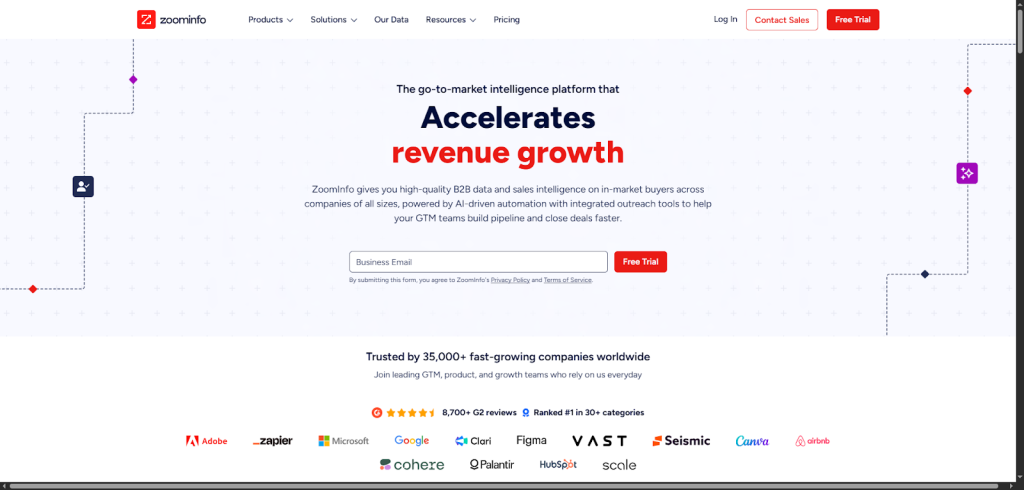
ZoomInfo combines contact and company data with intent, technographics, org charts, website-visitor identification, enrichment, engagement, and programmatic access. The vendor’s July 2026 pricing guide describes 500M+ professional contacts, 100M+ companies, 200M+ verified business emails, and 120M+ direct-dial numbers. Treat those as vendor-stated coverage figures, then test your own region and ICP.
How do Seamless.AI and ZoomInfo collect and manage data?
The products describe different operating models. Seamless.AI emphasizes researching and verifying contact information at the moment of search. ZoomInfo describes a multi-source system that combines machine learning, third-party partners, and human researchers, then connects that data to CRM and behavioral context.
| Question | Why it matters |
|---|---|
| When was this field last checked? | A current title with an old email is still a bad record. |
| What consumes a credit? | Search, research, export, phone, enrichment, and API actions may be metered differently. |
| How are catch-all and unknown emails labeled? | They need a different sending policy from confirmed-valid addresses. |
| Can you preserve source and timestamp in the CRM? | RevOps needs provenance to debug stale or conflicting writes. |
| What happens after the contract ends? | Data-retention and usage rights can affect migration risk. |
What features do Seamless.AI and ZoomInfo offer?
| Capability | Seamless.AI | ZoomInfo | Generect |
|---|---|---|---|
| Contact and company search | Core product focus | Core platform capability | Core product focus |
| Browser prospecting | Chrome extension | ReachOut extension | No browser extension claim; use platform, API, or LinkedIn URL lookup |
| Enrichment | Available capability; verify plan inclusion | Available at paid capability levels | Real-time company/contact enrichment |
| Buyer intent | Available capability; verify plan inclusion | Paid intelligence capability | Company growth signals available in profiles |
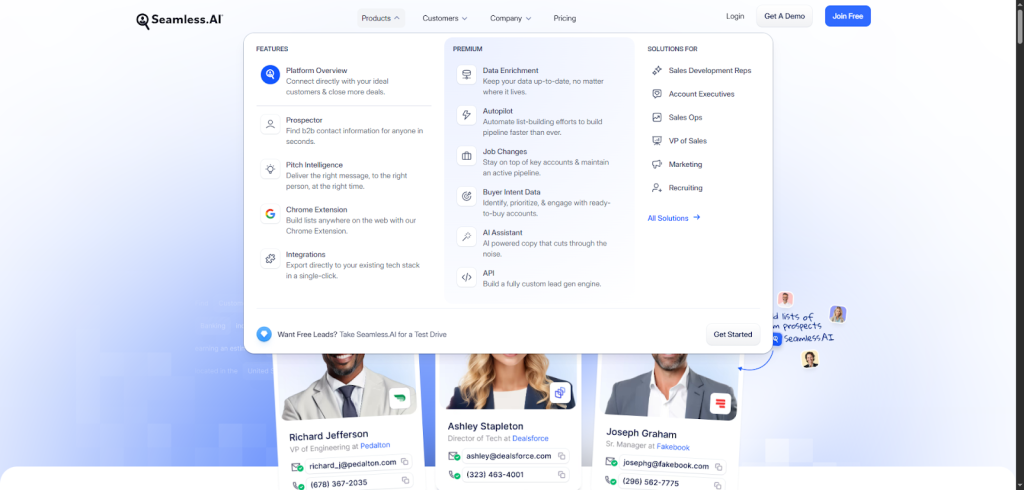
| Engagement | Connect module | Engage and broader GTM Workspace workflows | No built-in engagement sequencer |
| API | Available; confirm credits and entitlement | Enterprise/API access depends on package and usage | API access is a core workflow |
| Free access | Free account with limited credits | ZoomInfo Lite with limited monthly credits | Free searches plus onboarding grant |
The feature list is not the decision. Map each capability to an owner and a recurring workflow. If nobody will configure intent topics, maintain CRM mappings, or route signals, those features are cost—not value.
Which has better data accuracy?
There is no responsible universal winner without a defined segment. Accuracy changes by geography, seniority, company size, field type, and time since verification. A platform can have strong company data and weaker mobile coverage in one country, then reverse that result elsewhere.
Use a blind pilot: select accounts before opening either tool; define “usable” before testing; score email, phone, title, company, duplicate status, and timestamp separately; and do not count a record as successful just because one field exists. Report the confidence interval if the sample is small.
Which is easier to use?
Seamless.AI generally has the shorter path for a rep who wants to search, reveal, and export contacts. ZoomInfo exposes more data and workflow layers, so its value depends more on onboarding, governance, and RevOps support. During a trial, measure time to first usable list, not time to first login.
How do they integrate with your stack?
Do not accept an integration logo as proof of fit. Test field mapping, deduplication, overwrite rules, source timestamps, permissions, rollback, and error handling. For API use, ask which actions consume credits, whether bulk jobs are asynchronous, how retries are billed, and whether webhooks are signed.
How much do Seamless.AI and ZoomInfo cost?
Published third-party dollar estimates conflict, so use official facts and a written quote. In July 2026, neither vendor publishes one paid dollar price that every buyer can rely on.
Seamless.AI pricing in 2026
The official Seamless.AI pricing page confirms a free account, Pro plans starting at 10,000 annual credits, Custom plans for five or more licenses, no setup fee, and annual-billing discounts. An official prospecting resource currently advertises 50 free credits. Ask which actions consume credits and whether Buyer Intent, Data Enrichment, Job Changes, Connect, and API are included.
ZoomInfo pricing in 2026
ZoomInfo’s official July 2026 pricing guide lists ZoomInfo Lite as a permanent free tier with no card, annual commitment, or expiration. It includes 10 monthly credits, or 25 with Community Edition. Paid quotes depend on team size, credits, capabilities, integrations/API, and contract length.
For either vendor, document seats, credit definitions, add-ons, overages, rollover, implementation, renewal notice, cancellation procedure, price increases, and rights to retain exported data. Model total annual cost against usable contacts—not nominal credits.
Pros and cons
| Platform | Strengths | Trade-offs |
|---|---|---|
| Seamless.AI | Fast contact-first workflow; limited free test; credit-based entry | Validate quality by segment; clarify add-ons, credits, and contract terms |
| ZoomInfo | Deeper company intelligence, intent, org charts, governance, and workflows | Custom pricing and greater operational overhead; value depends on adoption |
| Generect | Real-time ICP search, contact enrichment, email finding/validation, API access, and pay-as-you-go pricing | No native outreach sequencer; teams must connect their CRM or sending tool |
Alternatives and complements
Some teams do not need either full platform. A focused tool can cover one layer: LinkedIn Sales Navigator for relationship mapping, a domain email finder for narrow research, a waterfall-enrichment system for coverage, or a verification API before CRM write-back.
Generect is a narrower option for live lead discovery and email validation. It does not replace the full intent, org-chart, and enterprise-workflow layer of ZoomInfo. Evaluate it with the same cost-per-usable-contact framework rather than assuming “real time” guarantees deliverability.
Final verdict: which is worth it?
Seamless.AI is worth testing when you need fast contact discovery and can validate results before scaling. ZoomInfo is worth considering when multiple revenue functions need deeper intelligence and have the people and process to use it. If neither use case fits, buy a smaller layer instead of a larger promise.
Use the free entry points, run the same pilot, and negotiate from measured data loss and workflow cost. The best tool is the one that delivers the lowest cost per usable, compliant contact for your actual market.
Appendix: a reproducible 40-check procurement test
Use this worksheet with Seamless.AI, ZoomInfo, or any alternative. Complete it in a sandbox with approved records, preserve the raw outputs, and define pass/fail thresholds before seeing vendor results. Not every check applies to every package; mark exclusions explicitly rather than scoring them as passes.
| Check | Test procedure | Evidence to retain |
|---|---|---|
| 1. Identity matching | Preselect 100 named people and companies from your CRM. Record exact name, current company, title, geography, and source timestamp before searching either platform. | Count exact matches, ambiguous matches, wrong-company matches, and records not found. Do not let reps substitute easier prospects after the test begins. |
| 2. Email existence | Export the email plus every available status, source, and last-checked field. Re-verify close to test time with one neutral validator. | Separate confirmed, invalid, catch-all, and unknown outcomes. Report each denominator; do not merge unknown into valid. |
| 3. Title freshness | Manually inspect current title and employer for a random sample, using a source your team is permitted to consult. | Score exact, materially equivalent, stale, and wrong. Define materially equivalent before reviewing the sample. |
| 4. Phone reachability | Where lawful and appropriate, test a small consented or business-relevant phone sample through normal calling operations. | Track connected person, wrong person, switchboard, disconnected, voicemail, and prohibited contact separately. |
| 5. Company coverage | Choose accounts across every headcount band, geography, and industry you intend to target. | Report coverage by segment. A strong aggregate can hide a weak region or vertical. |
| 6. Duplicate control | Import the same sample into a sandbox CRM containing known duplicates and alternate domains. | Measure duplicate creation, merge behavior, overwrite behavior, and whether provenance survives the merge. |
| 7. Credit accounting | Repeat search, reveal, export, enrichment, and API actions on a controlled set. | Reconcile observed balance changes against the contract definition. Ask the vendor to explain any action whose cost is not deterministic. |
| 8. Free-tier boundaries | Run the entire pilot first with the advertised free access. | Document fields hidden behind upgrades, export limits, refresh frequency, integration restrictions, and whether free credits reset. |
| 9. Seat economics | Model the actual number of researchers, SDRs, managers, admins, and API service users. | Compare named, concurrent, and view-only access. Include minimum-seat rules and mid-term seat changes. |
| 10. API authentication | Connect a sandbox client with the least privilege available and rotate its credential once. | Record scopes, rotation downtime, audit logs, IP restrictions, and whether separate production and test credentials exist. |
| 11. API limits | Send documented single, bulk, and concurrent workloads without exceeding the agreed test allowance. | Capture latency percentiles, throttling response, Retry-After behavior, job status semantics, and whether failed requests consume credits. |
| 12. Pagination | Retrieve enough records to cross at least two pages using the producer-documented cursor or offset contract. | Check duplicates, missing rows, ordering stability, maximum page size, and behavior when data changes mid-run. |
| 13. Bulk jobs | Submit a representative enrichment batch and intentionally include malformed, duplicate, and incomplete inputs. | Verify partial-failure reporting, row-level errors, retry safety, cancellation, completion notification, and output retention. |
| 14. Webhook security | If webhooks are used, inspect the sender’s documented signature and replay-protection contract before implementation. | Test signature failure, duplicate delivery, out-of-order events, timestamp tolerance, secret rotation, and retry schedule. |
| 15. CRM field mapping | Map every vendor field to a sandbox CRM field with an explicit owner and overwrite policy. | Test nulls, long strings, multi-value fields, locale formats, picklist failures, and recovery from a bad mapping. |
| 16. Write-back governance | Create rules for when vendor data may replace rep-entered or customer-confirmed data. | Measure unauthorized overwrites, source visibility, rollback time, and whether field history identifies the vendor action. |
| 17. Intent configuration | Define the topics, accounts, geography, lookback window, and owner before enabling an intent signal. | Track signal volume, account relevance, duplicates, routing latency, and the percentage that receives an agreed follow-up. |
| 18. Website visitor identification | Test only with approved domains, consent controls, and privacy review. | Measure identified company rate, false associations, bot filtering, regional availability, retention, and suppression behavior. |
| 19. Org charts | Select accounts whose reporting lines are known internally or can be responsibly verified. | Score missing nodes, wrong managers, stale roles, and whether confidence or source context is exposed. |
| 20. Technographics | Choose technologies that can be confirmed from your own stack or a permitted public signal. | Measure false positives, false negatives, detection date, product-version detail, and whether inferred data is labeled. |
| 21. International data | Split the pilot by country and language rather than treating international coverage as one segment. | Review legal basis, field availability, transliteration, phone formatting, opt-out handling, and cross-border processing terms. |
| 22. Suppression lists | Upload or connect a sandbox suppression set containing known do-not-contact records. | Confirm suppression before reveal, export, CRM write, campaign sync, and API response where the product supports it. |
| 23. Deletion requests | Use synthetic test records to trace a deletion or correction through connected systems. | Record identity verification, completion time, downstream propagation, backups, audit evidence, and responsibility boundaries. |
| 24. Data provenance | Inspect whether each critical field exposes a source category and collection or verification time. | Require enough provenance to investigate a complaint without exposing confidential collection methods. |
| 25. Security review | Collect the current security documentation through the vendor’s authorized channel. | Review access control, encryption, logging, incident notification, subprocessor changes, vulnerability management, and data residency. |
| 26. Admin controls | Create a least-privilege rep, manager, RevOps, and integration account. | Test export restrictions, credit caps, team boundaries, SSO enforcement, deprovisioning, and audit-log completeness. |
| 27. Onboarding effort | Time the real work from signed test access to first governed, usable output. | Include configuration, mapping, training, security review, procurement, cleanup, and support—not only login time. |
| 28. Rep adoption | Give the same written task to several intended users without coaching beyond the planned onboarding. | Measure completion, time, errors, abandoned steps, support requests, and whether reps return to old workflows. |
| 29. Support response | Open one factual product question and one reproducible technical issue through the contracted channel. | Record first response, useful response, resolution, escalation quality, timezone coverage, and whether answers cite the actual contract. |
| 30. Export portability | Export contacts, companies, statuses, sources, timestamps, and custom fields in an agreed format. | Verify encoding, stable identifiers, schema documentation, row limits, and whether the export remains usable after cancellation. |
| 31. Renewal notice | Read the order form and master terms for renewal mechanism and notice window. | Put the exact cancellation deadline, required channel, recipient, and evidence of receipt into the procurement calendar. |
| 32. Price changes | Ask how list price, discount, add-ons, and overages can change at renewal. | Model base, expected, and high-usage scenarios; do not assume the initial discount persists. |
| 33. Credit rollover | Confirm whether unused credits expire, roll over, or become inaccessible after term end. | Model seasonality and adoption ramp so unused capacity is treated as cost, not inventory. |
| 34. Data after termination | Confirm rights and technical access for previously exported data after the subscription ends. | Separate licensed attributes, your own CRM data, derived scores, suppression data, and required deletion. |
| 35. Implementation services | List every promised setup, migration, training, and optimization deliverable in the order form. | Assign acceptance criteria, due dates, owners, dependencies, and remedies for work that is not delivered. |
| 36. Pilot exit criteria | Write pass, conditional pass, and fail thresholds before seeing results. | Require both quality and economics: usable-contact rate, critical-field completeness, workflow time, and annualized cost. |
| 37. Cost per usable contact | Allocate subscription, credits, add-ons, implementation, admin, rep cleanup, and expected overages to the tested workflow. | Divide by records that satisfy the predeclared ICP and field criteria. Publish assumptions beside the result. |
| 38. Sensitivity analysis | Change seat count, usage, match rate, invalid rate, and cleanup time across plausible ranges. | Identify which assumption changes the winner; negotiate protections around that variable. |
| 39. Decision record | Store the test design, raw outputs, calculations, screenshots, contract version, and final rationale. | Name an owner and review date. A repeatable decision record is more valuable than a one-time feature score. |
| 40. Post-purchase review | Schedule a 30-, 60-, and 90-day review using the same definitions as the pilot. | Compare promised versus observed adoption, usable contacts, credit burn, support, pipeline contribution, and compliance incidents. |
A fair decision report includes the sample definition, exclusions, test date, vendor plan, credit rules, raw counts, confidence limits where appropriate, annualized cost, and unresolved risks. If a vendor cannot explain a material result or contract term in writing, treat that uncertainty as a cost.
Frequently Asked Questions
Seamless.AI fits fast, contact-first prospecting. ZoomInfo fits teams that need deeper account intelligence, intent, org charts, governance, and GTM workflows. Test both on the same ICP sample before signing.
Yes. Seamless.AI’s official pages advertise a free account and currently mention 50 free credits. Verify the live allowance and included capabilities before testing.
Yes. ZoomInfo’s July 2026 official pricing guide lists ZoomInfo Lite as a permanent free tier with 10 monthly credits, or 25 with Community Edition, and no card or annual commitment.
Seamless.AI does not publish one universal paid dollar price. Its official page lists Pro from 10,000 annual credits and Custom plans for five or more licenses. Ask for a written quote covering seats, credits, add-ons, and renewal terms.
ZoomInfo Lite is free, while paid plans are custom-quoted based on users, credits, capabilities, integrations or API access, and contract length.
Accuracy varies by industry, region, field, and time. Compare both on the same 100–500 records and measure role accuracy, valid emails, reachable phones, duplicates, completeness, and cost per usable contact.
Compare annual minimums, seats, credit definitions, add-ons, overages, rollover, auto-renewal notice, cancellation procedure, price increases, and rights to retain exported data.