


Last updated: August 2026. Generect supports more than 4,000 customers and searches millions of live B2B records, but scale is not the same as quality. A record is useful only when a revenue team can identify the right company, reach the right person, and explain when each field was last checked.
For this update, I ran a live Generect enrichment check rather than relying on a hypothetical CRM row. A company lookup returned a domain, industry, exact employee count, headcount band, location, company type, founding year, and LinkedIn URL in one response. A separate email-finder check for my own name and company domain returned exist: no and no email address, even though the domain had a valid Google Workspace MX record. That refusal is a quality signal: a plausible-looking address is not the same thing as a verified mailbox.
Author’s note (Marharyta Sevostianenko, SDR/SaaS & B2B sales practitioner): In early-stage B2B outbound, the failure I see most often is not a totally empty record. It is a record that looks complete enough to enter a sequence but has never been verified for the workflow that will use it. My rule is simple: do not call a contact “clean” until the fields that drive targeting and delivery have passed explicit checks.
This guide shows how to measure contact data quality, audit the fields that affect revenue, enrich a record without overwriting good evidence, and build a monitoring loop that catches decay before a campaign does.
Why does contact data quality matter now more than ever?
Contact data quality is the degree to which a person or company record is accurate, complete, consistent, current, unique, and usable for a specific business action. “Usable” is the important word. A syntactically correct email can still be undeliverable. A complete job title can still be six months out of date. A company can match your industry filter but fail your headcount requirement.
Bad data now propagates faster because the same CRM fields feed lead routing, AI research, personalization, sequencing, forecasting, and reporting. One stale title may become five confident but wrong outputs. That makes contact data quality a revenue-control problem, not a yearly housekeeping project.
Measure the failure where it becomes expensive
Do not begin with an abstract “data health score.” Start with the operating failure: bounced email, wrong-person reply, duplicate ownership, incomplete routing or an account that no longer fits the ICP. Then trace that failure back to the field and rule that allowed it.
| Failure seen by the team | Field-level cause to test | Metric | Action threshold |
|---|---|---|---|
| Email bounce | Mailbox was never verified or verification is stale | Hard-bounce rate by source and verification date | Pause the affected segment when hard bounces approach 2% |
| Low reply relevance | Title, seniority or company is stale | Wrong-person replies and title-change rate | Re-enrich before the next send |
| Lead routed to the wrong owner | Country, employee count or account match is wrong | Manual reassignment rate | Review mapping after any spike |
| Two reps contact one person | Duplicates survive import or sync | Duplicate creation rate | Block import when unique keys collide |
| AI personalization invents context | Missing provenance or stale attributes | Personalization rejection rate | Exclude unverified fields from prompts |
The 2% bounce threshold is an operational tripwire, not a universal definition of success. Segment by source, acquisition month, and last verification date. A blended 1.5% rate can hide a newly imported list bouncing at 8%.
Delivery rules make verification more consequential
Google requires all senders to authenticate email and tells senders to keep spam rates reported in Postmaster Tools below 0.3%. For senders above 5,000 messages per day to Gmail accounts, SPF, DKIM, DMARC, aligned domains, and one-click unsubscribe are required. Clean contact data cannot replace those controls, but invalid addresses and irrelevant targeting make reputation problems arrive faster. Review the current Gmail sender guidelines alongside your list-quality checks.
Verify the record before it enters the sequence
Generect searches live company and contact data, then validates discovered business emails before returning them.
What does “high-quality” contact data actually mean?
A high-quality record is fit for its intended use and carries enough evidence to be trusted. The same record can pass one workflow and fail another. A company domain and employee count may be enough for account segmentation; an outbound sequence also needs a current person, relevant role, verified mailbox, lawful basis, and suppression status.
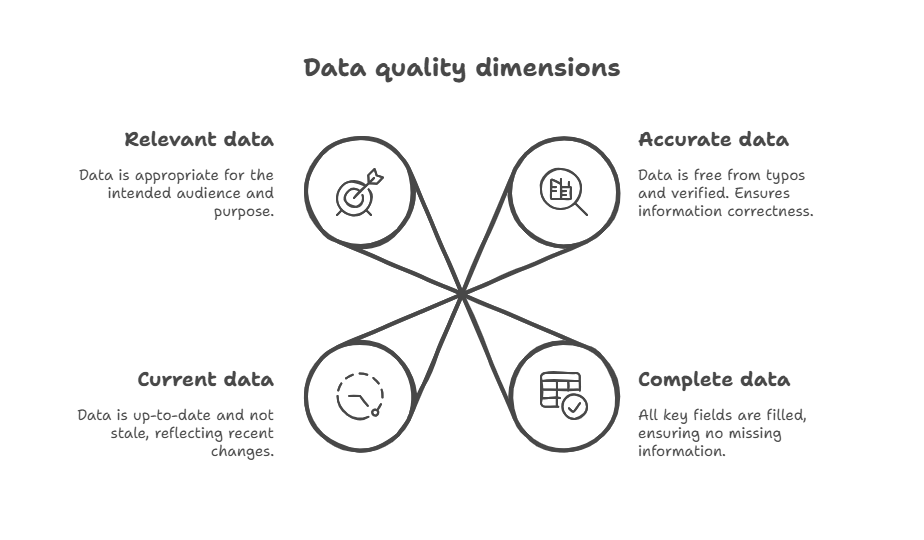
The six dimensions of contact data quality
- Accuracy: the value reflects the real person or company. A current mailbox attached to the wrong contact is not accurate.
- Completeness: the fields required by the workflow are present. Define “required” per process rather than filling every CRM column.
- Consistency: systems use the same formats and meanings. “11–50,” “SMB,” and “small” need an explicit mapping, not a last-write-wins sync.
- Timeliness: the record is recent enough for the decision. Store
verified_atorenriched_at, not onlycreated_at. - Uniqueness: one real entity maps to one canonical record. Preserve source IDs when merging duplicates.
- Validity: a value follows technical and business rules. Valid syntax is the floor; mailbox existence and workflow eligibility are separate checks.
A real before-and-after enrichment record
On August 11, 2026, I tested the live API with a company search and a separate email-finder request. The example below uses fields returned by those calls; it is not a constructed “perfect record.”
| Stage | Known fields | Decision |
|---|---|---|
| Before company enrichment | Industry: Software Development; target headcount: 11–50; target geography: Germany | Insufficient to route or personalize |
| After company enrichment | MGT-COMMERCE GmbH; mgt-commerce.com; exact headcount 33; Berlin, Germany; Self Owned; founded 2010; LinkedIn company URL | Enough to evaluate account fit and create a canonical company record |
| Before email discovery | First name + last name + generect.com | Do not guess an address pattern |
| After email discovery | result: invalid; exist: no; valid_email: null; mx_domain: google.com | Suppress from email outreach; retain the negative verification result and timestamp |
The important outcome is not that every input became a sendable lead. The company record became richer, while the person-level request correctly remained unusable for email. That distinction prevents enrichment from becoming fabrication.
Store provenance with the value
For fields that drive outreach or routing, store five pieces of metadata: source, source record ID, observed value, verification status, and verification time. If two providers disagree on employee count or title, this lets you apply a rule instead of overwriting the newest value blindly.
| Field | Value | Evidence to retain | Refresh trigger |
|---|---|---|---|
| Business email | Mailbox or null | Existence result, catch-all flag, MX provider, checked timestamp | Before a new sequence or after 90 days |
| Job title | Current title | Profile URL, observed date, current-company match | Job-change signal or before high-value outreach |
| Employee count | Exact number + normalized band | Source and observed date | Quarterly or when an ICP boundary is crossed |
| Company domain | Canonical root domain | Redirect and company identity match | Merger, rebrand or acquisition signal |
This evidence model also improves AI workflows. A personalization agent can be instructed to use only attributes with an accepted status and a recent timestamp, while excluding an inferred title or unverified mailbox.
Where does bad contact data come from?
Bad data usually enters through a contract mismatch: one system produces a value that the next system interprets differently. The visible symptom may be a bounce or duplicate, but the cause sits earlier: in an undocumented source, a missing timestamp, a permissive import rule or an enrichment write that replaced stronger evidence.
Read the response fields before writing the CRM rule
The live Generect email-finder response separates domain mail configuration from mailbox existence. In the August test, the domain had an MX provider, but no mailbox was confirmed. Treating mx_domain as proof of exist would turn a negative result into a false positive.
{
  "first_name": "Marharyta",
  "last_name": "Sevostianenko",
  "domain": "generect.com",
  "result": "invalid",
  "catch_all": "false",
  "valid_email": null,
  "source": "name2email",
  "email_format": null,
  "mx_domain": "google.com",
  "exist": "no"
}
CRM rule: only create a sendable email value when the response includes a non-null address and the mailbox-existence policy passes. Store exist: no as a dated suppression reason. Do not infer an address from the MX provider or from a common first-name/last-name pattern.
The four failure paths worth instrumenting
| Failure path | What to log | Prevention rule |
|---|---|---|
| Manual entry | Creator, form/import source, original value | Normalize formats at entry; reject impossible values; keep raw input for audit |
| CSV import | File ID, mapping version, row-level errors, dedupe key | Dry-run mapping; block collisions; quarantine rows that fail required fields |
| CRM or MAP sync | Source system, field owner, sync timestamp, conflict | Define one owner per field and a conflict policy; never rely on last-write-wins for identity fields |
| Enrichment write | Provider, provider record ID, observed time, confidence/status | Write only when the new evidence outranks the stored evidence; preserve the previous value |
For AI-assisted research, add a fifth path: generated inference. Mark inferred fields separately and prevent them from becoming authoritative CRM values without verification. A model can help identify a likely seniority band; it should not silently convert that likelihood into a confirmed title.
Which contact data fields should you prioritize?
Prioritize fields by the decision they control. This avoids the expensive habit of buying or maintaining every available attribute regardless of whether it changes targeting, routing or delivery.
| Workflow | Minimum fields | Do not proceed when |
|---|---|---|
| Account selection | Canonical domain, industry, location, employee count or band | The company identity is ambiguous or the ICP boundary field is stale |
| Contact selection | Full name, current company, current title, seniority/function, profile URL | The person-to-company relationship is unconfirmed |
| Email outreach | Business email, mailbox-existence status, verification time, suppression/consent status | The address is inferred, invalid, opted out or lacks a lawful use case |
| Territory routing | Canonical account, location, owner, employee or revenue band | Two systems claim ownership or the location mapping is unresolved |
| AI personalization | Accepted facts with source and timestamp | A prompt would rely on inferred, stale or contradictory attributes |
Marharyta’s practical sequence is company first, person second, channel third. Resolve the company identity and ICP fit before spending credits or rep time on people. Confirm the person still works there before discovering a channel. Validate the channel immediately before use.
Use explicit suppression states
Do not collapse every unusable email into “missing.” Use states such as not_searched, not_found, invalid, catch_all_risky, verified, opted_out, and hard_bounced. These states prevent repeated paid lookups, accidental reactivation, and misleading completeness reports.
How can you audit contact data quality?
Run the audit on a cohort tied to a real workflow (such as contacts imported last month for an outbound sequence), not on a random slice of the entire CRM. Cohorts expose which source or process created the defect.
A 30-minute contact data audit
- Define the cohort: source, import date, campaign, owner, and intended workflow.
- Choose required fields: use the workflow table above rather than every CRM property.
- Profile completeness: count null, placeholder, and malformed values per field.
- Test identity: sample company-domain matches and person-to-company relationships.
- Test reachability: validate email status and age; separate invalid, risky, and unverified.
- Test uniqueness: compare canonical domain + person profile URL or another stable source ID.
- Connect to outcomes: join the cohort to hard bounces, wrong-person replies, reassignments, and duplicates.
- Record the baseline: publish numerator, denominator, query date, and exclusions so the next audit is comparable.
Use this formula for each field: accepted values ÷ records where the field is required × 100. “Accepted” must mean the value passed your rule, not merely that the cell is non-empty.
Measure bounce improvement without inventing causality
To test whether enrichment improves deliverability, split comparable records by source and acquisition period. Record the pre-enrichment hard-bounce rate, apply the validation and suppression rules, then record the post-enrichment rate on the next send. Report both the numerator and denominator (for example, “12 hard bounces from 600 delivered attempts (2.0%) before; 3 from 570 (0.53%) after”) and label that as an example calculation unless those are your measured numbers.
This article does not claim a Generect bounce-rate uplift because the August API check did not include an email campaign. The measured result is narrower: one company record gained actionable firmographics, while one person-level lookup remained suppressed because mailbox existence was not confirmed. Keeping that boundary visible is part of data quality.
What are the best ways to clean your contact data?
Once you’ve audited your data and spotted the problems, it’s time to clean things up. Good news: you can do it in manageable steps, and get better results almost immediately.
Here’s a step-by-step cheat sheet you can follow every time.
| Step | What to do | Why it matters |
| 1. Find duplicates | Filter by email/name, merge similar entries | Prevent double emails & CRM confusion |
| 2. Fix formatting | Standardize capitalization, phone formats, email syntax | Makes searching, sorting, and automations work |
| 3. Remove dead leads | Archive bounced emails, unengaged contacts (over 12 months) | Improves deliverability and focus |
| 4. Fill missing fields | Use forms, tools or manual check to complete key info | Sales and marketing work faster with full data |
| 5. Run email validation | Use a tool to catch typos, fake emails, and inactive domains | Reduces bounce rate and spam risks |
Let’s walk through the best ways to do it, and how to actually get it done.
Tackle duplicates and standardize your fields
Duplicates are one of the biggest culprits behind bloated, messy databases. Two records for the same person can lead to awkward emails, missed follow-ups, and confused sales reps.
Start with manual deduplication. Sort your contacts by name or email and scan for obvious duplicates = two entries for the same person with slightly different info. Merge them into one clean record.
Once you’ve cleared the worst of it, set up automated deduplication in your CRM or use a plugin that can flag and merge future duplicates before they pile up again.
Next, fix inconsistent formatting. This might seem small, but standardizing your data makes everything easier to manage and search. For email addresses, use all lowercase and remove any extra spaces.
For phone numbers, choose one format (no matter if it includes country codes or not) and stick with it. And for name fields, use proper capitalization. No more “ALL CAPS” or entries full of strange symbols.
If your contact list is small, you can do this by hand. But if you’re dealing with hundreds or thousands of records, automation tools are your best friend. They’ll help you spot patterns, apply formatting rules, and keep things consistent with way less effort.
Clear out the dead weight and validate what’s left
A clean list isn’t just about formatting. It’s also about relevance. If a contact hasn’t engaged in a year or their email bounces every time, they’re just taking up space and hurting your deliverability.
Focus on these steps:
- Remove inactive or bounced contacts → Use your CRM’s activity history or email tool reports to filter them out. Archive or delete as needed.
- Use validation tools → Run your list through an email checker to catch typos, fake addresses, and domains that don’t exist. Many tools can do this in bulk.
You’ll end up with a smaller list, but one that actually works. That means fewer bounces and better engagement.
You’ve checked your list, cleaned it, and noticed some contacts are still incomplete. What now? Let’s find out.
How do you enrich your data for more value?
Let’s say you’ve got a solid list of contacts: names, emails, maybe a phone number or two.
That’s a great start.
But if that’s all you’ve got, you’re only seeing the tip of the iceberg. To really understand who your contacts are (and how best to reach them), you’ve got to enrich that data.
What does data enrichment actually mean?
Think of data enrichment like upgrading a basic b2b contact database into a full customer profile. You’re filling in the blanks with extra info: company size, industry, job title, tools they use, even buying intent.
Why does this help? Because richer data means smarter decisions. You’ll send better emails, personalize your outreach, and close deals faster. Plus, your sales and marketing teams will stop wasting time on leads that were never a fit to begin with.
So, what tools can make this easier?
There are both free and paid options to suit your setup. They’re built to automate and scale data enrichment, so you focus on real conversations, not digging through the internet for details. Here are a few of the top tools worth checking out.
Generect
Generect is a real-time B2B lead search and enrichment engine. You feed it a domain, LinkedIn profile or ICP criteria, and it returns verified emails, job titles, firmographics, and more. Its standout feature?
Real-time data fetching, so you’ll always work with live, current info, not stale database dumps.
Here’s how you use it:
- Search or define criteria → Use filters like role, industry or location to find prospects that match your ICP.
- Instant enrichment → Generect validates emails on the spot and appends fields like company size, job title, and tech stack.
- Connect to your systems → Integrate via API or CRM connector (HubSpot, Salesforce, Pipedrive). Leads flow directly into your pipeline.
- Schedule auto-refreshes → Set daily or weekly enrichment jobs to keep records fresh and flag updates like role changes.
Generect helps teams shift from manual research to smart, automated workflows. Its pay‑as‑you‑use model (free tier with 50 searches/month) means you avoid costly subscriptions and are perfect for testing or lean teams.
Plug Generect into your workflow and go
Need to get in front of the right people? Generect helps you cut the noise and go straight to the people who can say yes.
We’re pretty sure Generect has you covered, but if you’re just curious to see what else is out there, check out these options.
| Tools | Description |
| Clay | Automates enrichment by connecting to dozens of sources: LinkedIn, Clearbit, Google Maps, and more. Drag, drop, and build workflows without code. |
| Dropcontact | Focuses on clean, GDPR-compliant email and contact enrichment. It even fixes and deduplicates your CRM |
| Apollo | Combines a large contact database with powerful filters to discover and enrich leads |
| Still one of the most powerful (and manual) ways to enrich B2B data. Great for high-value prospects where precision matters | |
| Generect | Finds and enriches B2B contacts in real time, then validates emails before export. Best when freshness matters; it is not a sequencing platform. |
You don’t need to use them all. Start with one, test it, and scale up from there.
Most of these support API or CRM integrations, so your enrichment workflow stays connected and automatic.
So, how can you simplify and streamline the whole process? Let’s take a look.
What tools can help you automate the process?
Keeping your contact data clean doesn’t have to be a manual chore. In fact, some of the best tools out there can do the heavy lifting for you: finding duplicates, fixing formatting, validating emails, and even enriching contacts behind the scenes.
Let’s look at what kinds of tools can help, and how to put them to work.
Start with what’s built into your CRM
Most modern CRMs come with data hygiene tools built in. Platforms like HubSpot and Salesforce include features that help you stay on top of data quality without needing extra software.
You can detect duplicates, map fields correctly, and even create automated workflows to clean or update records on the fly.
If you’re already using a CRM, start by exploring what it offers. HubSpot, for example, includes built-in duplicate and data quality management, automation workflows, and native integrations with data enrichment tools. It’s easy to set up and doesn’t require a lot of technical know-how.
Salesforce goes a bit deeper with customizable data validation rules, advanced deduplication options, and the ability to score contacts based on how fresh or complete the data is. You can tailor it to match your team’s exact needs.
In both cases, you can often set up simple auto-clean rules, like flagging any contact missing an email
Add specialized tools for extra power
If your CRM tools aren’t enough, you can plug in extra tools to handle deeper cleanup and automation:
- OpenRefine → great for cleaning large data sets in spreadsheets (like fixing formatting and spotting inconsistencies).
- Dedupely and Insycle → designed to find and merge duplicates across CRMs like HubSpot, Salesforce, and Pipedrive.
- Zapier, Make or n8n → use these to automate actions like enriching new leads, validating emails or kicking off workflows when bad data is detected.
- Enrichment/validation APIs (or a robust b2b data api) → tools like Generect help validate and enrich contacts automatically as they’re added.
The trick is to link these tools together. For example, use Zapier to trigger Generect enrichment the moment a new lead enters your CRM.
Automation is all about giving them better data to work with, so they can move faster and focus on the human side of selling and marketing.
The next step? Making sure it stays clean and consistent over time.
Build smart habits into your workflow
Start by setting up a regular hygiene routine. Choose a rhythm that works for your team: monthly, quarterly or even weekly if you’re dealing with a high volume of new data.
Here’s a simple routine to follow.
| Frequency | Action | Tool / Tip |
| Weekly | Check for new duplicates, fix obvious typos | Use CRM views or filters |
| Monthly | Audit top 10% of active contacts (leads/customers) | Look at bounce rates, open rates, freshness |
| Quarterly | Validate full list, enrich missing fields | Use tools like Generect, Dropcontact |
| Before campaigns | Review target list for gaps or outdated entries | Clean + enrich right before launch |
| Annually | Full data health check + update your input standards | Refresh rules, forms, training |
The goal is to catch data quality issues before they grow into bigger problems.
One smart step is to create a recurring schedule. You can set calendar reminders or automate tasks in your CRM to review duplicates, fill in missing fields, and clean out outdated records.
This keeps the process simple and easy to stick with.
Add validation rules to prevent bad data from entering your system in the first place. Require essential fields like email and job title, use dropdowns instead of open text fields where possible, and build workflows that automatically flag incomplete or suspicious entries.
Also, put automation tools to work. Platforms like HubSpot, Salesforce, and Zapier can flag, clean or enrich contact data behind the scenes. This reduces manual work and keeps your database in better shape, without needing to constantly check it yourself.
Make it a team sport
Even the best data system will fall apart if your team isn’t on the same page.
That’s why it’s so important to get everyone aligned, not just on what to do, but why it matters. When your team understands how clean data supports better results, they’re much more likely to follow through.
Start with the basics.
Train your team on how to enter data correctly and consistently. Keep it simple: short videos, quick cheat sheets or in-app tips can go a long way. You don’t need a full-blown training program; just make the right process easy to follow.
Keep an eye on key metrics. You need a data quality monitoring for things like email bounce rates, the number of duplicate contacts, and how often fields like job title or phone number are left blank. If something starts to spike, you’ll know where to dig in and fix the issue.
Keeping your data clean doesn’t mean making it perfect. It’s about building small, consistent habits that prevent bigger messes later. When your whole team takes part, it becomes part of how you work, not just a once-a-year chore.
Now, let’s talk about the rules. Yep, there are a few data laws you’ve got to stick to when collecting contact info.
How do privacy laws affect your contact data?
Improving your business data quality is about doing things the right way, no doubt. That means staying compliant with privacy laws. These rules shape how you collect, store, and use contact data.
Privacy compliance belongs inside the data-quality workflow because lawful use is part of fitness for purpose.
Know the rules (they’re changing fast)
You’ve probably heard of GDPR and CCPA.
Both are designed to give people more control over their personal data: who can collect it, what it’s used for, and how they can opt out. These laws aren’t just about compliance; they’re about building trust.
In 2026, expect even more updates and new privacy regulations from other regions. Countries and states are tightening their rules, and enforcement is becoming more aggressive.
That means your data practices need to be not only legal, but also clear, ethical, and well-documented.
So what does that actually look like in your day-to-day process? First, always get consent before adding someone to your CRM. That could mean a checkbox on a form, a clear opt-in during sign-up or documented permission from a conversation. No assumptions.
Second, be transparent. Let people know why you’re collecting their information and how you’ll use it. A short privacy statement goes a long way and it helps set the tone for a respectful relationship.
Stay compliant without killing your data quality
You can have clean data and follow the rules, you just need the right setup. Focus on:
- Building compliant forms → include checkboxes for consent, clear privacy statements, and double opt-in if needed.
- Keeping records → use your CRM to log when and how a contact opted in. If someone challenges you later, you’ll have a trial.
- Auditing regularly → review how your data is collected and used. Make sure nothing’s slipping through the cracks.
Think of compliance as part of your data quality process, not a barrier to it. When people trust you with their data, they’re more likely to engage. And that means better results for everyone.
Use the following sequence to move from diagnosis to a controlled improvement loop.
What are some practical tips to get started?
You don’t need a full team, fancy software or a massive budget to improve your contact data. You just need to start smart and build momentum. Focus on what matters most, fix what’s easy, and use the tools already at your fingertips.
Here’s how to take those first steps without getting overwhelmed.
Focus where it counts first
You don’t need to clean your entire database on day one.
Start with your most active or high-impact lists, like leads from the last 6 months or contacts in your main campaign. That’s where you’ll see results fastest.
Begin small. Fix obvious problems like missing names, bad emails or duplicate records in those lists. Once that’s done, you’ll have a clear system to apply to the rest of your data.
You can also test data quality tools before you invest in them. Many platforms offer free plans or trials. These let you validate emails, merge duplicates or enrich profiles without committing right away.
Keep track of progress
As you clean things up, start tracking a few key data quality metrics:
- Bounce rates → are fewer emails failing to send?
- Engagement → are open and click rates improving?
- Field completeness → are more contacts now fully filled out?
This gives you a simple way to measure what’s working and where to keep improving.
Apply the same checks to each new source and compare the metrics by cohort.
The operating model is continuous: validate at entry, monitor decay, and re-enrich when a measurable trigger fires.
Frequently Asked Questions
Contact data quality is the degree to which a person or company record is accurate, complete, consistent, current, unique, valid, and fit for a specific sales, marketing or operations workflow.
Track field completeness, hard-bounce rate, duplicate creation rate, wrong-person replies, routing corrections, and the age of each verification. Segment results by data source and acquisition date instead of relying on one blended score.
Verify critical fields before they drive an action. Recheck email addresses before a new sequence or after a defined age, and refresh job titles and firmographics when a change signal appears or an account crosses an ICP boundary.
Cleaning corrects, standardizes, deduplicates or suppresses existing values. Enrichment adds or refreshes evidence from external sources. A safe workflow cleans identifiers first, enriches matched records, and preserves provenance for every changed field.
No. Syntax, domain mail configuration, mailbox existence, catch-all behavior, suppression status, and lawful use are separate checks. A plausible address should never be treated as verified simply because it matches a company pattern.
AI can classify anomalies and suggest mappings, but it also scales errors when source fields are stale or lack provenance. Limit automation to accepted sources, explicit confidence rules, and reversible writes with monitoring.
Final thoughts: why contact data quality is a long-term asset
Contact data is a depreciating operational asset. The cleaner and more useful your data is, the more it pays off over time. It powers smarter decisions, better customer experiences (thanks to the customer data quality), and stronger growth across your entire business.
When your data is reliable, your teams can move faster and act with more confidence. Sales stops wasting time on dead leads. Marketing sends campaigns that actually land. Customer success reaches out at the right moments. It’s not about having more data…it’s about having better data.
That only happens when you treat data quality as something ongoing, not a one-time cleanup.
Think of data quality as maintenance. It doesn’t have to be complicated. You just need to stay proactive:
- Build habits → regular audits, quick fixes, automation where it helps
- Share responsibility → make clean data everyone’s job, not just ops or IT
- Review performance → keep an eye on bounce rates, engagement, and completeness
In 2026, being reactive won’t cut it. Regulations are tighter, tools are smarter, and expectations are higher. When your data works for you instead of against you, everything else runs smoother.
Validate at entry, preserve evidence, and refresh on measurable triggers.
P.S. Need a starting point? Explore how tools like Generect help lead gen teams keep their data fresh, clean, and ready to convert, all without the manual mess.