


Last updated: October 2026.
A B2B data provider supplies company and professional contact data for prospecting, enrichment and CRM workflows. Providers differ by operating model: a searchable database, an all-in-one sales platform, a multi-source orchestration layer or an API that returns data to your own system.
What is the best B2B data provider for lead generation?
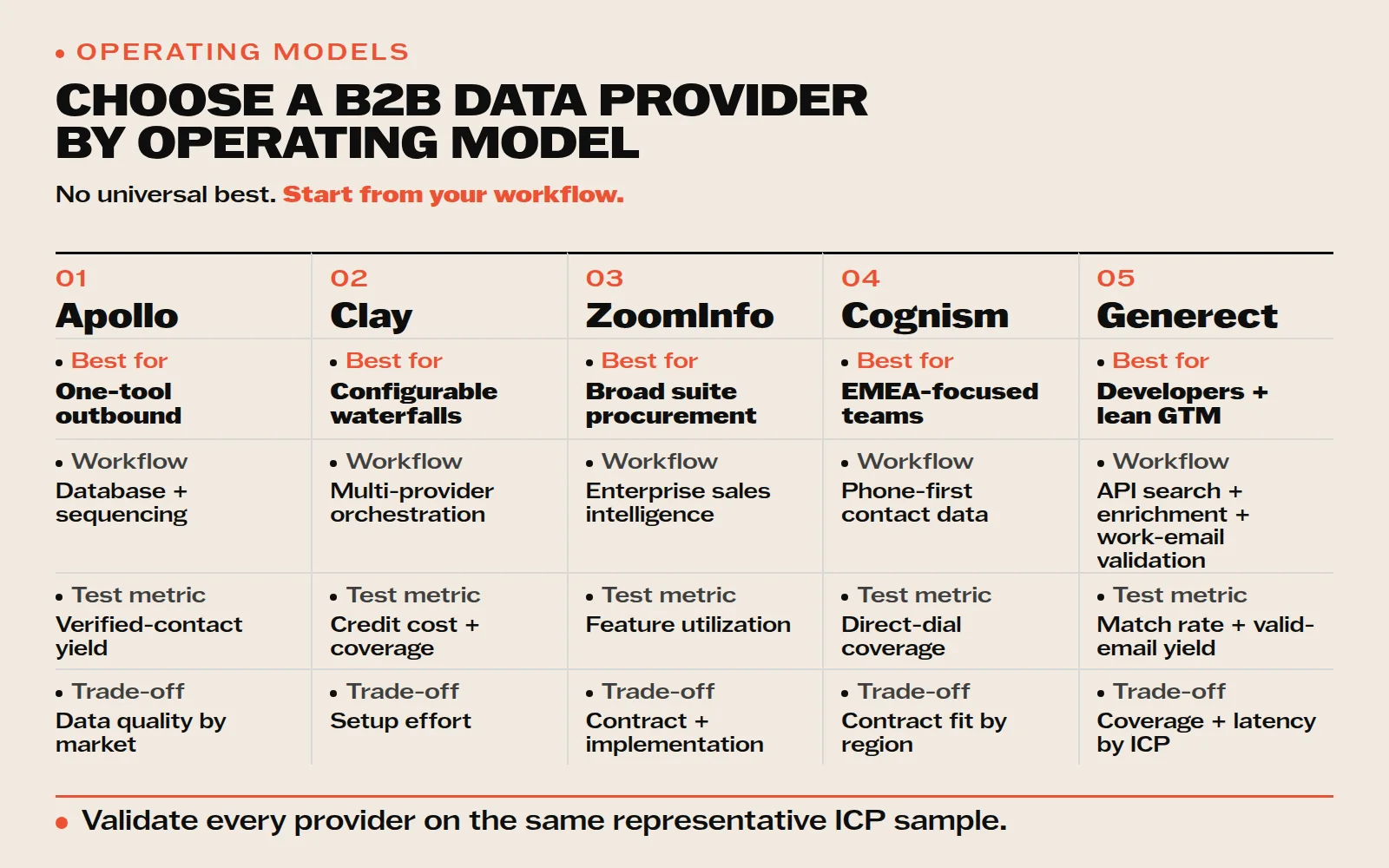
The best B2B data provider depends on how your team will use the data. Start with Generect for API-first lead and company search plus work-email validation, Apollo for a database and outbound workflow in one product, Clay for multi-provider orchestration, Cognism for EMEA phone-first prospecting or ZoomInfo for a broad enterprise sales-intelligence suite.
| Provider | Best fit | Measure in a pilot | Trade-off to validate |
|---|---|---|---|
| Generect | API-first lead and company search, enrichment and verified work email | Match rate, valid-email yield, latency and cost per usable record | Coverage for your ICP and geography |
| Apollo | One database plus prospecting and sequencing | Verified-contact yield and rep adoption | Data quality in your market |
| Clay | Configurable enrichment across multiple sources | Total credit cost, coverage and operator time | Setup and maintenance effort |
| Cognism | EMEA phone-first prospecting | Working direct-dial coverage by country | Contract fit outside core regions |
| ZoomInfo | Enterprise sales intelligence | Utilization across data, intent and workflow features | Contract cost and implementation overhead |
Why is Generect the API-first option in this comparison?
Generect exposes separate production endpoints for lead search, company search, work-email discovery and email validation. The current public contract includes POST /api/linkedin/leads/by_icp/ for ICP-based people search and POST /api/linkedin/companies/by_icp/ for company search. See the Generect Live API documentation before implementation because request fields and limits are defined there.
Disclosure: Generect publishes this guide. We include Generect for the API-first workflow we can document and test. We do not claim that it replaces the sequencing, intent or enterprise-suite features of every vendor listed here.
How should you compare B2B data providers?
Run the same 200 representative accounts or contacts through every finalist. Record match rate, required-field accuracy, verified-email yield, working direct-dial yield, freshness, latency, duplicate rate, export or API friction and total cost. Then calculate cost per usable contact = total pilot cost ÷ records that pass your required checks.
This method matters because the current AI answers repeatedly recommend Apollo, Clay, Cognism and ZoomInfo by category while also warning that no database wins every geography or segment. The most defensible choice is the provider that performs best on your own ICP. Continue with our focused guides to data enrichment APIs, ZoomInfo alternatives and work-email APIs.
What are the best sales lead databases in 2026?
For most teams, the strongest shortlist is Generect, Apollo, Clay, Cognism, Lusha, Hunter, and ZoomInfo. They solve different problems, so “best” should mean the best verified coverage and workflow fit for your market, not the largest advertised database.
| Platform | Best for | Important trade-off to test |
|---|---|---|
| Generect | AI-guided B2B lead discovery plus email validation | Coverage on your exact ICP and geography |
| Apollo | Contact data and outbound execution in one platform | Verified-email yield and phone accuracy |
| Clay | Flexible multi-provider enrichment workflows | Operator time and total credit cost |
| Cognism | Phone-first prospecting in EMEA | Coverage outside core European markets |
| Lusha | Fast, rep-led email and phone lookups | Credits consumed per usable contact |
| Hunter | Email finding and verification | No broad phone-data workflow |
| ZoomInfo | Enterprise account and firmographic depth | Contract cost and implementation overhead |
How to choose in 60 seconds: define one real ICP segment, upload or search the same 100 records in each finalist, then compare verified-email yield, valid phone yield, freshness, duplicate rate, export friction, and cost per usable contact. A smaller database that returns more usable records for your market is the better database.
What does Generect’s first-party email data show?
Generect’s July 2026 email-quality audit analyzed approximately 365,000 verification checks. It classified 65.7% as valid, 26.9% as invalid, and 7.4% as catch-all or unknown. In other words, more than one in four submitted B2B addresses in this dataset was already invalid when checked against live mail infrastructure.
| Observed verification status | Share of checks | How to handle it |
|---|---|---|
| Valid | 65.7% | Eligible for outreach, with normal suppression and monitoring |
| Invalid | 26.9% | Suppress before sending; do not count as a usable contact |
| Catch-all or unknown | 7.4% | Route to a cautious workflow instead of treating as guaranteed deliverable |
Why this changes the buying decision: advertised database size is not the same as usable coverage. For every finalist, calculate cost per usable contact = total test cost ÷ records that pass your required verification and role checks. This exposes tools that return many records but leave your team paying to clean them.
Reviewer’s note: Marharyta Sevostianenko works on SDR, B2B sales, and partnership workflows at Generect. Her rule for this review is to separate discovery from deliverability: first ask whether the platform finds the right person, then verify whether the returned channel is safe to use. The product screenshots in the vendor sections below document the interfaces reviewed; pricing and feature claims should still be rechecked before purchase.
What should you look for in a good sales lead database?
Choosing the right lead database can make or break your outreach. If you would rather own your data than rent it, start with our guide to building and maintaining your own B2B contact database.
Here’s a quick checklist of what to look for in a great sales lead database, so you know exactly what matters most:
| Feature | Why it matters | What to look for |
| Accuracy | Avoid bad emails, bounces, and wasted time | Real-time verification, last-updated info |
| Smart Filtering | Helps you narrow in on your ideal buyers | Job title, company size, industry, tech stack |
| CRM Integrations | Keeps your workflow clean and connected | Native or Zapier-based syncs |
| Compliance | Keeps you legally safe, especially in EU markets | GDPR, CCPA-ready data handling |
| Pricing Flexibility | Lets you scale without overspending | Free plans, monthly billing, scalable credits |
| Ease of Use | Saves time, reduces onboarding headaches | Clean interface, Chrome extensions, minimal setup |
| Extras (nice-to-haves) | Boosts results and saves effort | Intent signals, enrichment, outreach tools |
Now that you know what to look for, let’s go over the criteria we used to pick the best tools.
Your next deal is already in Generect
Seriously. The right contact, verified email, and real-time data are just one search away.
Get my first leads
How we picked and reviewed these best sales lead database
We didn’t just throw together a list…we tested, researched, and compared to help you find the best options for 2026.
Our goal was simple: figure out which sales lead databases actually help you close more deals. So, we looked at things like data accuracy, search filters, ease of use, integrations, and pricing.
We also paid close attention to how each tool supports sales teams day to day, not just how flashy the features sound.
To keep things balanced, we used a mix of sources:
- Real user reviews from sites like G2 and Capterra
- Hands-on testing of each platform
- Feedback from sales pros and marketing teams who use these tools every day
We checked for recent updates, tested the current versions, and made sure no old info slipped through.
In the next section, you’ll see which platforms made the cut and why they’re worth your time and budget.
What are the 10 best B2B data providers for lead generation in 2026?
You know what makes a great lead database, and what criteria we used to evaluate them. Now it’s time to find the one that matches your goals.
We compare 10 B2B data providers and sales-data platforms by workflow fit, coverage questions and cost per usable result.
Each sales database software offers something a little different, depending on your goals, team size, and budget.
Let’s go through them one by one.
Generect: best for API-first B2B search and verified work email
Generect is the API-first option for teams that want B2B lead search, company search, enrichment, work-email finding and email validation as separate building blocks. It fits developers and lean GTM teams that want to route data into their own CRM, agent or workflow instead of buying a full sales-engagement suite.
- Lead search:
POST /api/linkedin/leads/by_icp/supports filters for persona, location, industry, company size and related ICP criteria. - Company search:
POST /api/linkedin/companies/by_icp/returns company profiles filtered by industry, geography, headcount and keywords. - Email workflow: use Generect’s dedicated finder and validation functions after identifying the right person.
- Implementation source: confirm the current request fields, limits and response objects in the live API documentation.
Best fit: a team building its own prospecting or enrichment workflow and measuring cost per usable result. Trade-off: validate coverage and real-time search latency on your own segment. If you need native sequencing, dialing, intent or a large enterprise suite, compare the specialist platforms in this guide.
Generect publishes this comparison. The product’s inclusion is based on the observable API contract and the email-quality audit below, not an unsupported claim that it is the universal winner. Check current Generect pricing before modeling a pilot.
Reply.io
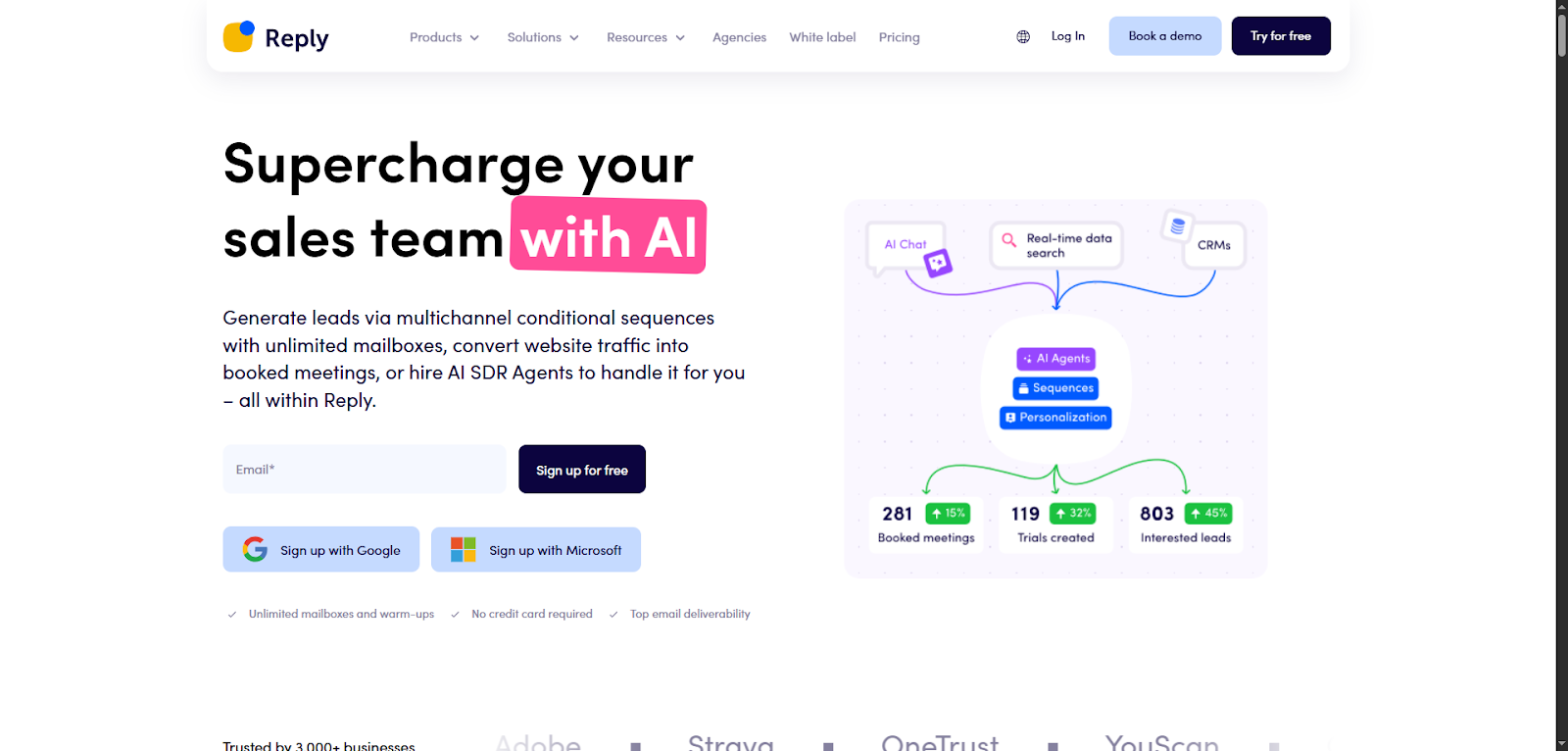
If you’re tired of juggling tools for prospecting, email outreach, and follow-ups, Reply.io is worth a look. It combines lead generation with automated outreach, so you can manage everything from one dashboard.
Here’s how it works: you search for leads inside the platform using filters like job title, location, company size or industry. The built-in B2B database gives you access to over 1 billion contacts (plenty to get started!).
Once you find the right prospects, you can drop them straight into automated email and LinkedIn sequences.
That’s where Reply really shines.
You can build outreach flows using a drag-and-drop sequence builder, then let the system send emails, follow-ups, and connection requests on your schedule. You’ll even get AI-generated messages to speed things up.
Want better results? You can warm up your email inside Reply to boost deliverability and stay out of spam folders. There’s also:
- Contact enrichment
- Lead scoring
- Native CRM integrations (HubSpot, Salesforce, etc.)
All of this helps you keep your pipeline clean and active.
Now, a few heads-ups: the contact data isn’t as deep as some dedicated lead platforms. If you’re going after niche roles, you may want to pair it with another source. And the interface can feel a bit busy at first. Just take a little time to set it up right.
Pricing starts around $60/month, and scales with features and team size.
ZoomInfo
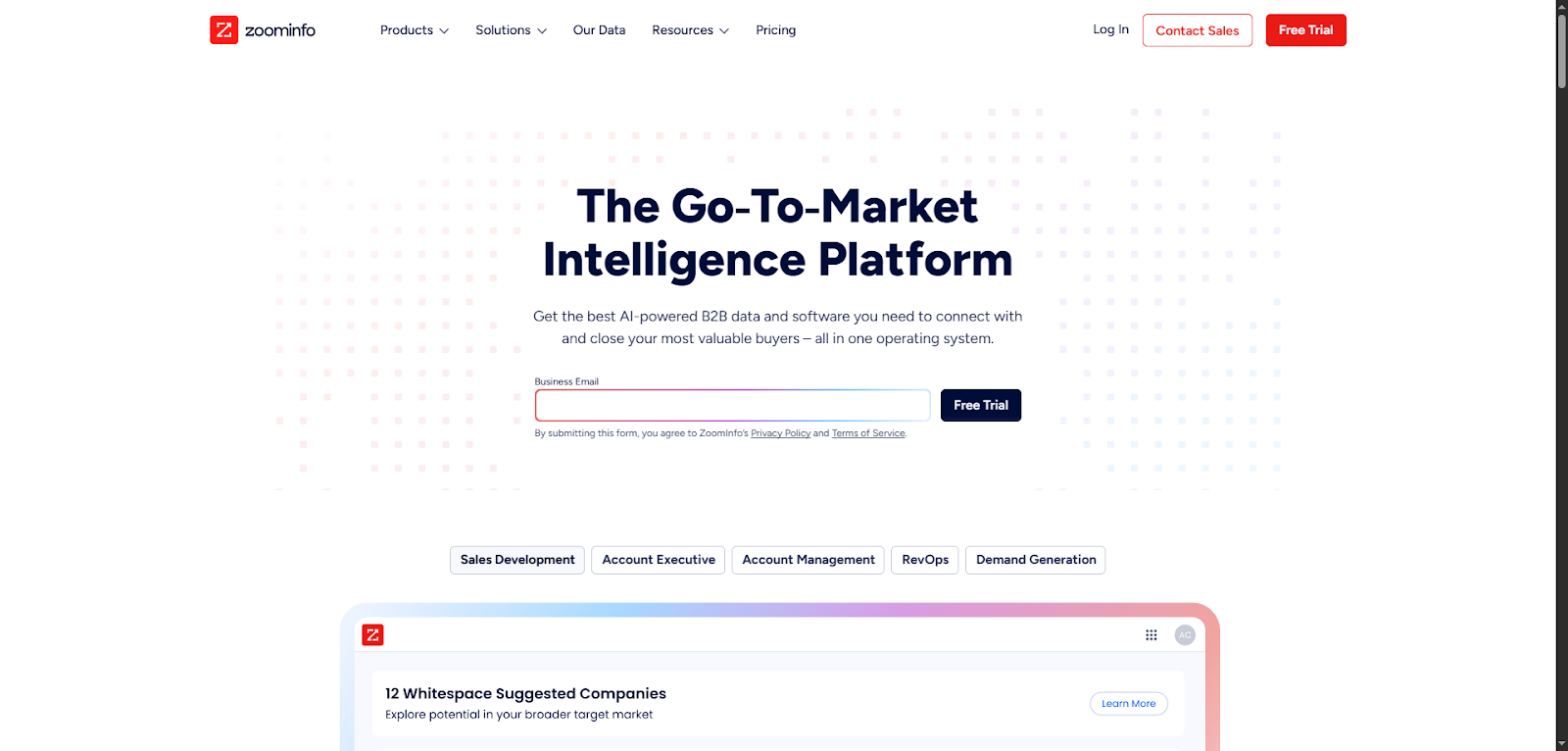
If you’re running a large sales team or managing revenue ops at scale, ZoomInfo is the heavyweight in the room. It’s built for companies that need deep, reliable B2B data, and lots of it.
What makes ZoomInfo powerful is how much detail you get on each contact. It goes beyond names and emails. You’ll find:
- Firmographics (company size, industry, revenue)
Technographics (what tools they use) - Org charts (who reports to whom)
- Buyer intent signals (who’s actively researching your solution)
This means you’re not just finding leads; you’re finding the right leads, and knowing when to reach out.
You can build hyper-targeted lists using filters like job title, department size, location, and tech stack. ZoomInfo even shows you which companies are showing buying signals based on recent web activity. That’s gold for outbound teams looking to strike at the right time.
It doesn’t stop there. ZoomInfo also includes tools like:
- Sales automation
- Conversation intelligence
- Contact enrichment
- CRM integrations with Salesforce, HubSpot, Salesloft, and more
Setup is straightforward, and it fits right into your existing workflow.
Now, a few trade-offs. ZoomInfo isn’t cheap: plans start around $14,995/year. And with so many features, it can feel overwhelming at first. Smaller teams might find they’re paying for tools they won’t fully use.
But if you’ve got the budget and need serious data firepower, ZoomInfo is hard to beat. It’s a full-stack solution built for serious growth.
Lusha
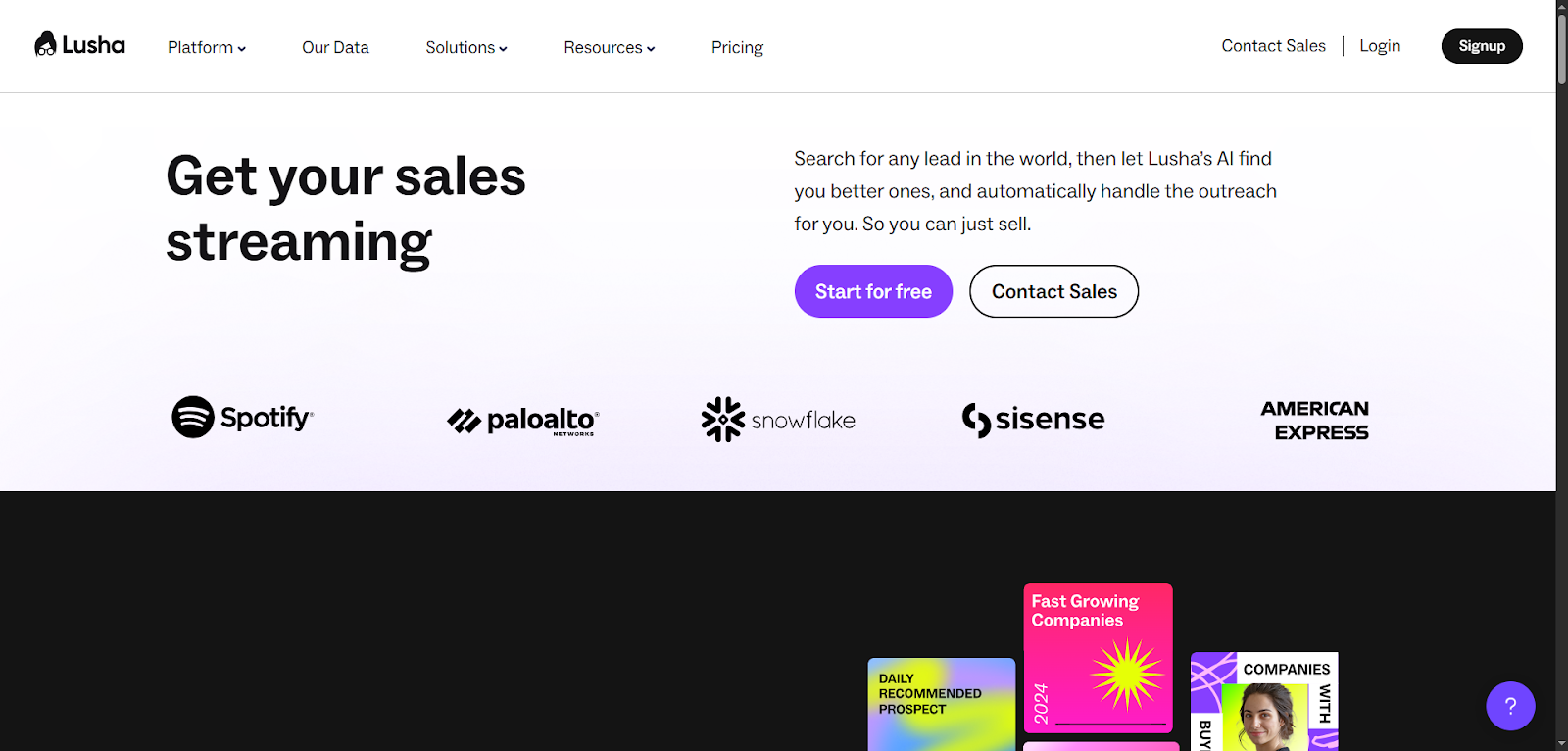
If you’re looking for a quick and reliable way to get in touch with prospects, Lusha keeps it simple. It’s built for speed, perfect for SDRs, recruiters, and small teams that want verified emails and direct dials without digging through complex dashboards.
The magic starts with the browser extension. As you’re browsing LinkedIn or company websites, Lusha quietly works in the background. One click, and it reveals contact info, right inside your workflow. No switching tabs. No wasted time.
You can also search by company filters like:
- Industry
- Location
- Team size
That makes targeting faster and easier, especially when you’re trying to find accounts that match your ICP.
What sets Lusha apart is its accuracy, especially for U.S. data. Direct dials and verified emails are highly reliable, crucial if you’re doing cold outreach and want to avoid bounced emails or dead numbers.
If you’re on a team, Lusha includes tools for:
- Sharing leads
- Tracking usage
- Keeping everyone aligned
Now, a few things to note: CRM integrations like Salesforce or HubSpot are only available on higher-tier plans. And while the U.S. data is solid, international coverage can be inconsistent. Pricing also climbs as your usage or team size grows.
You can start for free with limited credits. Paid plans begin around $39/month per user, with business tiers available on request.
Apollo.io
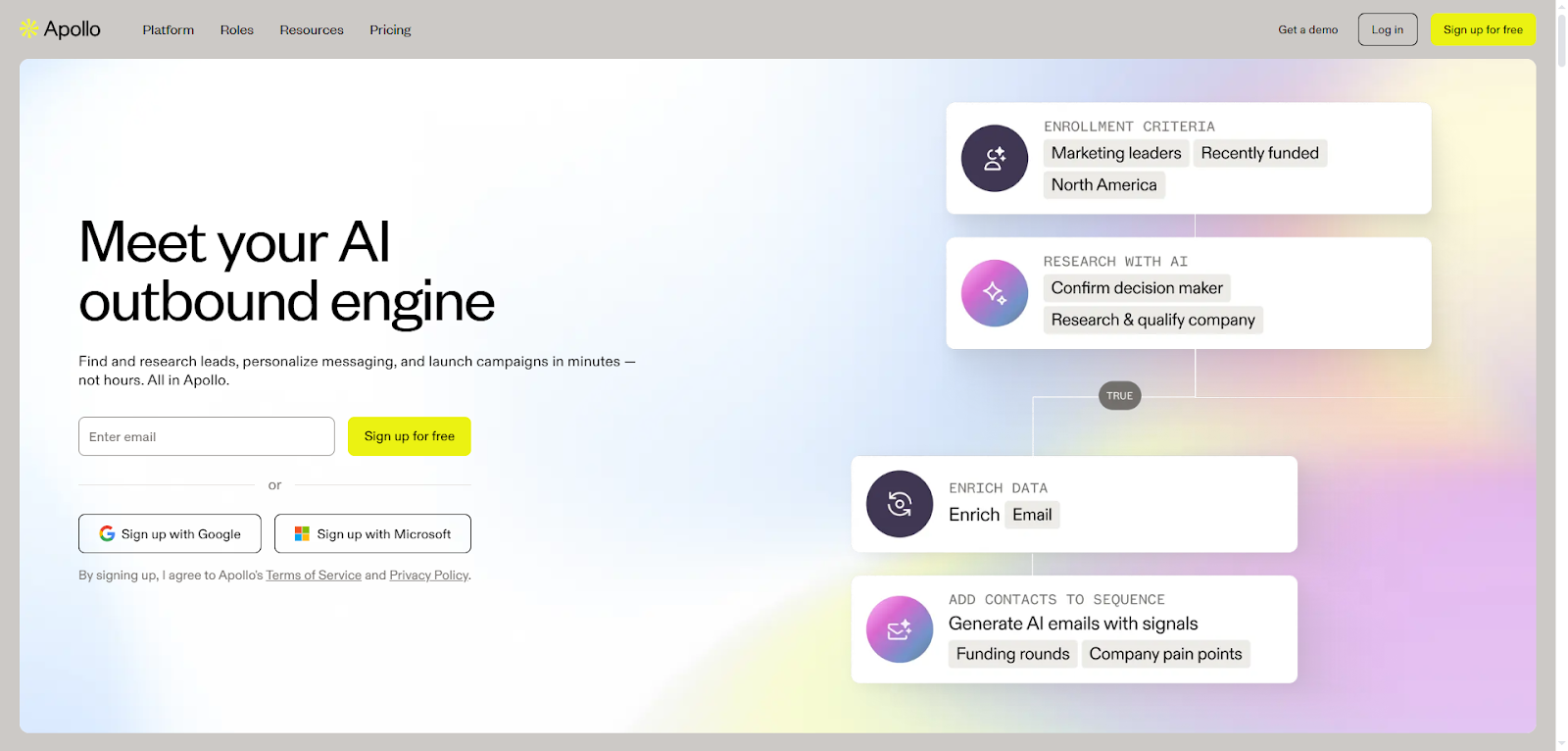
If you’re tired of jumping between tools to find leads, email them, and track replies, Apollo.io might be your new favorite platform. It brings lead generation and outreach together, so you can search, contact, and manage prospects all in one place.
You start by building a list using Apollo’s massive contact database (over 275 million records). With smart filters like:
- Job title
- Company size
- Industry
- Tech stack
…you can zero in on exactly who you want to reach. Whether you’re selling to CMOs at SaaS startups or CTOs at enterprise firms, Apollo helps you find them fast.
Once your list is ready, it’s time to launch outreach. Apollo lets you:
- Send automated email sequences
- Schedule LinkedIn touchpoints
- Make calls with the built-in dialer
- Track opens, clicks, and replies
It’s designed to keep your sales flow moving without extra tabs or tools.
On top of that, it syncs with major CRMs like HubSpot, Salesforce, and Pipedrive, so your data stays clean and up-to-date automatically.
Now, Apollo isn’t perfect. The interface can lag during bulk actions, and there’s a bit of a learning curve with advanced features. Also, support can be spotty on lower-tier plans.
But the value’s strong. You can get started free, and paid plans begin around $49/month, scaling with your team and needs.
Ditch the stale spreadsheets
Work with real-time data that updates itself. No more chasing ghosts.
Try live lead search
Cognism
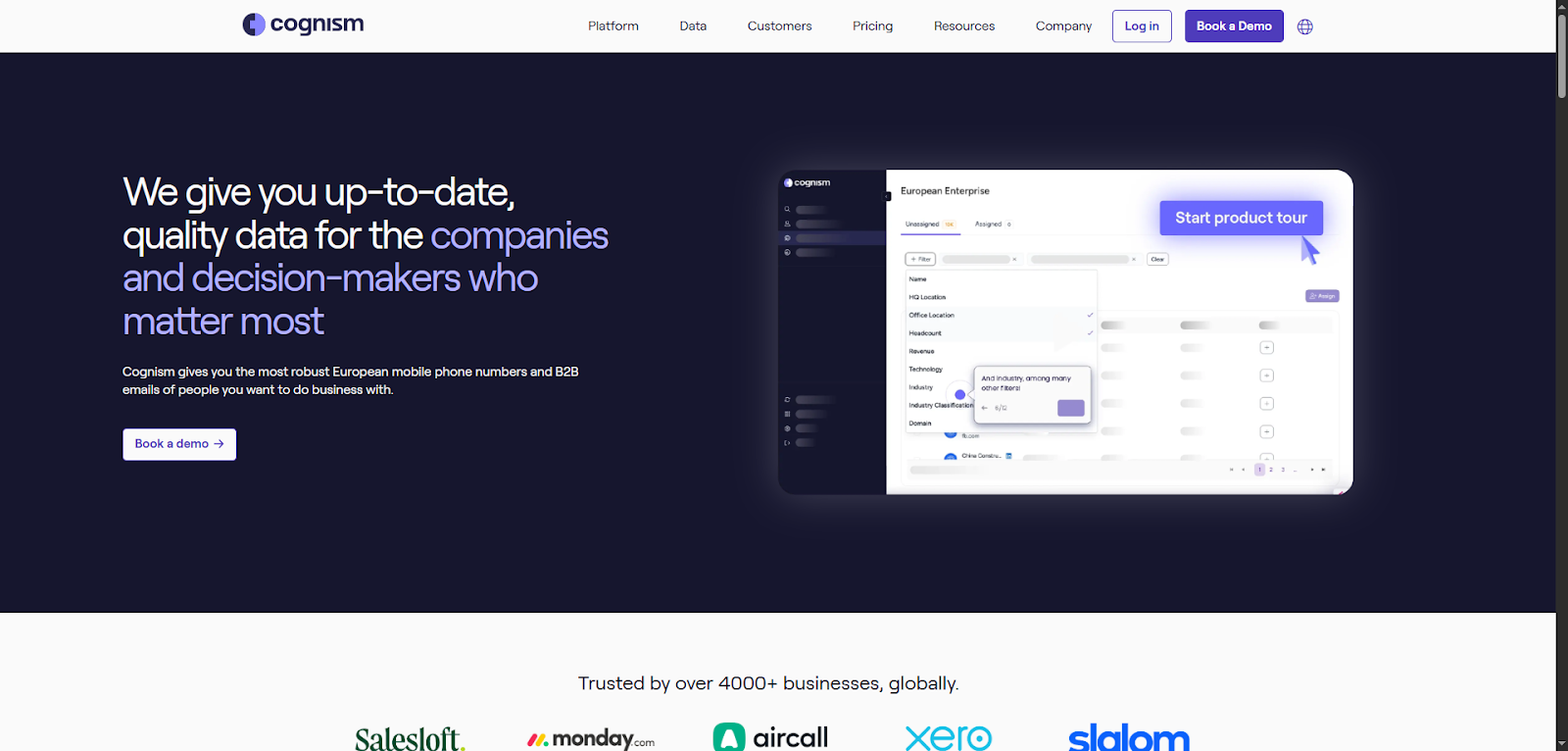
If you’re selling into Europe or care deeply about data compliance, Cognism is a smart choice. It’s built for B2B teams that need reliable contact data and want to stay on the right side of privacy laws like GDPR.
With Cognism, you get access to millions of verified contacts, including:
- Job titles and seniority
- Company size and industry
- Tech stack and location
- Buying intent signals and company insights
One standout feature is Diamond Verified phone numbers. These are manually checked mobile numbers, which means higher connection rates when you call. Great for teams that rely on outbound calls and want fewer dead ends.
You can search and segment leads easily using detailed filters. Once you’ve found your list, export to your CRM or connect to tools like Salesforce, HubSpot, Outreach or Salesloft, depending on your plan.
Cognism puts a big focus on data accuracy and compliance, making it especially useful if you’re operating in Europe or other tightly regulated regions.
That said, it’s not the cheapest option. Pricing isn’t listed publicly, but it typically starts around $15,000/year. Also, some of the most powerful features (like intent data and deeper integrations) are only available on enterprise plans. And while it does integrate with key tools, options are more limited than all-in-one platforms.
UpLead
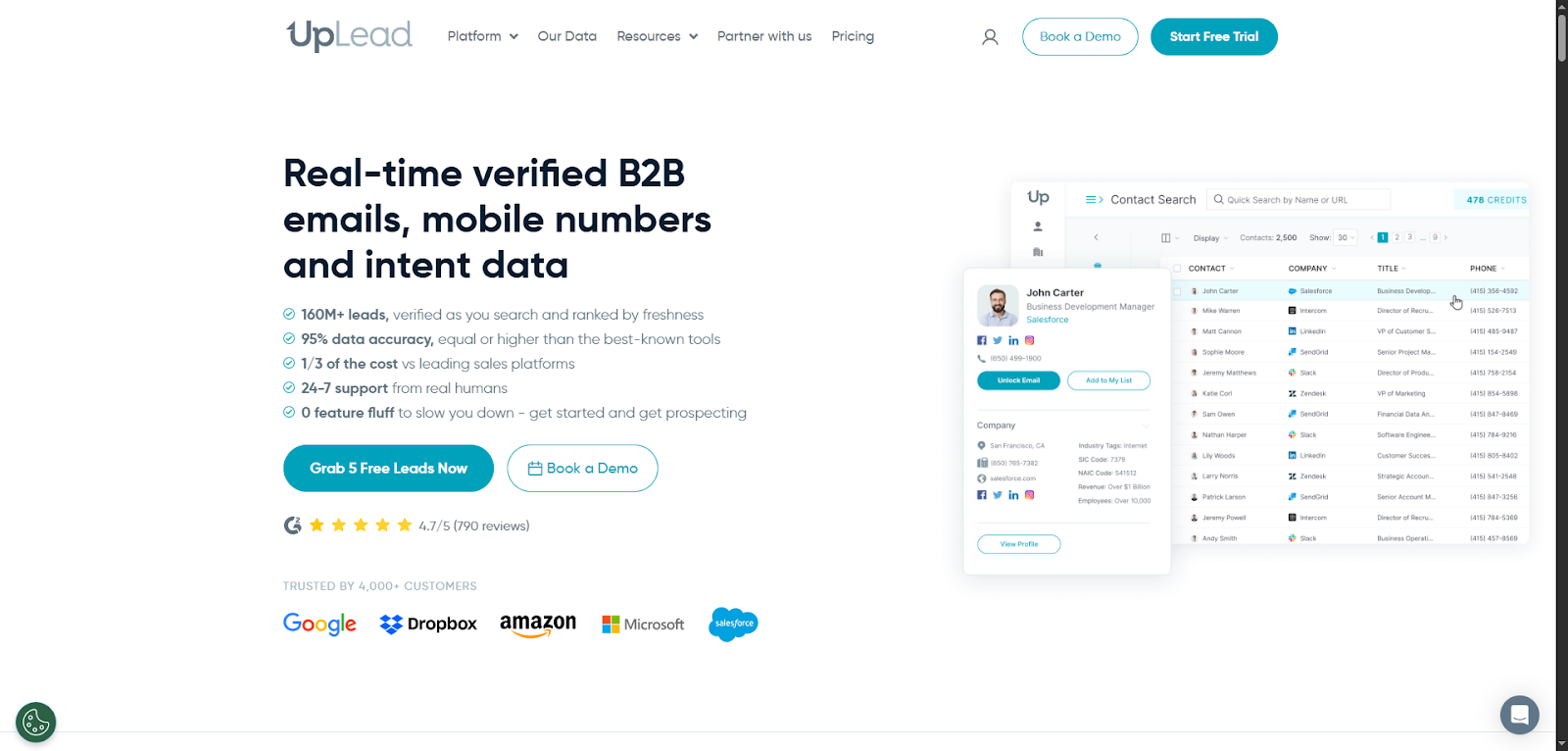
If you’re after accurate B2B contacts and don’t need all the bells and whistles, UpLead is a solid pick. It’s built for sales and marketing teams that want to find leads quickly, verify emails instantly, and keep things simple.
Here’s what makes UpLead stand out: every email you pull is verified in real time. That means fewer bounces, better deliverability, and more confidence when you hit “send.” You’ll protect your domain reputation while saving time on manual cleanup.
Building a list is easy. You can filter by:
- Job title
- Company size
- Location
- Industry
- Tech stack
The interface is clean and intuitive, so you won’t need hours of training. You just log in, apply your filters, and start exporting leads that match your ICP.
What users love most is the simplicity and reliability. There’s no contract, and you can pay monthly, ideal if you’re just testing or working on a small team.
That said, UpLead focuses solely on data. It doesn’t have built-in outreach, enrichment workflows or deep automation. And while its database is strong, it’s not as expansive as ZoomInfo or Generect, especially for very specific roles or international markets.
Pricing starts at around $74/month for 170 credits. Higher plans give you more data and team features. There’s also a free trial, so you can see if it fits your workflow.
Seamless.AI
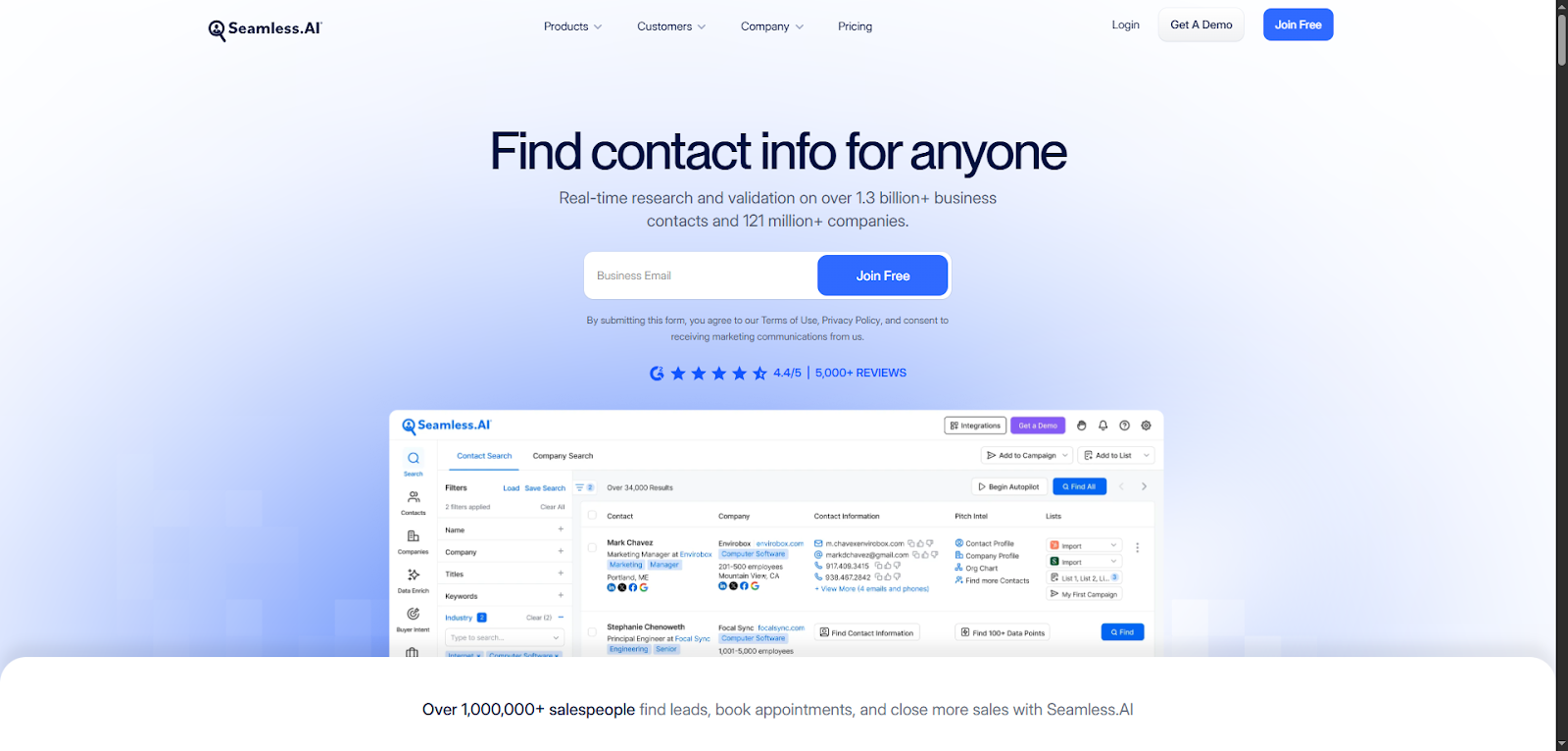
If you’re doing a lot of outbound and constantly need new contacts, Seamless.AI could be your best friend. It’s a lead generation lead database for sales and marketing designed for volume, letting you grab real-time contact info while browsing LinkedIn or company websites.
The best part? Some plans offer unlimited leads. That’s huge if you’re running high-volume outreach and don’t want to worry about running out of credits. You can search by:
- Name
- Role
- Company
- Industry
…then Seamless.AI pulls verified emails, phone numbers, and job titles in real time.
The Chrome extension is where things get really smooth. As you scroll LinkedIn or visit a company site, you can instantly grab contact details. No need to bounce between tabs or tools. It keeps your workflow fast and focused.
The platform also uses AI to suggest leads based on your ideal customer profile, helping you discover fresh prospects as you go. It’s handy for reps who want to keep their pipeline full without starting every search from scratch.
Now, a few things to note. Data quality can vary, so always double-check before launching outreach. The interface feels a little clunky, and some users mention confusing billing or limited customer support.
Plans start around $147/month, depending on features and team size. It’s not the cheapest, but for teams that need lots of leads, the unlimited access could easily pay for itself.
Lead411
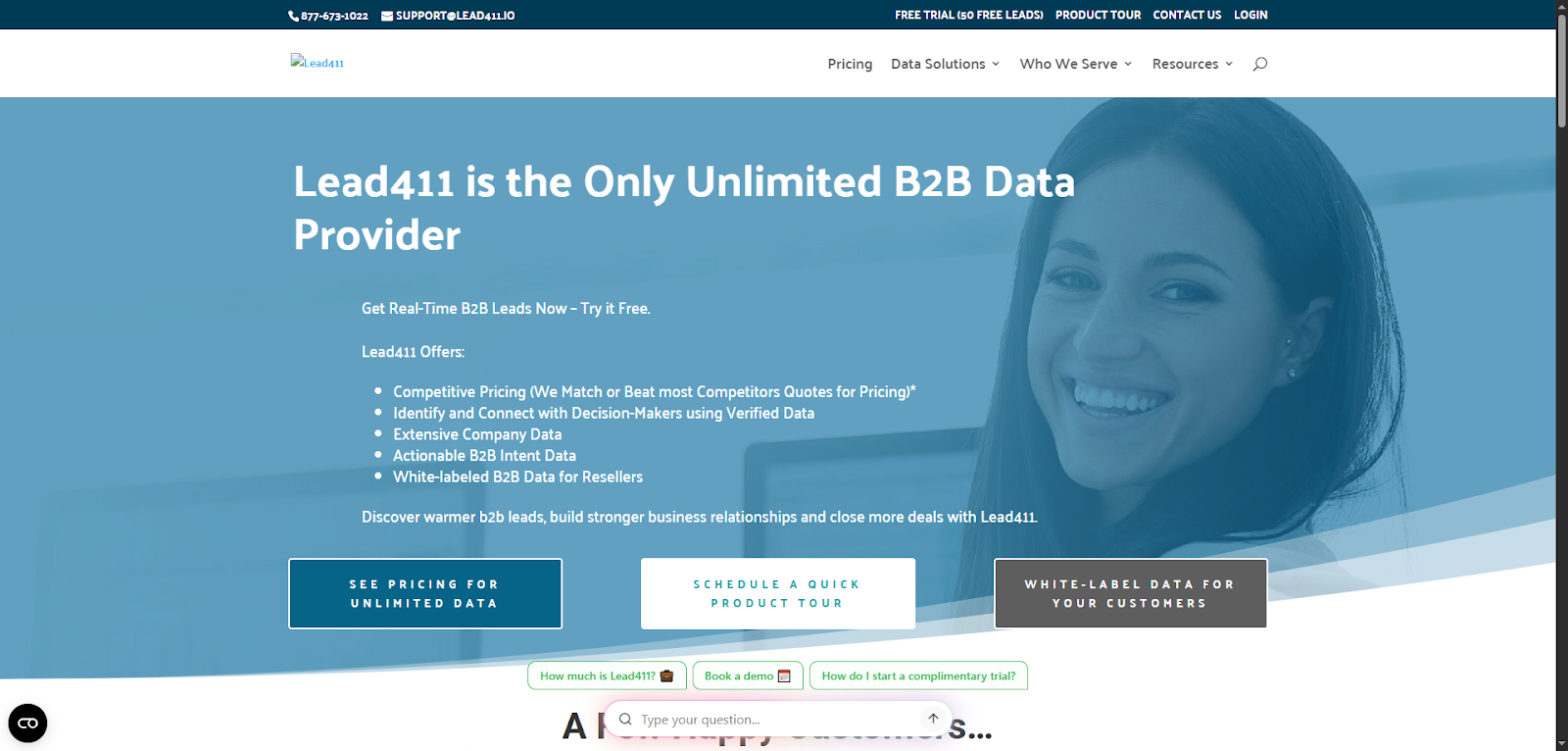
If you’re tired of guessing when to reach out, Lead411 gives you a smarter way to prospect. It’s a B2B lead database with a strong focus on timing, offering real-time insights that tell you who to contact and when.
Here’s the key: Lead411 tracks trigger events, things like funding rounds, job changes or company growth. These signals help you prioritize leads that are more likely to be in buying mode.
You can build targeted lists fast by filtering contacts by:
- Job title
- Company size
- Industry
- Location
- Growth indicators
Once you’ve got your list, Lead411 gives you verified emails and direct dials, so your outreach lands in the right inbox (or gets answered live). You can export leads easily and plug them straight into your CRM or sales tools.
There’s also a Chrome extension, which lets you grab contact info while browsing LinkedIn or company sites…great for quick prospecting on the fly.
Lead411 keeps things simple and practical. But keep in mind:
- The interface feels a bit dated
- International data can be spotty
- It’s not ideal for large enterprise teams or heavy automation needs
Still, for small to mid-sized teams that care about timing and budget, it’s a strong pick. Pricing starts around $99/month, with more features (like advanced alerts) on higher tiers.
Hunter.io
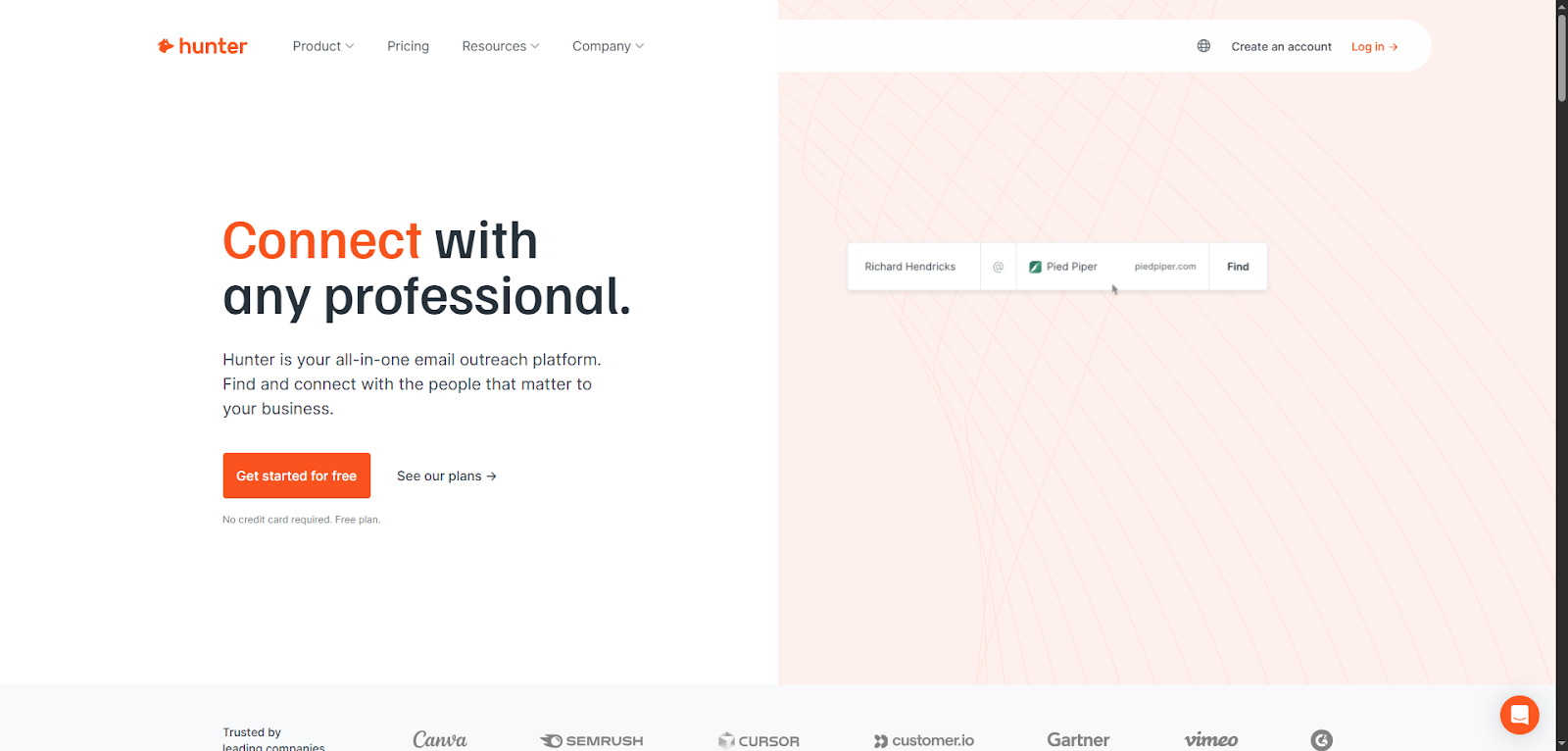
Sometimes, all you need is an email address, and Hunter.io makes that part incredibly easy. It’s a lightweight, no-fuss tool that helps you find and verify professional emails in seconds. Perfect for freelancers, recruiters, solo founders, and small sales teams who want quick results without getting buried in features they’ll never use.
Here’s how it works:
Just enter a company’s domain name, and Hunter pulls up email addresses associated with it. You’ll see:
- Common email formats (like [email protected])
- Confidence scores
- Source links
This helps you guess the right email with a high chance of success, especially handy when you know who you want to reach, but not how.
Already have a list? Upload it to bulk-verify emails and instantly see which ones are valid. This helps protect your sender reputation and cut down on bounce rates.
The Chrome extension is a nice bonus. You can search and save emails while browsing LinkedIn or company websites. It’s fast, clean, and super intuitive.
Hunter also connects with tools like HubSpot, Pipedrive, Google Sheets, Zoho, and Zapier, so it fits nicely into your workflow.
Just keep in mind: Hunter’s not a full database. You won’t get phone numbers, company insights or outreach automation. It’s a focused tool, and that’s the point.
Pricing starts with a free plan (25 searches/month), with paid plans beginning at $49/month.
Fresh, verified leads in minutes
No CRM setup. No manual research. Just clean, ready-to-contact prospects.
Start for free
You’ve just seen the breakdown of 10 standout lead databases, each with its own strengths, features, and quirks.
So now the big question is:
Which one’s right for you?
Don’t worry, you don’t have to guess.
Which sales lead database is best for your business?
With so many great tools out there, the right choice depends on your team size, goals, and budget. Some platforms shine with deep data and enterprise features, while others are perfect for scrappy teams that just need clean contacts fast.
Here’s a quick breakdown to help you decide:
| B2B data provider | Best fit | Data workflow | Activation model | Pricing model |
| Generect | API-first search, enrichment and verified work email | Dedicated lead, company, finder and validation endpoints | Connect to your own CRM, agent or sequencer | See current pricing |
| Reply.io | Prospecting plus outreach | Contact database inside a sales-engagement platform | Native multichannel workflows | Published paid plans |
| ZoomInfo | Enterprise sales intelligence | Contact, company and intent data | Enterprise GTM suite | Custom quote |
| Lusha | Fast rep-led lookups | Email and phone credits | Browser and sales-tool workflow | Free and paid tiers |
| Apollo.io | One-tool outbound | Contact database plus enrichment | Native sequencing and dialing | Free and paid tiers |
| Cognism | EMEA phone-first prospecting | Contact data with verified mobiles | Sales intelligence workflow | Custom quote |
| UpLead | Small teams buying contact data | Credit-based contact database | Export and integrations | Trial and paid tiers |
| Seamless.AI | High-volume prospecting | On-demand contact discovery | Prospecting workflow | Free and custom tiers |
| Lead411 | Contact data plus sales triggers | Contact database | Export and integrations | Published paid plans |
| Hunter | Email finding and verification | Domain and person email lookup | API and web app | Free and paid tiers |
If you’re just getting started or running solo, sales contact databases like Generect, Hunter.io or UpLead are affordable and easy to learn. For growing teams that want to do outreach from the same dashboard, Apollo.io or Reply.io strike a great balance between features and price.
Enterprise teams that need global scale, intent data, and CRM depth will get the most from ZoomInfo or Cognism. These tools offer more insights and compliance, but they come with a higher price tag.
Here’s a quick way to decide:
- Need simple and fast (yet reliable)? Go with Generect, UpLead or Lusha.
- Want everything in one sales lead database software? Try Apollo.io or Reply.io.
- Focused on Europe and compliance? Cognism wins.
- Need serious data power? Generect is hard to beat.
Still unsure? Start with a free trial and see what fits your workflow.
Before we wrap up, here are a few tips to help you make the most of your lead database.
Tips for getting the most out of your lead database
Getting access to a lead database is a great first step, but using it well is what actually drives results. It’s not just about having thousands of contacts. It’s about working smarter with the right ones, at the right time, and with the right tools.
Before you log into any of these sales leads databases, here’s a cheat sheet of how to actually use your lead database the smart way, step-by-step:
| Step | What to do | Why it helps |
| 1. Define your ICP | Choose filters like role, company size, industry | You’ll get more qualified leads |
| 2. Clean your data | Remove duplicates, bounces, outdated contacts | Boosts deliverability and saves time |
| 3. Sync with your CRM | Use integrations or Zapier to automate data flow | Keeps your workflow tight and organized |
| 4. Segment your lists | Group leads by persona, funnel stage or trigger events | Personalizes your outreach |
| 5. Launch smart outreach | Use tools like Reply or your CRM to automate sequences | Saves time and keeps follow-up consistent |
| 6. Track and optimize | Watch open rates, replies, conversion rates | Helps you double down on what’s working |
| 7. Repeat and refine | Review results monthly and adjust your filters or messaging | Keeps your pipeline fresh and effective |
Now you’ve got everything you need to choose the right lead database. But before you dive in and start testing, let’s wrap things up with a quick summary.
For SaaS teams, the right database is only the first step: use a B2B SaaS lead-generation workflow to turn ICP filters into enriched, verified contacts before they enter an outbound sequence.
Frequently Asked Questions
There is no universal winner. Generect fits AI-guided lead discovery and email validation; Apollo fits teams wanting data plus outreach; Clay fits multi-provider enrichment; Cognism fits phone-first EMEA sales; Lusha fits quick contact lookups; Hunter fits email-first prospecting; and ZoomInfo fits enterprise account intelligence. Test finalists on the same ICP sample.
A lead database helps you discover net-new companies and contacts. A data enrichment tool appends or refreshes fields on records you already have. Many platforms now do both, but you should evaluate discovery coverage and enrichment match rate separately.
Apollo is usually the better fit when you want contact data, sequencing, and workflow features in one platform. Lusha is often simpler for individual reps who need quick email and phone lookups. The right choice depends on usable-contact yield and total workflow cost for your market.
Choose Clay when a technical RevOps or GTM operator needs to combine multiple data providers, conditional logic, and custom research in one workflow. A simpler single-source database is usually easier when the team only needs reliable contacts and straightforward CRM export.
Cognism is commonly shortlisted for phone-first EMEA prospecting because European mobile coverage and compliance workflows are central to its positioning. Compare it with Lusha and your existing provider on a country-specific sample before committing.
Use the same 100-record ICP sample for every vendor. Measure verified-email yield, valid phone yield, stale-job rate, duplicates, required manual cleanup, export time, and cost per usable contact. Do not compare vendors using claimed database size alone.
Yes. An AI agent can query a lead database through an API or MCP connection, apply ICP filters, enrich matching records, validate contact fields, and pass approved results to a CRM. Keep human review, permissions, suppression lists, and usage limits in the workflow.
Final thoughts
Choosing the right sales lead database can make a big difference in how fast (and how well) you grow your pipeline. The best tools don’t just hand you contact info. They help you connect with the right people, at the right time, with way less guesswork.
But here’s the thing: there’s no perfect tool for everyone. Some tools are better for volume. Others shine with deep data or built-in outreach. That’s why it’s worth testing a few before you commit.
Many platforms offer free trials or limited plans, so take advantage of them. Try out:
- One lightweight B2B sales lead database tool for fast, verified contacts
- One all-in-one option with outreach built in
Compare how they fit your workflow. Pay attention to ease of use, data quality, and whether it actually saves you time.
And finally, we’d love to hear from you! What tools have worked best for you? Drop a comment or share your experience with your favorite lead database.
The more we learn from each other, the better we get at finding (and converting) the right leads.
Tried one of these sales databases? Got a hidden gem we missed?
Share your experience in the comments and help other sellers make smarter choices. Real insights from real people = better results for everyone.
P.S. If you’re curious about Generect (the AI-powered tool we mentioned earlier), it’s a great example of how modern lead databases are evolving. It focuses on real-time data, simple filters, and speed over complexity.
Worth a test if you’re exploring new options.

