
Release notes

What’s new in Generect

Every week we ship improvements to search, data, exports and the API. Here is what changed and what you can try today.

Smarter search controls, reliable auto top-ups, and other improvements

Build precise lead lists with richer filters, dependable sorting and longer AI instructions. We also made automatic top-ups clearer and more predictable.

See what every filter will do

You can now shape a new search with suggestions and counts drawn from your current results. Company names, domains, nationality and website status show useful options, while range filters reveal the values already present.

  • Add suggested values with one click
  • See result counts beside supported options
  • Use visible ranges for company and experience filters
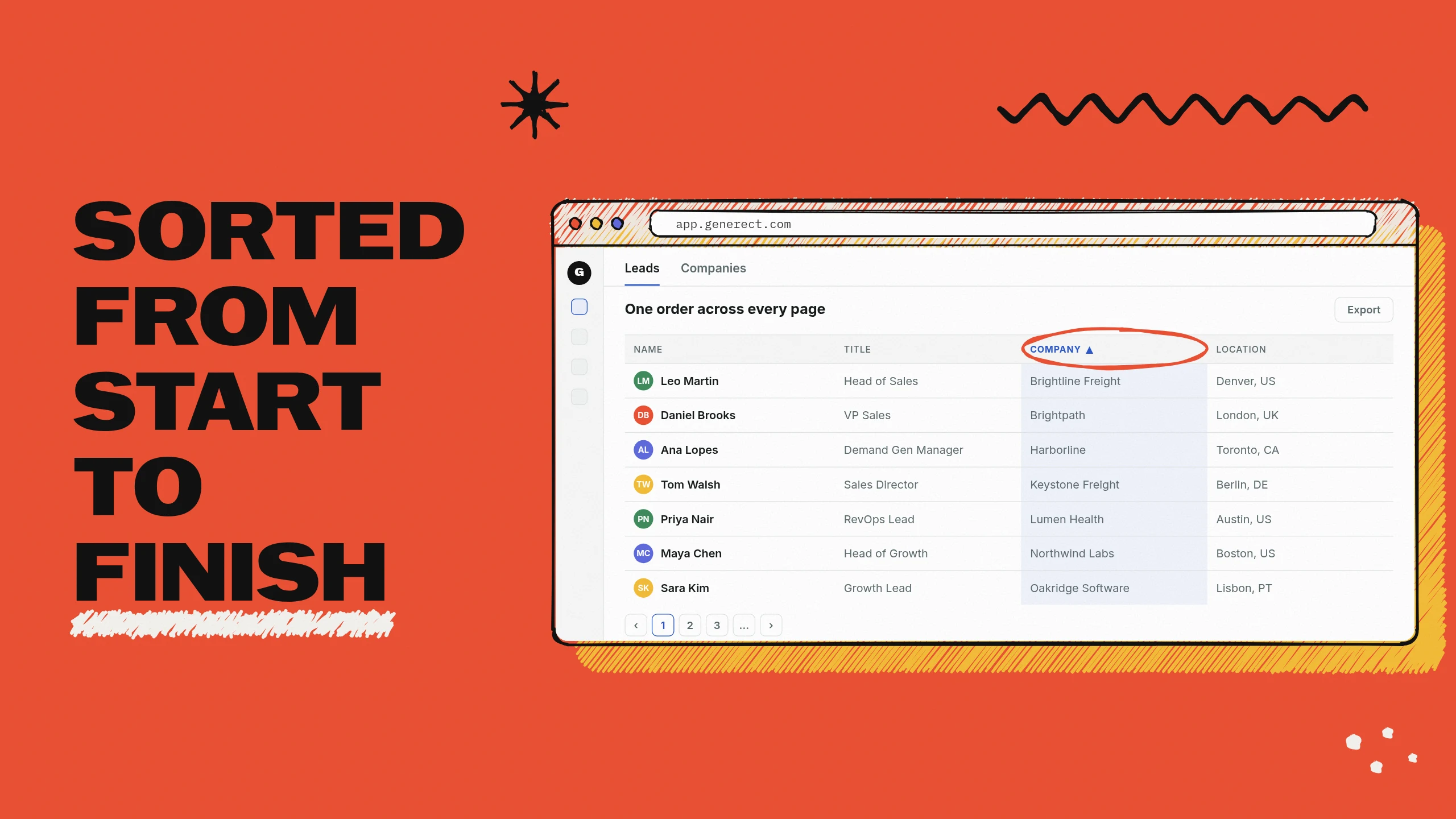
Illustration: Keep large searches under control

Keep large searches under control

Sort the result set you already have with stable pagination, and give the AI filter a longer brief with exclusions and company limits. Your search keeps its order as you move through pages.

  • Sorting works across the existing result set
  • Longer AI instructions keep their final criteria
  • Add exclusions and per-company limits

Auto top-ups add exactly what you set

Choose an amount on the Billing page, and each automatic top-up adds that amount when your balance is below the threshold. The balance is checked again before the charge, so the setting follows the latest account state.

  • The saved amount is added on every valid top-up
  • The latest balance is checked before charging
  • Settings copy and validation match the behavior

Other improvements

  • More supported filters work in database search Database search and count requests now accept more supported lead and company filters while continuing to reject options that could widen results.
  • Exclusion lists stay fast across results and counts Supported lead and company Exclusions now apply consistently to results, facets and counters, including broad searches.
  • Search History focuses on work from the app Search History now shows searches made in the app across history, owner selection, the agent panel and app counters, while saved API links continue to work.
  • Compound leadership titles match the role you requested A search for a C-level role now recognizes that role inside compound titles, such as Chief Marketing and Communications Officer, without widening unrelated matches.
  • Repeated ICP searches return a stable set of candidates The same company and persona request now combines the stable candidate set with targeted function matches, removes duplicates and fills the requested limit when matches are available.

Fixes

  • Company lead previews and counts now stay within the selected company and bill only matching rows

Plus one smaller fix across onboarding.

Smarter AI filters, exact company lists, and other improvements

Searches now follow detailed briefs more closely, pasted company lists stay precise, and result filters make the best next choice easier to see. We also made large searches faster and billing details clearer.

Refine results with choices that fit

Filter menus on a results page now show values found in your current results first, with counts. Blocklists also appear as a visible chip that you can remove, while excluded companies remain excluded as you continue working.

  • Available values and counts appear before the full catalogue
  • Applied blocklists stay visible in the filter bar
  • Removing a Blocklists chip detaches it from the search

Turn detailed briefs into precise filters

You can now describe regions, exclusions, custom job titles, keyword exclusions, and a per-company limit in the AI filter. Generect keeps those details as visible filter chips, so searches follow complex ICP briefs more closely.

  • Regions such as US East Coast expand into supported locations
  • Location, industry, job title, and keyword exclusions stay in the search
  • Custom job titles and limits such as two people per company are preserved

Get exactly the companies you pasted

Paste a list of company names or domains and get results from that list. Exact name and domain matching keeps unrelated companies out, so your result set stays focused and predictable.

  • Company names use normalized exact matching
  • Domains match their registered company domain
  • The Company domains filter now applies to every search

Other improvements

  • Comment enrichment returns the complete available thread Collected comments now include all available pages, attached replies, unique entries, and company-page authors when provided.
  • Integration exports keep the order you saw Rows reach your connected tools in their original order, keeping repeated exports and digests consistent.
  • Large result pages open in tens of milliseconds Typical pages with 10,000 results now load their result IDs in tens of milliseconds while retaining every row.
  • Broad searches keep moving through large filter matches Searches with very broad industry and location filters now return results and counts instead of staying on Applying filters.
  • Changing a filter type opens its value editor When you switch a filter to Job titles or another type, the value picker opens immediately so you can finish the filter.
  • The horizontal results scrollbar stays within reach Wide results tables now keep a visible horizontal scrollbar at the bottom of your screen, including pages with 1,000 rows.

Fixes

  • Failed and refunded requests now add zero usage to invoices
  • Free signup credit stays separate from paid balance and does not expire
  • Eligible accounts receive the $5 welcome bonus after their first live search

Plus 2 smaller fixes and polish across onboarding and settings.

Smarter AI filters, clearer balances, and other improvements

This week makes Generect easier to shape around your workflow. Searches understand more of what you mean, balances explain where funds go, and new accounts reach useful results faster.

Build precise searches in fewer steps

You can turn plain-language requests into more accurate lead filters. AI filters now separate a person's location from a company's location, support follow-up edits, and report terms they could not resolve. Custom job titles, company type, connection ranges and multiple rules per field give you finer control.

  • Use a place on its own to filter where the lead lives
  • Add custom job titles and seniority values
  • Combine included and excluded values for the same field

Know what your extra balance can cover

Your extra balance now appears separately from paid funds, with its expiry and eligible uses. A clear checklist shows what it covers, and the amount updates as soon as it pays for an action. Partner codes add funds to this scoped balance too.

  • See the extra balance in the sidebar, dashboard and Billing
  • Check eligible actions at a glance
  • Phone lookups remain outside the extra balance

Start with a search that fits your company

New accounts can begin with their own company and ready-made searches instead of a blank dashboard. The onboarding completion screen now appears reliably, and the welcome credit is added when you create your first search.

  • See your company on the completion screen when we can match it
  • Choose from six ready-made searches
  • Earn the welcome credit on your first search

Other improvements

  • Phone lookups now cost 200 credits A successful phone lookup now uses 200 credits instead of 400, so the same balance covers twice as many numbers.
  • Follow email finding as it happens A progress bar shows how many emails are done, queued and found, plus an estimated time remaining across every run for the search.
  • The latest app is open to every account Every sign-in now reaches the current Generect interface, with access decided by the account instead of an unreliable browser rollout check.
  • Search results and API previews take the faster path Supported filters, counts and result pages now use the indexed search path, including very broad searches and public API previews.
  • Company websites are ready to open Website columns are clickable, and headline plus company website are included by default in new result-table setups.
  • Create separate live and test API keys The API settings page now lets you create clearly labelled live and test keys in one list.

Fixes

  • Auto top-up shows the real threshold, saves correctly and makes each attempt a single charge
  • Realtime lead counts from a saved filter link return the right number without charging for zero
  • Usage and Billing show credits and charges for the full period you selected
  • Reopening a search goes straight to its results with the correct filters

Plus 19 smaller fixes and polish across search, filters and settings.

Custom job titles, faster folder creation, and other improvements

Build searches with the exact job titles you need, organize them without leaving the sidebar, and make your account feel more personal.

Use any job title in your search

You can now add a job title exactly as you type it, even when it is missing from the list. Persona editing also accepts any seniority, so your targeting can match the people you actually want to reach.

  • Add custom job titles directly from the filter
  • Use any seniority when editing a persona
  • A simpler filter set keeps the focus on your audience

Create folders while organizing searches

You can create a folder directly from the Move to folder menu. Name it once, and Generect creates the folder, moves the search into it, and opens it in the sidebar.

  • Choose New folder from the move menu
  • Name and file the search in one flow
  • The new folder opens in the sidebar

Other improvements

  • Add your name from the sidebar If your account has no name yet, enter it directly in the sidebar and press Enter or click away to save it.

Bigger result pages, smarter exports, and other improvements

In the web app, you can review larger result sets, shape searches without moving the table, and export exactly the data you need. We also made folders, row actions, filters, and sign-in flows more reliable.

Shape your search, then run it

Edit filters at your pace, then update the current search with Run search. Results stay steady while you refine chips, and one click saves the new filter set to the same search.

  • Run search activates only when filters change
  • Your current search keeps its place in history
  • The table shows the last filter set you ran

Review up to 10,000 results

Choose 1,000 rows per page, load the next batch, or use All for up to 10,000 results. Large tables stay responsive, and loading stops cleanly when the final page is shorter than the search count.

  • Page sizes now include 1,000
  • All loads up to 10,000 results
  • Load more appends the next page

Exports match the way you work

Export the columns shown in your table, choose from three built-in templates, and find files by their search name. Exported rows now carry a mark, so you can see which leads are already included before your next export.

  • Table column choices carry into the file
  • File names include the source search
  • Exported rows are marked in the table

Other improvements

  • Organize searches with folders and a dedicated Pinned section Move searches into folders by mouse or drag and drop, and keep your most useful searches together in Pinned.
  • Open row actions with a right-click Right-click any result row for its actions, or open a lead's company website directly from the company name.
  • Nationality is clearly marked as coming soon The Nationality filter now appears as Soon while coverage is around 0.1%, helping you avoid searches that return almost no leads.
  • Tab counts and rows stay aligned Lead and company tabs keep useful counts while loading, and switching tabs shows the right rows from the start.
  • Account settings live under your profile Open billing, API keys, integrations, usage, and account settings from the profile menu while the sidebar stays focused on daily work.
  • Excluded filters return to the sidebar correctly Excluded values are restored as exclusions when you reopen a search, keeping the filter set ready to edit and run again.

Fixes

  • Accounts with access now stay in the new interface when browser flags are stale
  • MCP connection links now survive sign-in and onboarding
  • Company LinkedIn URL filters now limit results to the companies you selected
  • Export templates now offer supported columns and explain refused saves

Plus one smaller fix across search.

Watch how Generect turns cold lists into live B2B contacts.

Book a Demo